
LaunchTime (Homescreen) PC
Quaap, my free-time FOSS apps
LaunchTime (Homescreen)'i GameLoop Emulator ile PC'ye indirin
PC'de LaunchTime (Homescreen)
Quaap, my free-time FOSS apps geliştiricisinden gelen LaunchTime (Homescreen), geçmişte Android systerm üzerinde çalışıyor.
Artık LaunchTime (Homescreen)'i PC'de GameLoop ile sorunsuz bir şekilde oynayabilirsiniz.
GameLoop kitaplığından veya arama sonuçlarından indirin. Artık yanlış zamanda pile bakmak veya sinir bozucu aramalar yapmak yok.
LaunchTime (Homescreen) bilgisayarın keyfini büyük ekranda ücretsiz olarak çıkarın!
LaunchTime (Homescreen) Tanıtım
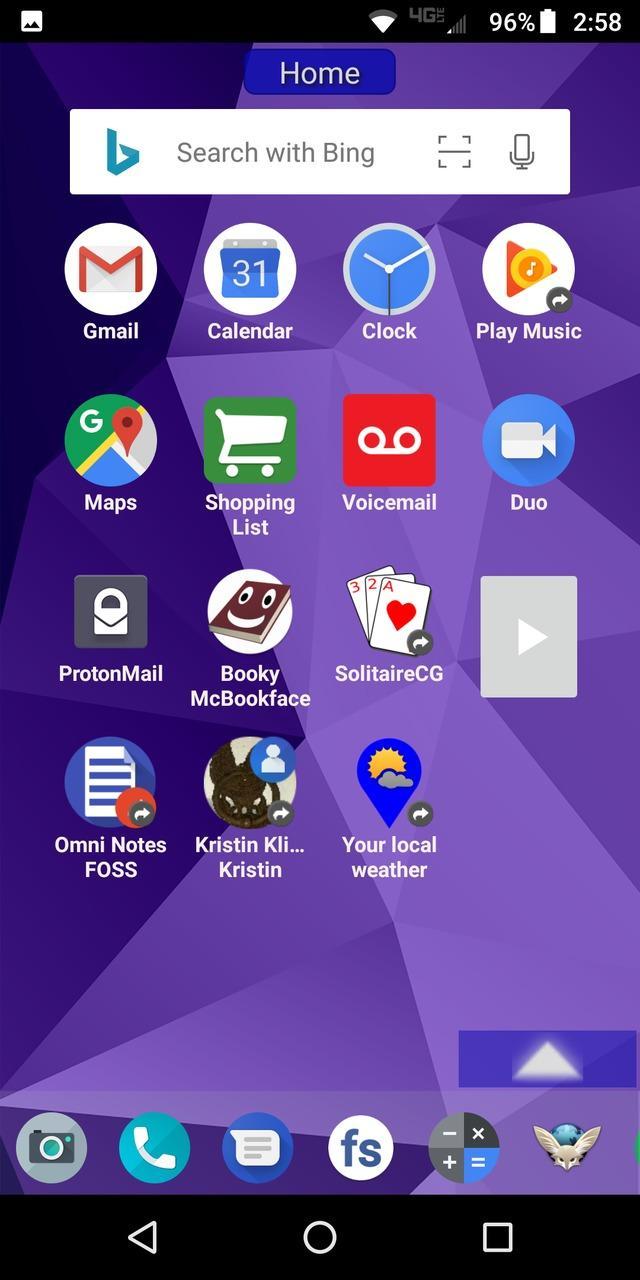
Highly configurable alternative homescreen/launcher which features a side menu to automatically and/or manually organize your apps into common-sense and customizable categories.
Latest features: Resizable widgets, hideable side menu, action menus, appinfo, better appearance, animated transitions, and an experimental "dumbphone" mode.
More features:
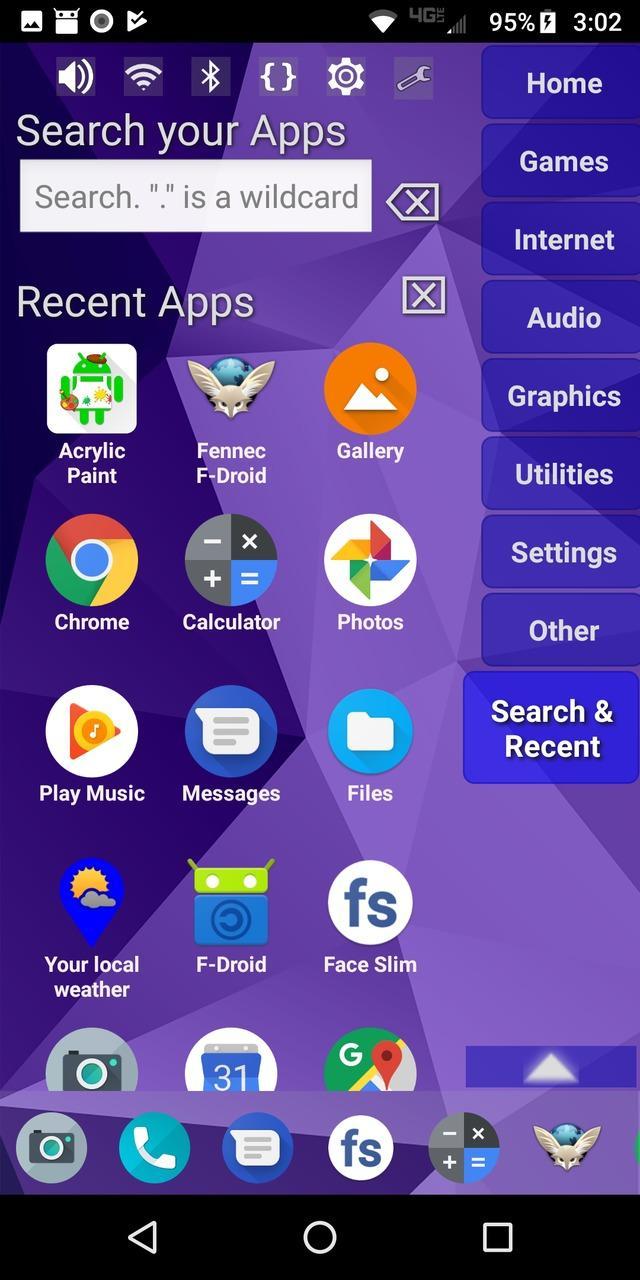
* Configurable app categories in a scrollable/hideable side menu.
* Scrolling QuickBar on the bottom for easy access to your favorite apps.
* Text search to find apps.
* List of recent apps.
* Quick access to settings.
* Multiple widget support.
* Rearrange/sort icons and menu items.
* Toddler/child mode
* Shortcut/link and Oreo Pinned shortcut support.
* Android 7.1+ shortcut actions / menus.
* Unread badges.
* Adw/nova/apex icon-packs.
* Supports both portrait and landscape mode.
* Can hide apps you don't want but can't uninstall.
* Back up and restore your settings.
* Configurable colors.
* Customize icons and labels.
* Built-in themes.
Ön izleme
Etiketler
KişiselleştirmeBilgi
geliştirici
Quaap, my free-time FOSS apps
En Son Sürüm
0.8.5
Son güncelleme
2019-08-26
Kategori
Kişiselleştirme
üzerinde mevcut
Google Play
Daha fazla göster
PC'de GameLoop ile LaunchTime (Homescreen) nasıl oynanır
1. Resmi web sitesinden GameLoop'u indirin, ardından GameLoop'u kurmak için exe dosyasını çalıştırın.
2. GameLoop'u açın ve “LaunchTime (Homescreen)”i arayın, arama sonuçlarında LaunchTime (Homescreen)'i bulun ve “Yükle”ye tıklayın.
3. GameLoop'ta LaunchTime (Homescreen) oynamanın keyfini çıkarın.
Minimum requirements
OS
Windows 8.1 64-bit or Windows 10 64-bit
GPU
GTX 1050
CPU
i3-8300
Memory
8GB RAM
Storage
1GB available space
Recommended requirements
OS
Windows 8.1 64-bit or Windows 10 64-bit
GPU
GTX 1050
CPU
i3-9320
Memory
16GB RAM
Storage
1GB available space