Edge Screen: Sidebar Launcher & Edge Music Player PC
GIF Maker - Diary - Edge Screen
Edge Screen: Sidebar Launcher & Edge Music Player'i GameLoop Emulator ile PC'ye indirin
PC'de Edge Screen: Sidebar Launcher & Edge Music Player
GIF Maker - Diary - Edge Screen geliştiricisinden gelen Edge Screen: Sidebar Launcher & Edge Music Player, geçmişte Android systerm üzerinde çalışıyor.
Artık Edge Screen: Sidebar Launcher & Edge Music Player'i PC'de GameLoop ile sorunsuz bir şekilde oynayabilirsiniz.
GameLoop kitaplığından veya arama sonuçlarından indirin. Artık yanlış zamanda pile bakmak veya sinir bozucu aramalar yapmak yok.
Edge Screen: Sidebar Launcher & Edge Music Player bilgisayarın keyfini büyük ekranda ücretsiz olarak çıkarın!
Edge Screen: Sidebar Launcher & Edge Music Player Tanıtım
One of the advantages of Samsung flagships, Galaxy S9 (Plus) and Galaxy S8 (Plus), is the edge screen and edge panel which enable the users to launch favorite applications, toggle system settings, call certain contacts, control playing music, check calendar events, and even access folders and files, right from the sidebar app. The sidebar opens with a gentle sliding gesture.
Edge Screen, as the name suggests, brings this wonderful feature to literally any Android devices and you get to enjoy the many benefits of edge launcher on your phone or tablet. So, download Edge Screen on your Android device for free, enjoy the edge launcher and experience the Galaxy Edge features on your non-edge phone.
What to expect from Edge Screen?
Edge Screen, the free sidebar app, comes with a clean and neat design and the interface is so user-friendly that doesn’t take a genius to figure out the whole idea. You just need to grant the required permissions, customize the edge panels, and access your favorite apps, toggle system settings, a music player and a lot more by launching different side panels.
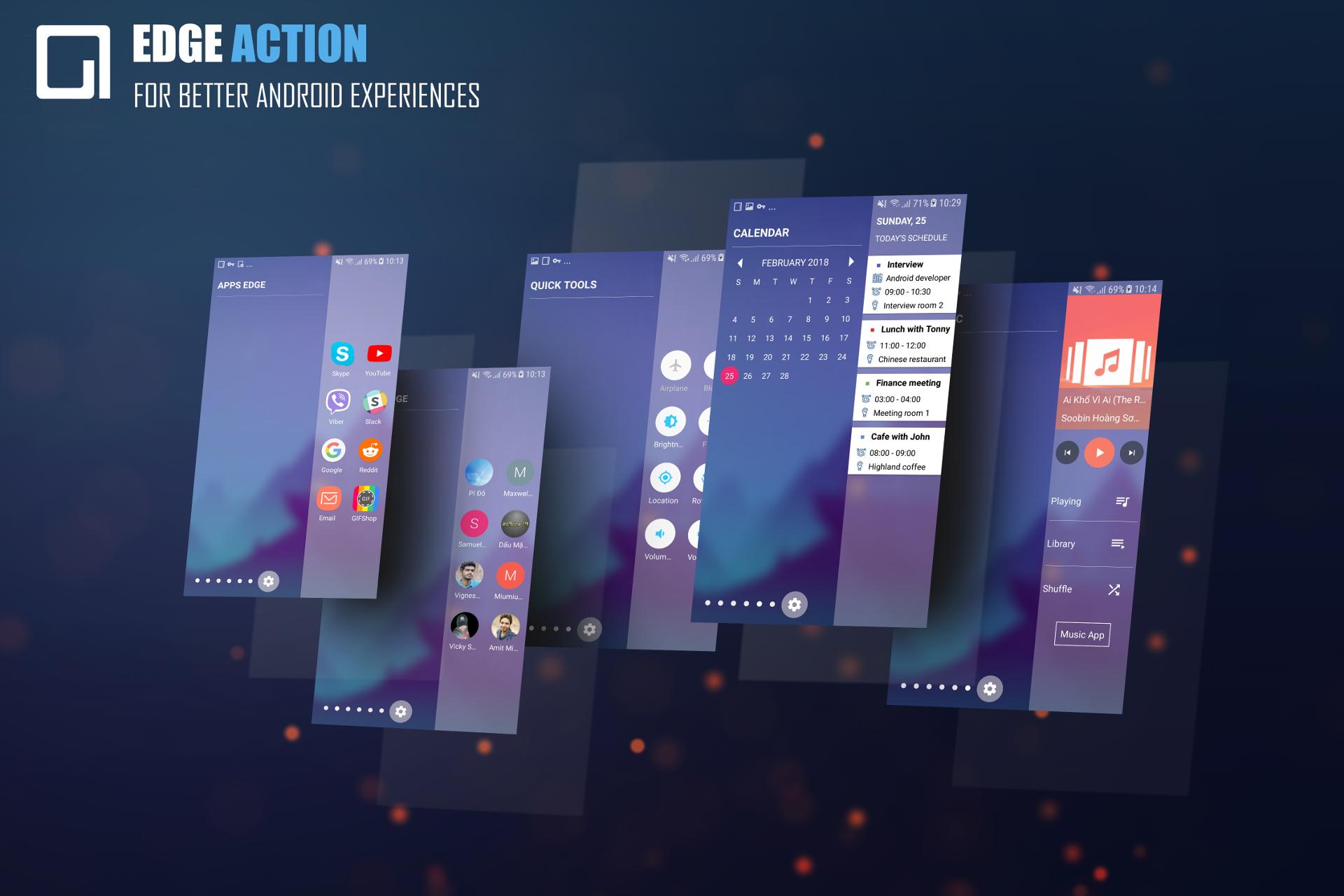
Here is the list of available edge screens that you can have access from anywhere:
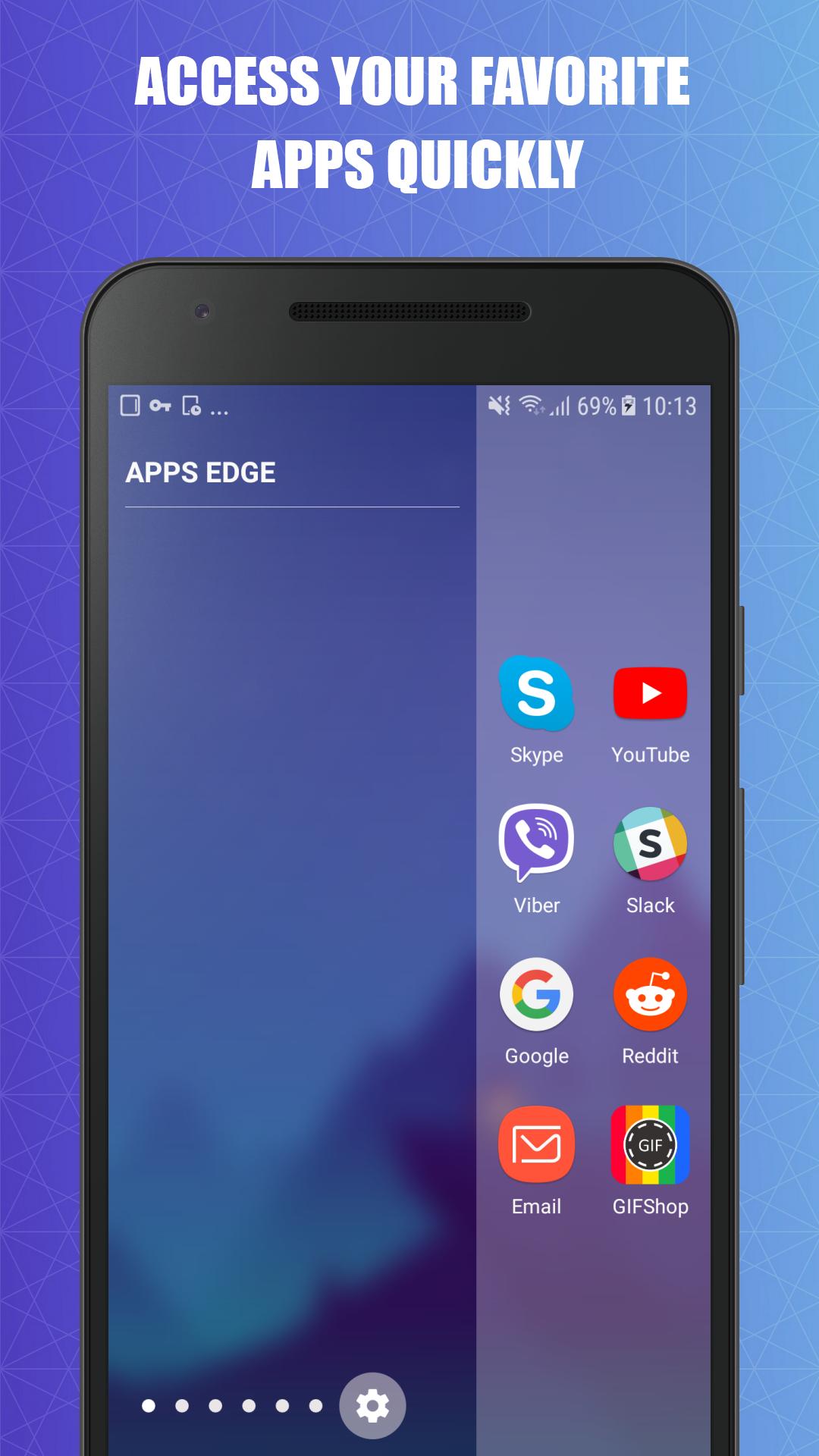
App Edge: Add your favorite and most-used application in the sidebar panel and open them by just sliding to open the Add Edge panel.
People Edge: How do you usually call or send a message to your frequent contacts? How about adding them to the People Edge panel and access to them from virtually anywhere?
Quick Tools: Your phone is too big to open the notification panel with one hand? Well, try toggling system settings from the sidebar app.
Soft Keys: The physical buttons of your Android phone are not working smoothly? Well, the Soft Keys panel provides you with software buttons that function as Home, Back, Recent Apps, and power buttons.
Calendar: Your meetings, event, and appointments have never been easier to access the Calendar panel.
Call Log: This edge panel lets you have access to your call logs and manage your call history from the edge panel.
Edge Music Player: Can you think of the coolest and easiest way to control the playing music? Well, let’s try the edge music player feature.
Edge Screen also enables you to easily take a screenshot and access your files and folders from the edge panels.
Note that, depending on the sidebar app you add to your edge panel, you may need to grant certain permissions. The permissions are solely used for the app’s functionality and we don’t collect any personal information.
It’s now the time to boost your productivity
Once you completely configured the edge launcher and added the needed sidebar apps to the panel, you no longer need to add endless system settings shortcuts as well as applications’ shortcuts to the home screen for quick access to them. You can also use your phone with one-hand again, as you don’t need to stretch out your finger to get to the Home, Back, and Recent buttons as well as the notification panel.
Download Edge Screen for free and let us know about any bugs, questions, feature requests or any other suggestions.
Ön izleme
Bilgi
geliştirici
GIF Maker - Diary - Edge Screen
En Son Sürüm
1.1.8
Son güncelleme
2018-04-20
Kategori
Kişiselleştirme
üzerinde mevcut
Google Play
Daha fazla göster
PC'de GameLoop ile Edge Screen: Sidebar Launcher & Edge Music Player nasıl oynanır
1. Resmi web sitesinden GameLoop'u indirin, ardından GameLoop'u kurmak için exe dosyasını çalıştırın.
2. GameLoop'u açın ve “Edge Screen: Sidebar Launcher & Edge Music Player”i arayın, arama sonuçlarında Edge Screen: Sidebar Launcher & Edge Music Player'i bulun ve “Yükle”ye tıklayın.
3. GameLoop'ta Edge Screen: Sidebar Launcher & Edge Music Player oynamanın keyfini çıkarın.
Minimum requirements
OS
Windows 8.1 64-bit or Windows 10 64-bit
GPU
GTX 1050
CPU
i3-8300
Memory
8GB RAM
Storage
1GB available space
Recommended requirements
OS
Windows 8.1 64-bit or Windows 10 64-bit
GPU
GTX 1050
CPU
i3-9320
Memory
16GB RAM
Storage
1GB available space