YoutoMP3 PC
Sameera Premathunga
YoutoMP3'i GameLoop Emulator ile PC'ye indirin
PC'de YoutoMP3
Sameera Premathunga geliştiricisinden gelen YoutoMP3, geçmişte Android systerm üzerinde çalışıyor.
Artık YoutoMP3'i PC'de GameLoop ile sorunsuz bir şekilde oynayabilirsiniz.
GameLoop kitaplığından veya arama sonuçlarından indirin. Artık yanlış zamanda pile bakmak veya sinir bozucu aramalar yapmak yok.
YoutoMP3 bilgisayarın keyfini büyük ekranda ücretsiz olarak çıkarın!
YoutoMP3 Tanıtım
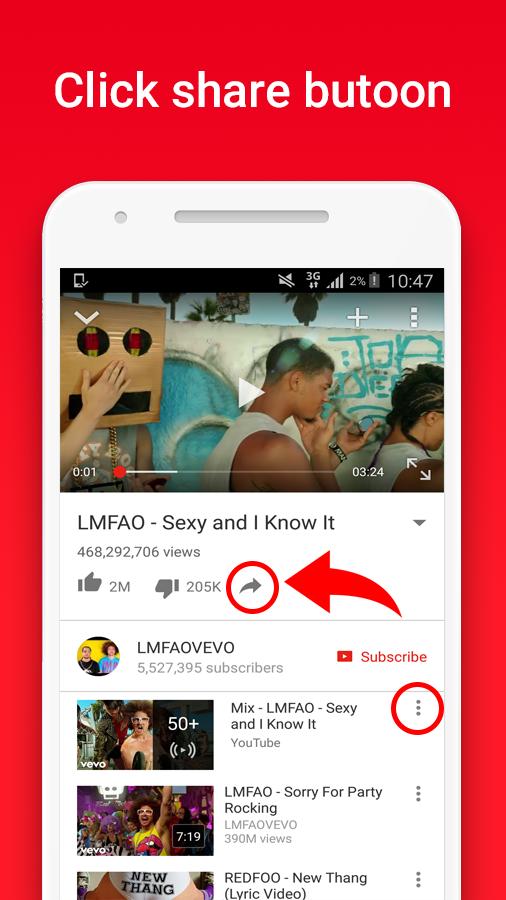
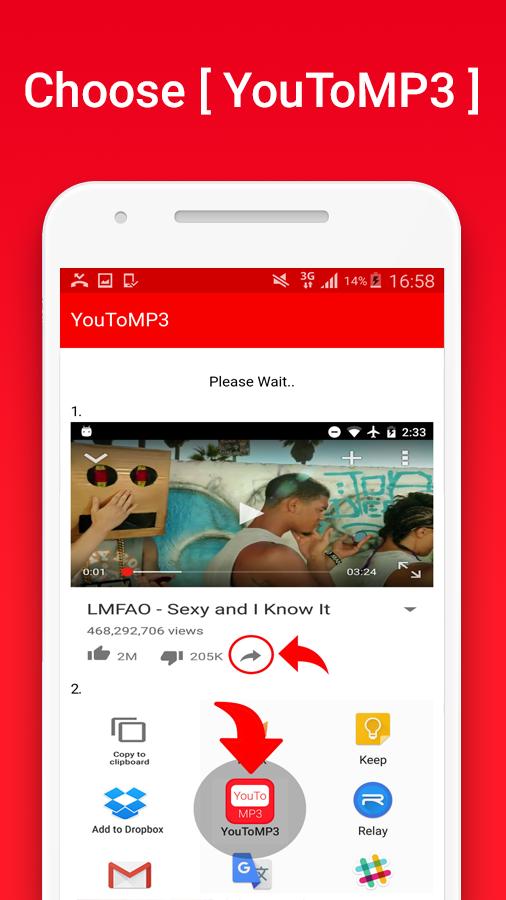
How to Use: People like does not work as yet WORKS! :) push share the song in the YouTube app and choose youtomp3. Saves the file to MP3 audio it is sufficient and sail elegantly 💪 :)
You can now download YT videos as MP3 files with HD audio quality
How to Use: Sunset in the app or on the website youtube, then choose the video and in the description of the Share button, press it and choose the application.
Problems with download?
you can allow "Storage" permissions. (android 6.0+)
1. On your device, open the Settings app Settings.
2. Select youtomp3 App.
3. Look under “Permissions” to see what permissions the app has.
4. Trun on "Storage"
5. Retry download
:D
FEATURES :
- Super fast conversions
- MP3 files with HD audio quality
- No limitations on conversions and downloads
INSTRUCTIONS :
- Install YouToMP3 app in your device.
- Open youtube app and browse video.
- touch Share Button
- Choose the YouToMP3 app
- Downloading... :D
Download Location : Device storage > Music Folder
Ön izleme
Bilgi
geliştirici
Sameera Premathunga
En Son Sürüm
1.0.2
Son güncelleme
2017-07-12
Kategori
Music-audio
üzerinde mevcut
Google Play
Daha fazla göster
PC'de GameLoop ile YoutoMP3 nasıl oynanır
1. Resmi web sitesinden GameLoop'u indirin, ardından GameLoop'u kurmak için exe dosyasını çalıştırın.
2. GameLoop'u açın ve “YoutoMP3”i arayın, arama sonuçlarında YoutoMP3'i bulun ve “Yükle”ye tıklayın.
3. GameLoop'ta YoutoMP3 oynamanın keyfini çıkarın.
Minimum requirements
OS
Windows 8.1 64-bit or Windows 10 64-bit
GPU
GTX 1050
CPU
i3-8300
Memory
8GB RAM
Storage
1GB available space
Recommended requirements
OS
Windows 8.1 64-bit or Windows 10 64-bit
GPU
GTX 1050
CPU
i3-9320
Memory
16GB RAM
Storage
1GB available space