Story of Toys for Minecraft PC
Strong Cubes Lover
Story of Toys for Minecraft'i GameLoop Emulator ile PC'ye indirin
PC'de Story of Toys for Minecraft
Strong Cubes Lover geliştiricisinden gelen Story of Toys for Minecraft, geçmişte Android systerm üzerinde çalışıyor.
Artık Story of Toys for Minecraft'i PC'de GameLoop ile sorunsuz bir şekilde oynayabilirsiniz.
GameLoop kitaplığından veya arama sonuçlarından indirin. Artık yanlış zamanda pile bakmak veya sinir bozucu aramalar yapmak yok.
Story of Toys for Minecraft bilgisayarın keyfini büyük ekranda ücretsiz olarak çıkarın!
Story of Toys for Minecraft Tanıtım
DISCLAIMER: Toy Story Minecraft is an unofficial application for Minecraft Pocket Edition. This application is not affiliated in any way with Mojang AB. The Name, Brand and the Assets are all property of Mojang AB or their respectful owner.
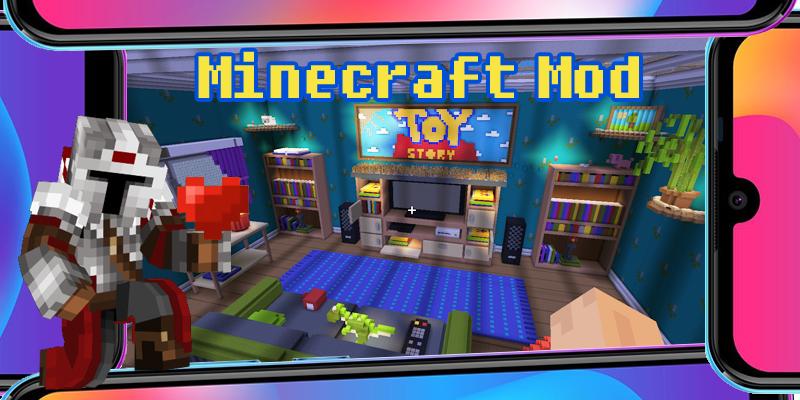
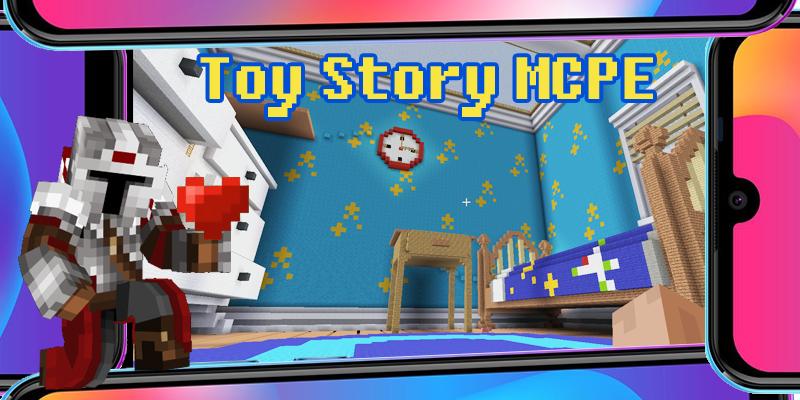
The Toy Story Minecraft games now fully adapted for MCPE. If you are a fan of the animated series Toy Story from Pixar, you will certainly appreciate this Minecraft mod map. MCPE game mod enable player to feel like the Minecraft toy in Andy Davis’s house, to feel all the difficulties and understand how hard it is to be a small toy. Even Woody or Buzz Lightyear from Toy Story will not just cope with the tasks - quests on our Minecraft PE map, which repeats the house of the Davies exactly. Often, the quest tasks of the MCPE game are related to overcoming obstacles, and finding ways to climb various objects at home. Shelves, tables, sofa just seem so impregnable. Do not use fly mode. Remember, even Buzz Lightyear did not know how to fly, although he really wanted to. Try to go around large objects from different sides and find the necessary ledges or toy stairs, the authors of the mod map took care of you!
Disclaimer:
Toy Story are the property of Pixar and its owners.
This application is not associated with Pixar.
Ön izleme
Etiketler
EğlenceBilgi
geliştirici
Strong Cubes Lover
En Son Sürüm
8.07
Son güncelleme
2022-01-25
Kategori
Eğlence
üzerinde mevcut
Google Play
Daha fazla göster
PC'de GameLoop ile Story of Toys for Minecraft nasıl oynanır
1. Resmi web sitesinden GameLoop'u indirin, ardından GameLoop'u kurmak için exe dosyasını çalıştırın.
2. GameLoop'u açın ve “Story of Toys for Minecraft”i arayın, arama sonuçlarında Story of Toys for Minecraft'i bulun ve “Yükle”ye tıklayın.
3. GameLoop'ta Story of Toys for Minecraft oynamanın keyfini çıkarın.
Minimum requirements
OS
Windows 8.1 64-bit or Windows 10 64-bit
GPU
GTX 1050
CPU
i3-8300
Memory
8GB RAM
Storage
1GB available space
Recommended requirements
OS
Windows 8.1 64-bit or Windows 10 64-bit
GPU
GTX 1050
CPU
i3-9320
Memory
16GB RAM
Storage
1GB available space