Baby Sounds Game PC
Miniclub by Bubadu
Baby Sounds Game'i GameLoop Emulator ile PC'ye indirin
PC'de Baby Sounds Game
Miniclub by Bubadu geliştiricisinden gelen Baby Sounds Game, geçmişte Android systerm üzerinde çalışıyor.
Artık Baby Sounds Game'i PC'de GameLoop ile sorunsuz bir şekilde oynayabilirsiniz.
GameLoop kitaplığından veya arama sonuçlarından indirin. Artık yanlış zamanda pile bakmak veya sinir bozucu aramalar yapmak yok.
Baby Sounds Game bilgisayarın keyfini büyük ekranda ücretsiz olarak çıkarın!
Baby Sounds Game Tanıtım
Cute sounds game for babies and toddlers to learn and play.
Baby Sounds Game is an educational application for your child to play and learn about animal and other sounds. Teach your baby or toddler to recognize different characters and connect them with related sounds. The application is childproof, which means your device will be set into a lock mode to avoid exiting from the game during the play. The app allows two playing modes: SOUNDS and GAME.
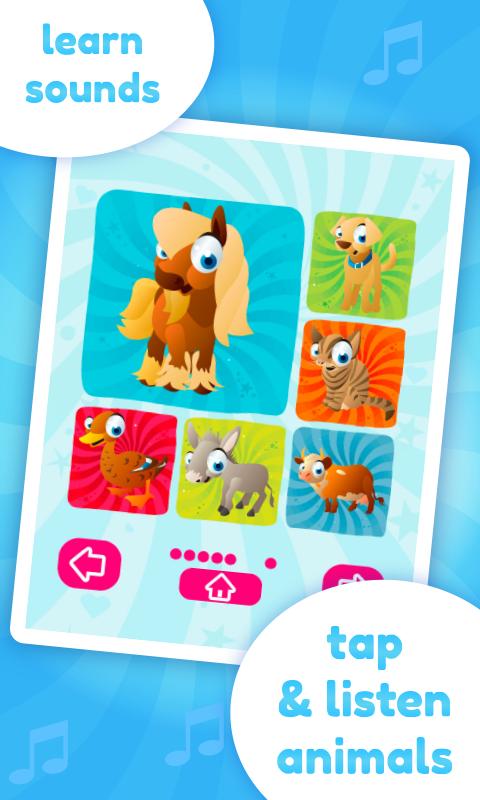
Within the "SOUNDS" mode the kids can tap icons and listen to related sounds. This mode is great for learning and discovering how different characters sound.
Within the "GAME" mode the children develop and improve their memory skills by matching sound with related characters.
Features:
★ beautiful graphics
★ high-quality sounds
★ easy to use
★ intuitive user interface
★ two playing modes
★ lock mode to avoid exit from application
★ 36 different characters and sounds
Ön izleme

Bilgi
geliştirici
Miniclub by Bubadu
En Son Sürüm
1.26
Son güncelleme
2018-09-06
Kategori
Eğitim
üzerinde mevcut
Google Play
Daha fazla göster
PC'de GameLoop ile Baby Sounds Game nasıl oynanır
1. Resmi web sitesinden GameLoop'u indirin, ardından GameLoop'u kurmak için exe dosyasını çalıştırın.
2. GameLoop'u açın ve “Baby Sounds Game”i arayın, arama sonuçlarında Baby Sounds Game'i bulun ve “Yükle”ye tıklayın.
3. GameLoop'ta Baby Sounds Game oynamanın keyfini çıkarın.
Minimum requirements
OS
Windows 8.1 64-bit or Windows 10 64-bit
GPU
GTX 1050
CPU
i3-8300
Memory
8GB RAM
Storage
1GB available space
Recommended requirements
OS
Windows 8.1 64-bit or Windows 10 64-bit
GPU
GTX 1050
CPU
i3-9320
Memory
16GB RAM
Storage
1GB available space