Mother Goose Nursery Rhymes PC
ゆめある
Mother Goose Nursery Rhymes'i GameLoop Emulator ile PC'ye indirin
PC'de Mother Goose Nursery Rhymes
ゆめある geliştiricisinden gelen Mother Goose Nursery Rhymes, geçmişte Android systerm üzerinde çalışıyor.
Artık Mother Goose Nursery Rhymes'i PC'de GameLoop ile sorunsuz bir şekilde oynayabilirsiniz.
GameLoop kitaplığından veya arama sonuçlarından indirin. Artık yanlış zamanda pile bakmak veya sinir bozucu aramalar yapmak yok.
Mother Goose Nursery Rhymes bilgisayarın keyfini büyük ekranda ücretsiz olarak çıkarın!
Mother Goose Nursery Rhymes Tanıtım
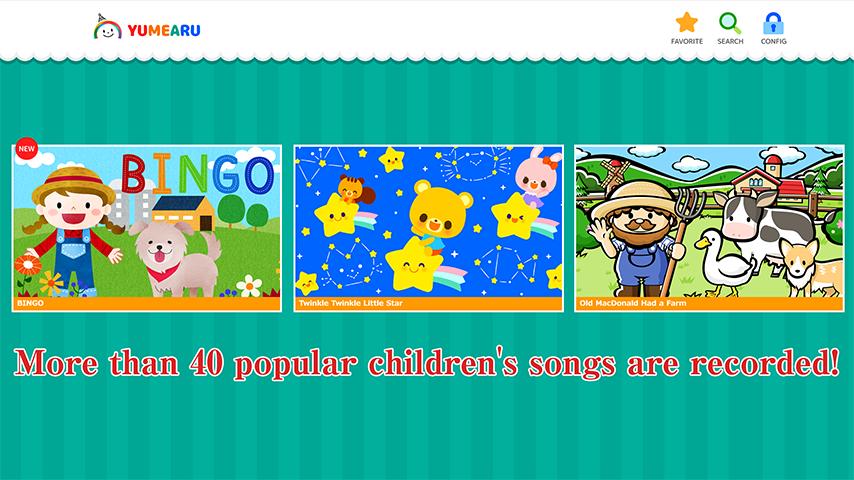
More than 40 popular children's songs are recorded!
New pieces will be added.
[Examples of works]
BINGO,Twinkle Twinkle Little Star,Old MacDonald Had a Farm,Silent night,Jingle Bells,Humpty Dumpty
[Useful function 1]
If you download, you can enjoy it even in an offline environment you go!
[Useful function 2]
When you check the work, you can see your favorite works anytime!
[Useful function 3]
It has a timer function, so you can promise the time you can see it!
Notes
In an environment where the net line is slow, playback may not be smooth.
In that case, please save with the "save movie" button displayed after the work icon tap and then browse.
Ön izleme

Etiketler
EğitimBilgi
geliştirici
ゆめある
En Son Sürüm
3.0.1
Son güncelleme
2018-10-11
Kategori
Eğitim
üzerinde mevcut
Google Play
Daha fazla göster
PC'de GameLoop ile Mother Goose Nursery Rhymes nasıl oynanır
1. Resmi web sitesinden GameLoop'u indirin, ardından GameLoop'u kurmak için exe dosyasını çalıştırın.
2. GameLoop'u açın ve “Mother Goose Nursery Rhymes”i arayın, arama sonuçlarında Mother Goose Nursery Rhymes'i bulun ve “Yükle”ye tıklayın.
3. GameLoop'ta Mother Goose Nursery Rhymes oynamanın keyfini çıkarın.
Minimum requirements
OS
Windows 8.1 64-bit or Windows 10 64-bit
GPU
GTX 1050
CPU
i3-8300
Memory
8GB RAM
Storage
1GB available space
Recommended requirements
OS
Windows 8.1 64-bit or Windows 10 64-bit
GPU
GTX 1050
CPU
i3-9320
Memory
16GB RAM
Storage
1GB available space