
Funny Proxy PC
Funny Dev Digital Solution Joint-stock Company
Funny Proxy'i GameLoop Emulator ile PC'ye indirin
PC'de Funny Proxy
Funny Dev Digital Solution Joint-stock Company geliştiricisinden gelen Funny Proxy, geçmişte Android systerm üzerinde çalışıyor.
Artık Funny Proxy'i PC'de GameLoop ile sorunsuz bir şekilde oynayabilirsiniz.
GameLoop kitaplığından veya arama sonuçlarından indirin. Artık yanlış zamanda pile bakmak veya sinir bozucu aramalar yapmak yok.
Funny Proxy bilgisayarın keyfini büyük ekranda ücretsiz olarak çıkarın!
Funny Proxy Tanıtım
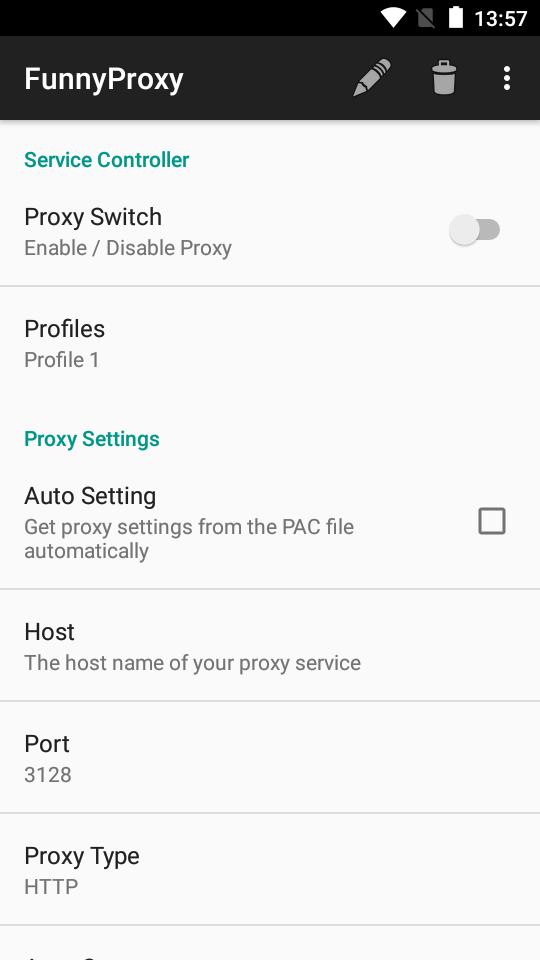
FunnyProxy is an app that can help you to set the proxy (http/socks4/ socks5) on your android devices.
PLEASE ROOT YOUR DEVICES FIRST
TIPS: Press MENU button to find a "Recover" option that would help you to recover / reset the proxy settings when you get something wrong.
** FEATURES **
1. Support HTTP / HTTPS / SOCKS4 / SOCKS5 proxy
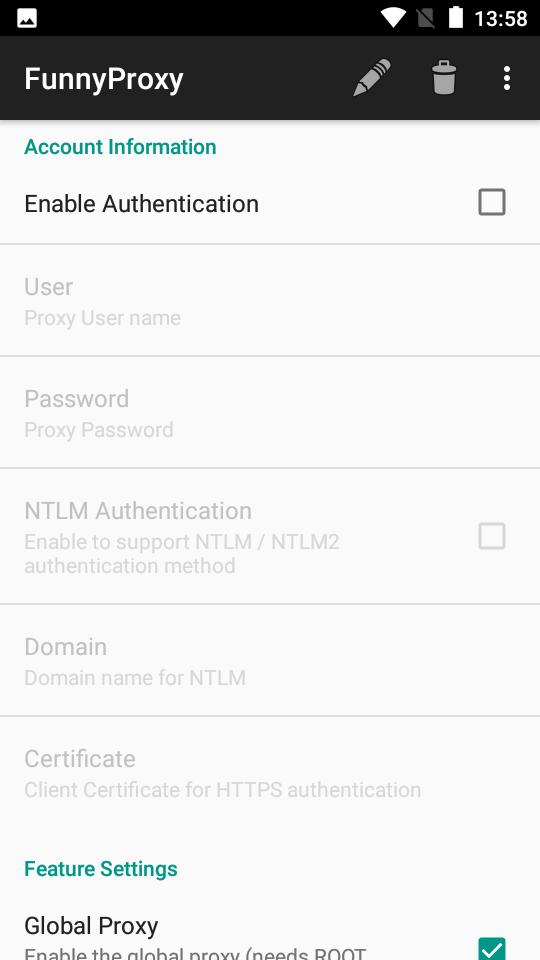
2. Support basic / NTLM / NTLMv2 authentication methods
3. Individual proxy for only one or several apps
4. Multiple profiles support
5. Bind configuration to WIFI's SSID / Mobile Network (2G / 3G)
6. Widgets for quickly switching on/off proxy
7. Low battery and memory consumption (written in C and compiled as native binary)
8. Bypass custom IP address
9. DNS proxy for guys behind the firewall that disallows to resolve external addresses
Ön izleme
Etiketler
İletişimBilgi
geliştirici
Funny Dev Digital Solution Joint-stock Company
En Son Sürüm
1.1.1
Son güncelleme
2022-05-02
Kategori
İletişim
üzerinde mevcut
Google Play
Daha fazla göster
PC'de GameLoop ile Funny Proxy nasıl oynanır
1. Resmi web sitesinden GameLoop'u indirin, ardından GameLoop'u kurmak için exe dosyasını çalıştırın.
2. GameLoop'u açın ve “Funny Proxy”i arayın, arama sonuçlarında Funny Proxy'i bulun ve “Yükle”ye tıklayın.
3. GameLoop'ta Funny Proxy oynamanın keyfini çıkarın.
Minimum requirements
OS
Windows 8.1 64-bit or Windows 10 64-bit
GPU
GTX 1050
CPU
i3-8300
Memory
8GB RAM
Storage
1GB available space
Recommended requirements
OS
Windows 8.1 64-bit or Windows 10 64-bit
GPU
GTX 1050
CPU
i3-9320
Memory
16GB RAM
Storage
1GB available space