
SwannView PC
Swann Communications
ดาวน์โหลด SwannView บนพีซีด้วย GameLoop Emulator
SwannView บน PC
SwannView มาจากผู้พัฒนา Swann Communications ที่เคยรันบนระบบปฏิบัติการ Android มาก่อน
ตอนนี้คุณสามารถเล่น SwannView บนพีซีด้วย GameLoop ได้อย่างราบรื่น
ดาวน์โหลดในไลบรารี GameLoop หรือผลการค้นหา ไม่ต้องสนใจแบตเตอรี่หรือโทรผิดเวลาอีกต่อไป
เพียงเพลิดเพลินกับ SwannView PC บนหน้าจอขนาดใหญ่ฟรี!
SwannView บทนำ
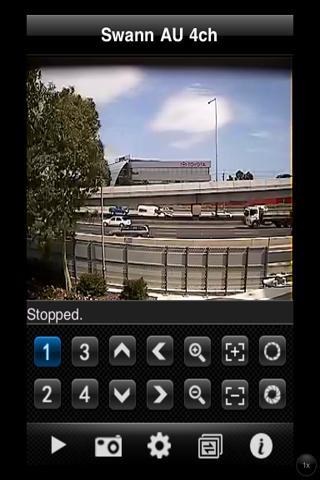
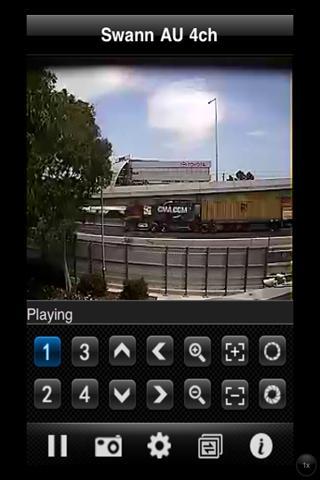
SwannView: Live Swann DVR viewing on your Android phone.
Note: This app uses a data stream that will connect to your DVR via 3G or WiFi. When using 3G, the video from your DVR will likely be considered "downloads" by your phone service provider and will contribute to any download limit your phone data plan may have. If you exceed any plan limits you may incur additional usage charges. Consult with your mobile service provider regarding the use of a video streaming app and how it may affect your plan.
Currently supported DVR models:
DVR4-2600
DVR8-2600
DVR16-2600
DVR4-2550
DVR8-2550
DVR16-2550
DVR4-1200 (VGA Model only)
DVR4-1300 (VGA Model only)
DVR4-5100
DVR4-5700
DVR8-5700
DVRx-2500 models ARE NOT supported with SwannView
SwannView supports the following features:
Multi-channel viewing with 4 cameras on screen at the same time.
You can capture still images, and save these to your local photo gallery and also control PTZ (pan, tilt, zoom) cameras remotely. SwannView also supports both profile and landscape viewing modes.
The video stream is sent directly from your DVR to your phone without being routed through 3rd party servers.
To use SwannView on your Android handset:
Tap + on screen to add camera, on next screen Tap "Add" at top right and enter your DVR's details. To add cameras to the main screen, Tap + on screen, Tap DVR, Tap Camera to show. After successful connection to your cameras, next time you use app, Tap + on screen then Tap Play at bottom left to restart your previous camera selections.
Use phone's "back" button to stop streaming and close app.
ดูตัวอย่าง
แท็ก
Video-Playersข้อมูล
นักพัฒนา
Swann Communications
เวอร์ชั่นล่าสุด
3.2.4
อัพเดทล่าสุด
2011-10-24
หมวดหมู่
Video-players-editors
มีจำหน่ายที่
Google Play
แสดงมากขึ้น
วิธีเล่น SwannView ด้วย GameLoop บน PC
1. ดาวน์โหลด GameLoop จากเว็บไซต์ทางการ จากนั้นเรียกใช้ไฟล์ exe เพื่อติดตั้ง GameLoop
2. เปิด GameLoop และค้นหา "SwannView" ค้นหา SwannView ในผลการค้นหาแล้วคลิก "ติดตั้ง"
3. สนุกกับการเล่น SwannView บน GameLoop
Minimum requirements
OS
Windows 8.1 64-bit or Windows 10 64-bit
GPU
GTX 1050
CPU
i3-8300
Memory
8GB RAM
Storage
1GB available space
Recommended requirements
OS
Windows 8.1 64-bit or Windows 10 64-bit
GPU
GTX 1050
CPU
i3-9320
Memory
16GB RAM
Storage
1GB available space