P&O Ferries PC
P&O Ferries Ltd
ดาวน์โหลด P&O Ferries บนพีซีด้วย GameLoop Emulator
P&O Ferries บน PC
P&O Ferries มาจากผู้พัฒนา P&O Ferries Ltd ที่เคยรันบนระบบปฏิบัติการ Android มาก่อน
ตอนนี้คุณสามารถเล่น P&O Ferries บนพีซีด้วย GameLoop ได้อย่างราบรื่น
ดาวน์โหลดในไลบรารี GameLoop หรือผลการค้นหา ไม่ต้องสนใจแบตเตอรี่หรือโทรผิดเวลาอีกต่อไป
เพียงเพลิดเพลินกับ P&O Ferries PC บนหน้าจอขนาดใหญ่ฟรี!
P&O Ferries บทนำ
Take charge of your trip with the P&O Ferries app.
From storing and managing your tickets to finding your way around on board, the brilliant app from the UK’s favourite ferry company* makes you the captain.
Plus when you download our app you’ll receive all the latest travel info and offers direct to your mobile.
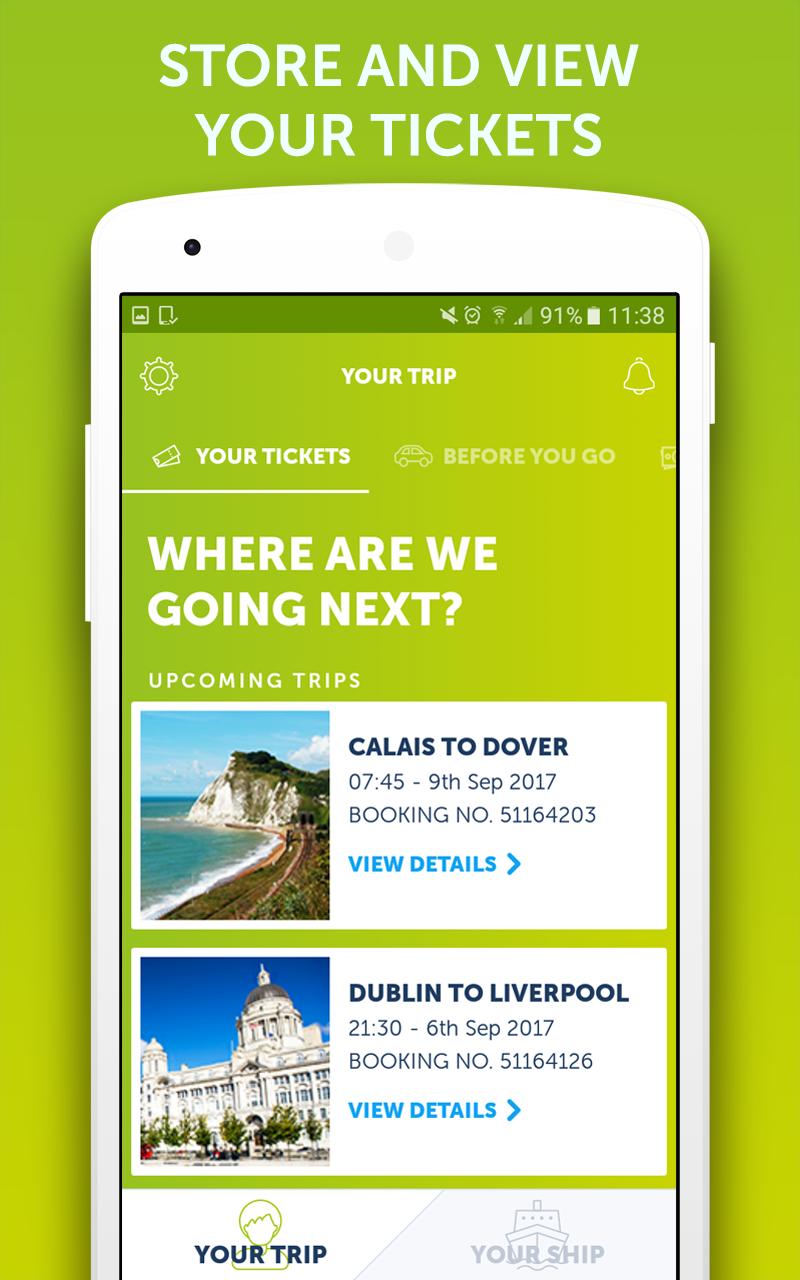
STORE AND VIEW YOUR TICKETS
- Manage and update your booking
- Upgrade your experience by adding on extras
- Access your tickets with the tap of a button
- Store multiple trips at one time to stay organised
SPECIAL OFFERS
- Exclusive promotions direct to the app
- Discover our retail offers, with up to 40% off RRP
- Preview products available to purchase on board
KNOW WHAT’S ON BOARD
- Discover services and facilities on board your ship
- Plan how you’re going to spend your time during your trip
- Explore our on board dining, shopping, and entertainment
FIND YOUR WAY
- Access deck plans
- Find out where the restaurants, bars and entertainment can be found
GET REAL-TIME TRAVEL UPDATES
- Stay up-to-date with travel disruptions which may affect your journey
- Plan your journey to the port at a touch of a button
Minimum Requirements
- Android 5.0
*As voted for by consumers in the Globe Travel Awards 2016, 2017 & 2018.
ดูตัวอย่าง

ข้อมูล
นักพัฒนา
P&O Ferries Ltd
เวอร์ชั่นล่าสุด
1.0.2
อัพเดทล่าสุด
2018-08-29
หมวดหมู่
Travel-local
มีจำหน่ายที่
Google Play
แสดงมากขึ้น
วิธีเล่น P&O Ferries ด้วย GameLoop บน PC
1. ดาวน์โหลด GameLoop จากเว็บไซต์ทางการ จากนั้นเรียกใช้ไฟล์ exe เพื่อติดตั้ง GameLoop
2. เปิด GameLoop และค้นหา "P&O Ferries" ค้นหา P&O Ferries ในผลการค้นหาแล้วคลิก "ติดตั้ง"
3. สนุกกับการเล่น P&O Ferries บน GameLoop
Minimum requirements
OS
Windows 8.1 64-bit or Windows 10 64-bit
GPU
GTX 1050
CPU
i3-8300
Memory
8GB RAM
Storage
1GB available space
Recommended requirements
OS
Windows 8.1 64-bit or Windows 10 64-bit
GPU
GTX 1050
CPU
i3-9320
Memory
16GB RAM
Storage
1GB available space