
WhatsPrank - Prank Conversations PC
musapp
ดาวน์โหลด WhatsPrank - Prank Conversations บนพีซีด้วย GameLoop Emulator
WhatsPrank - Prank Conversations บน PC
WhatsPrank - Prank Conversations มาจากผู้พัฒนา musapp ที่เคยรันบนระบบปฏิบัติการ Android มาก่อน
ตอนนี้คุณสามารถเล่น WhatsPrank - Prank Conversations บนพีซีด้วย GameLoop ได้อย่างราบรื่น
ดาวน์โหลดในไลบรารี GameLoop หรือผลการค้นหา ไม่ต้องสนใจแบตเตอรี่หรือโทรผิดเวลาอีกต่อไป
เพียงเพลิดเพลินกับ WhatsPrank - Prank Conversations PC บนหน้าจอขนาดใหญ่ฟรี!
WhatsPrank - Prank Conversations บทนำ
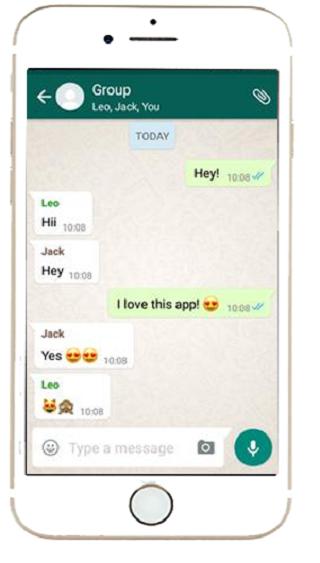
★ fake chat for whatsapp Application Which Creates Fake Chat!
★ Using This Fake Chat WHTSP Application You Can Create A Fake Chat Which Looks Like WHTSP Messenger Chat Then You Can Take Fake Chat Screenshot And Send It To Your Friends
★ In a simple and easy way, you can create fake chats identical to the ones from the most used chat app at the moment. The trolling fun is ensured!
Fake Chat Features:
★ Unlimited messages
★ Fake Calls
★ Up to date features and layouts
★ Realistic chats
★ No watermarks
★ Easy to use interface
★ Stickers Available
★ Simple to use
★ One click chat Screenshot
★ You can create chats with any person you want.
★ You can create screenshots identical to the chat app and your friends might not tell the difference.
★ You can control the two sides of the chat.
★ Besides, you can send pictures and audio.
★ Photos to make it look real
★ Minimal storage usage
ดูตัวอย่าง

ข้อมูล
นักพัฒนา
musapp
เวอร์ชั่นล่าสุด
1.0
อัพเดทล่าสุด
2020-01-14
หมวดหมู่
เครื่องมือ
มีจำหน่ายที่
Google Play
แสดงมากขึ้น
วิธีเล่น WhatsPrank - Prank Conversations ด้วย GameLoop บน PC
1. ดาวน์โหลด GameLoop จากเว็บไซต์ทางการ จากนั้นเรียกใช้ไฟล์ exe เพื่อติดตั้ง GameLoop
2. เปิด GameLoop และค้นหา "WhatsPrank - Prank Conversations" ค้นหา WhatsPrank - Prank Conversations ในผลการค้นหาแล้วคลิก "ติดตั้ง"
3. สนุกกับการเล่น WhatsPrank - Prank Conversations บน GameLoop
Minimum requirements
OS
Windows 8.1 64-bit or Windows 10 64-bit
GPU
GTX 1050
CPU
i3-8300
Memory
8GB RAM
Storage
1GB available space
Recommended requirements
OS
Windows 8.1 64-bit or Windows 10 64-bit
GPU
GTX 1050
CPU
i3-9320
Memory
16GB RAM
Storage
1GB available space