Teacher Fake Chat And Video Call PC
Fuller
ดาวน์โหลด Teacher Fake Chat And Video Call บนพีซีด้วย GameLoop Emulator
Teacher Fake Chat And Video Call บน PC
Teacher Fake Chat And Video Call มาจากผู้พัฒนา Fuller ที่เคยรันบนระบบปฏิบัติการ Android มาก่อน
ตอนนี้คุณสามารถเล่น Teacher Fake Chat And Video Call บนพีซีด้วย GameLoop ได้อย่างราบรื่น
ดาวน์โหลดในไลบรารี GameLoop หรือผลการค้นหา ไม่ต้องสนใจแบตเตอรี่หรือโทรผิดเวลาอีกต่อไป
เพียงเพลิดเพลินกับ Teacher Fake Chat And Video Call PC บนหน้าจอขนาดใหญ่ฟรี!
Teacher Fake Chat And Video Call บทนำ
Let start with fake call from Scary Teacher, to make a cool chat and prank your friends with an amazing call video scary Teacher 3d.
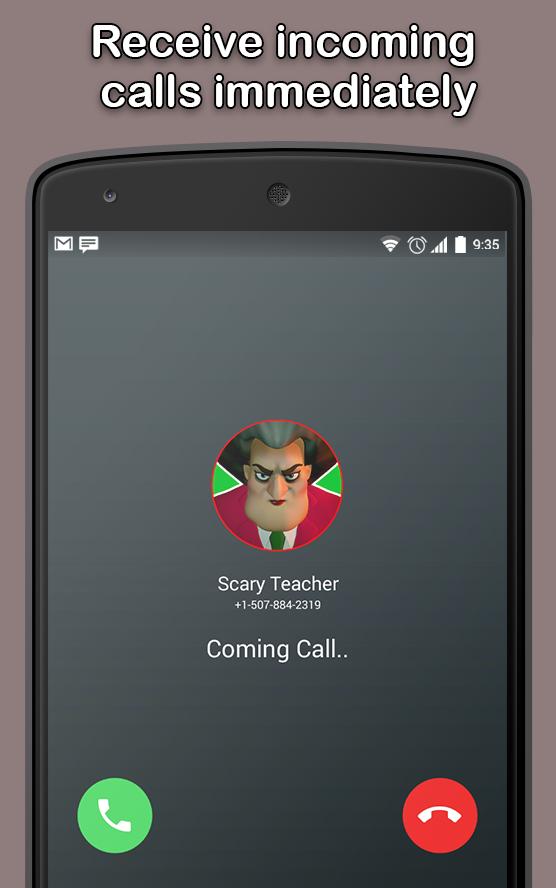
This application is a fake call video of Scary Teacher 3d, you will receive a fake call video that looks like a real call.
This application is a joke game that allows you to make jokes for your friends that you are calling and talking to with your hand.
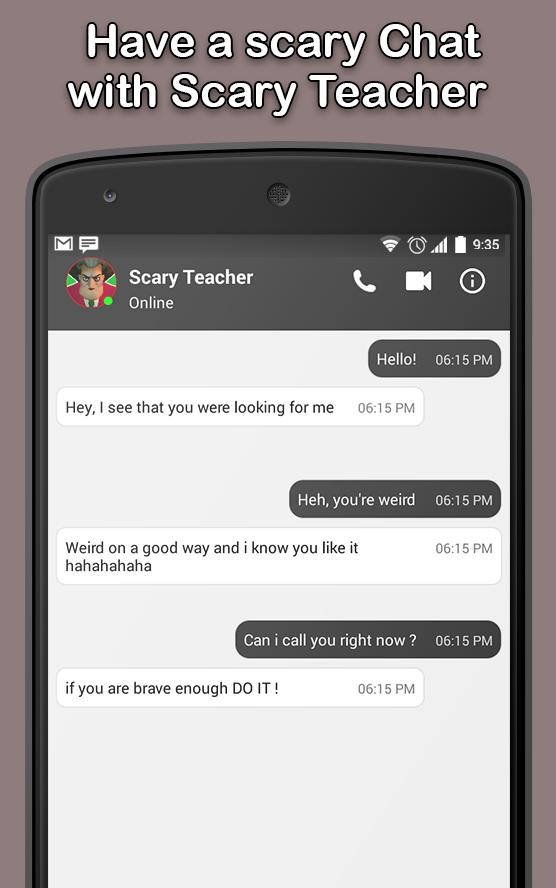
Chat with Scary Teacher - fun game App to simulate chat conversations. Have fun with your friends, making them believe that you are really talking to scary teacher part 2.
Surprise your friends and let them think like you're getting a real call Scary Teacher .
This joke application allows you to make a simulated chat and also allows you to send and receive messages from scary teacher online .
Scary teacher game you would like to gather all the laptops, solve the issues properly and run aloof from college. Are you able to do it? Finally, on the method you're looking ahead to additional and horror characters World Health Organization sleep in the college.
download "Fake Call - prank" and get the best call and discussion with Scary Teacher 3d.
DISCLAIMER:
This is not a real call and just an imitation! The app does not have any damage and is just for fun and stop feeling bored and depressed so
do not forget to leave us your feedback.
ดูตัวอย่าง
ข้อมูล
นักพัฒนา
Fuller
เวอร์ชั่นล่าสุด
3.0_32U
อัพเดทล่าสุด
2020-03-07
หมวดหมู่
เครื่องมือ
มีจำหน่ายที่
Google Play
แสดงมากขึ้น
วิธีเล่น Teacher Fake Chat And Video Call ด้วย GameLoop บน PC
1. ดาวน์โหลด GameLoop จากเว็บไซต์ทางการ จากนั้นเรียกใช้ไฟล์ exe เพื่อติดตั้ง GameLoop
2. เปิด GameLoop และค้นหา "Teacher Fake Chat And Video Call" ค้นหา Teacher Fake Chat And Video Call ในผลการค้นหาแล้วคลิก "ติดตั้ง"
3. สนุกกับการเล่น Teacher Fake Chat And Video Call บน GameLoop
Minimum requirements
OS
Windows 8.1 64-bit or Windows 10 64-bit
GPU
GTX 1050
CPU
i3-8300
Memory
8GB RAM
Storage
1GB available space
Recommended requirements
OS
Windows 8.1 64-bit or Windows 10 64-bit
GPU
GTX 1050
CPU
i3-9320
Memory
16GB RAM
Storage
1GB available space