PWS Manager PC
Sony Storage Media Solutions Corporation
ดาวน์โหลด PWS Manager บนพีซีด้วย GameLoop Emulator
PWS Manager บน PC
PWS Manager มาจากผู้พัฒนา Sony Storage Media Solutions Corporation ที่เคยรันบนระบบปฏิบัติการ Android มาก่อน
ตอนนี้คุณสามารถเล่น PWS Manager บนพีซีด้วย GameLoop ได้อย่างราบรื่น
ดาวน์โหลดในไลบรารี GameLoop หรือผลการค้นหา ไม่ต้องสนใจแบตเตอรี่หรือโทรผิดเวลาอีกต่อไป
เพียงเพลิดเพลินกับ PWS Manager PC บนหน้าจอขนาดใหญ่ฟรี!
PWS Manager บทนำ
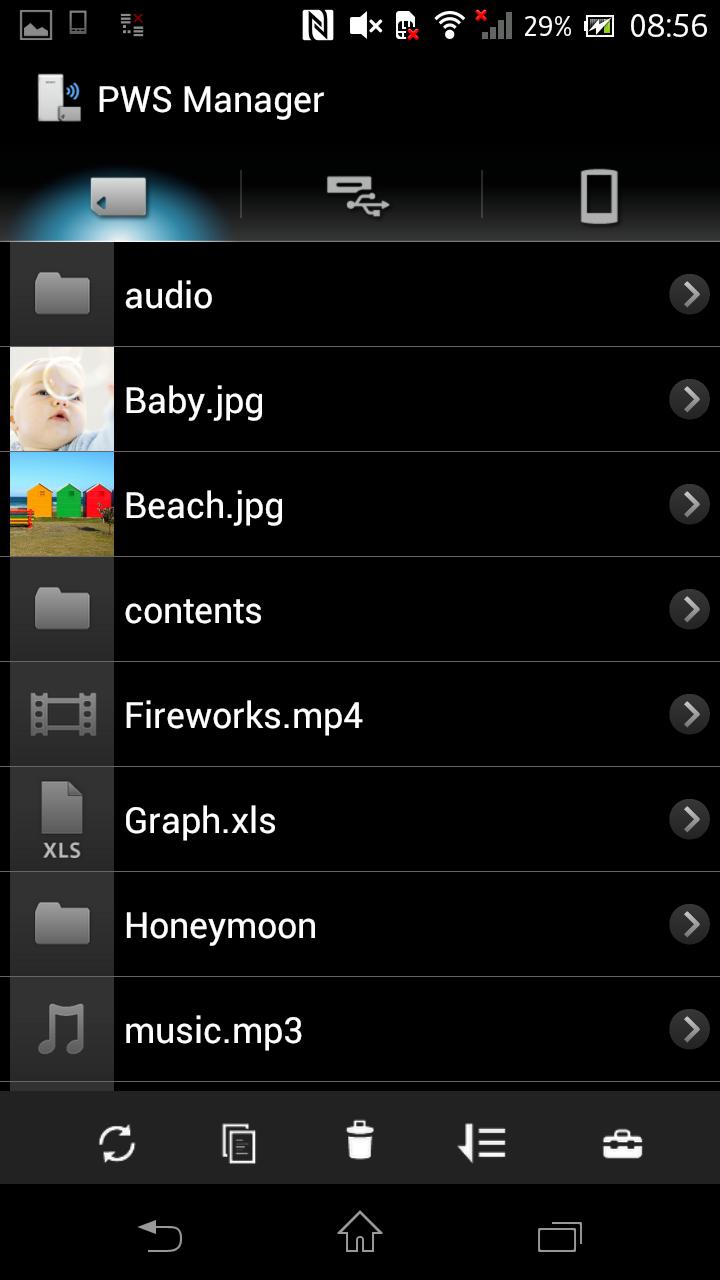
“PWS Manager” is a dedicated application for “Portable Wireless Server” from Sony.
Connect “Portable Wireless Server” to your Android device via Wi-Fi and you can
browse the content in “Portable Wireless Server” and operate (copy, delete and so on)
using this App.
Main features of PWS (Portable Wireless Server)
1. Playback/View content
- Playback/View the content stored on Memory card inserted into PWS.
- Playback/View the content stored on USB device connected t o PWS.
- Playback/View the content within Android device that you are operating.
2. Copy files
- Copy files between memory card inserted into PWS, USB device connected to PWS and Android device that you are operating.
3.Use as memory card R/W
- Connect PWS to PC via USB cable and you can use as external card R/W.
4.Use as Power charger
- Connect via USB cable and PWS can supply power to Smartphone or camera.
Promotion Video for “Portable Wireless Server”
http://www.youtube.com/watch?v=-C1HAQj0YpQ
Help Guide
http://rd1.sony.net/help/pws/c10/gb/
Supported OS
Android 2.3 - 6.0
On Android 6.0 devices, the PWS Manager cannot support with Portable Wireless Server "WG-C10" in some functions. Please refer to the web site below for details.
*The customer who uses WG-C10.
http://www.sony.net/note_pwsmgr
ดูตัวอย่าง

ข้อมูล
นักพัฒนา
Sony Storage Media Solutions Corporation
เวอร์ชั่นล่าสุด
1.7.1
อัพเดทล่าสุด
2016-08-09
หมวดหมู่
เครื่องมือ
มีจำหน่ายที่
Google Play
แสดงมากขึ้น
วิธีเล่น PWS Manager ด้วย GameLoop บน PC
1. ดาวน์โหลด GameLoop จากเว็บไซต์ทางการ จากนั้นเรียกใช้ไฟล์ exe เพื่อติดตั้ง GameLoop
2. เปิด GameLoop และค้นหา "PWS Manager" ค้นหา PWS Manager ในผลการค้นหาแล้วคลิก "ติดตั้ง"
3. สนุกกับการเล่น PWS Manager บน GameLoop
Minimum requirements
OS
Windows 8.1 64-bit or Windows 10 64-bit
GPU
GTX 1050
CPU
i3-8300
Memory
8GB RAM
Storage
1GB available space
Recommended requirements
OS
Windows 8.1 64-bit or Windows 10 64-bit
GPU
GTX 1050
CPU
i3-9320
Memory
16GB RAM
Storage
1GB available space