
PicMarker: Blur & Markup PC
kolacbb
ดาวน์โหลด PicMarker: Blur & Markup บนพีซีด้วย GameLoop Emulator
PicMarker: Blur & Markup บน PC
PicMarker: Blur & Markup มาจากผู้พัฒนา kolacbb ที่เคยรันบนระบบปฏิบัติการ Android มาก่อน
ตอนนี้คุณสามารถเล่น PicMarker: Blur & Markup บนพีซีด้วย GameLoop ได้อย่างราบรื่น
ดาวน์โหลดในไลบรารี GameLoop หรือผลการค้นหา ไม่ต้องสนใจแบตเตอรี่หรือโทรผิดเวลาอีกต่อไป
เพียงเพลิดเพลินกับ PicMarker: Blur & Markup PC บนหน้าจอขนาดใหญ่ฟรี!
PicMarker: Blur & Markup บทนำ
PicMarker is a gadget that focuses on helping users quickly add mosaics and annotations to screenshots, photos, etc. Unlike the tedious operations of regular photo editing tools, PicMarker does not require you to have any experience with PhotoShop to get started quickly. There is no need for complicated and cumbersome configuration items, everything is installed and used, which greatly simplifies the operation process.
PicMarker has a variety of mosaic styles, such as traditional pixel mosaic, Gaussian blur style, low poly, hexagonal mosaic and so on. Use different styles of mosaic types in different photos to make the mosaic effect look beautiful and unobtrusive.
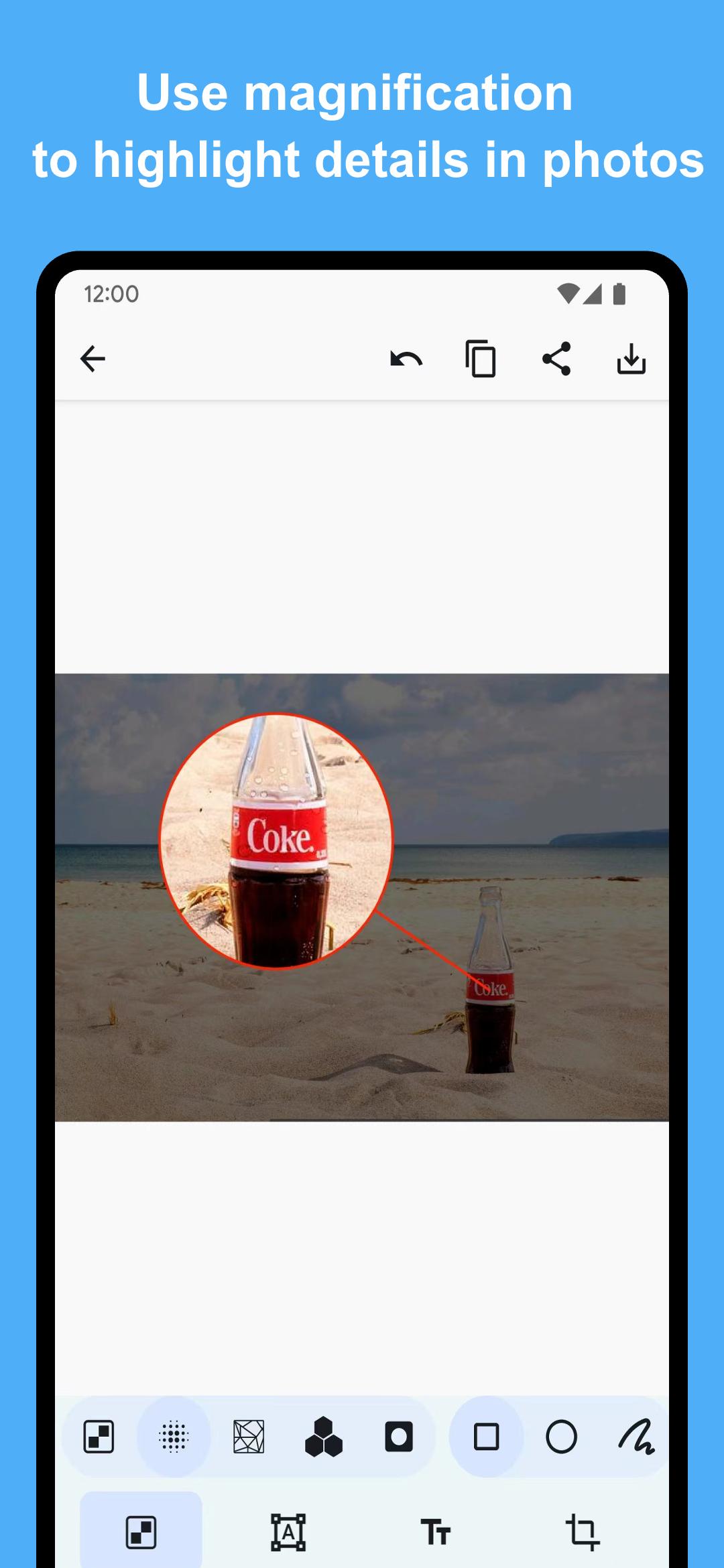
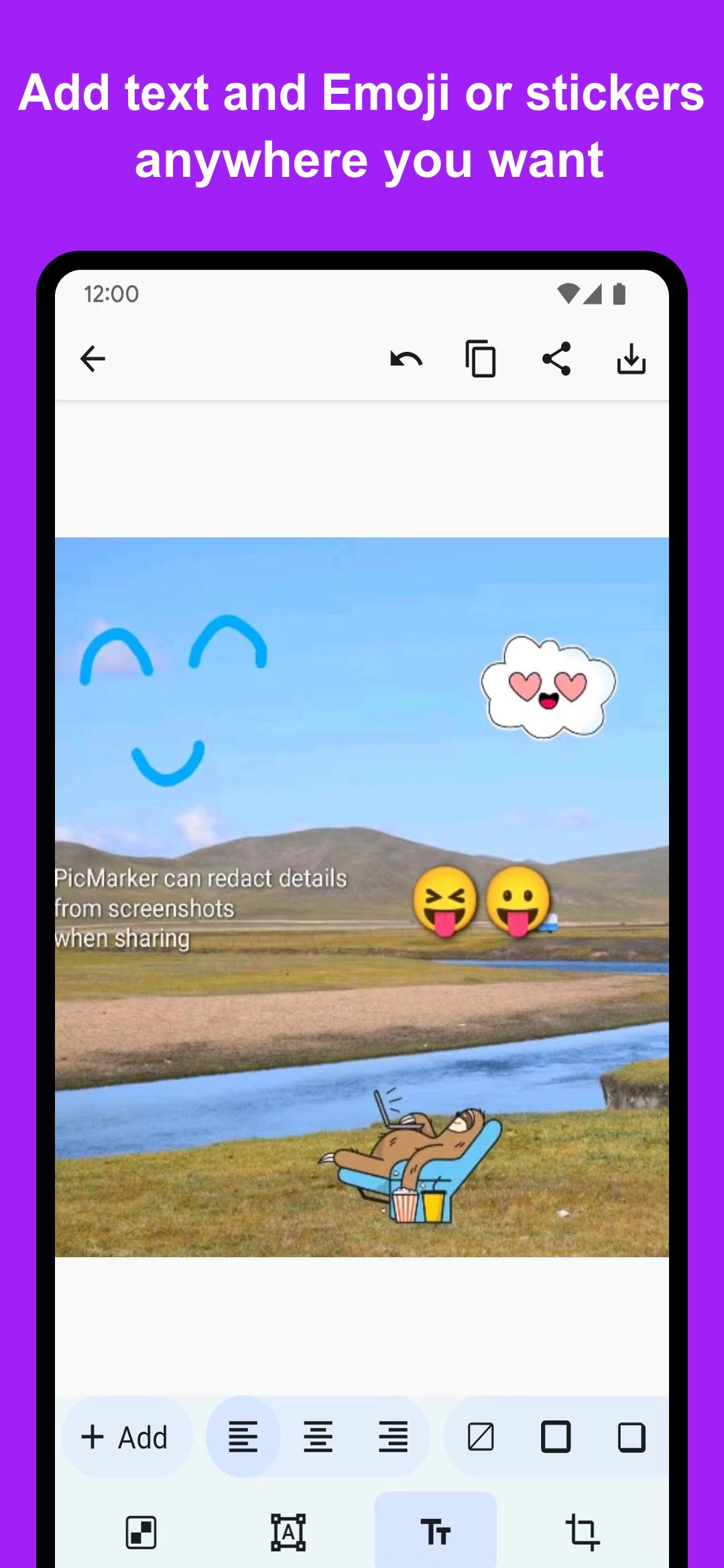
PicMarker also includes a wealth of powerful predefined annotation functions, which can easily add annotations to photos to highlight and supplement important information in pictures. For example, you can use the double arrow to add distance information to the picture, use the magnifying glass function to enlarge the tiny details on the picture, and so on. If the predefined callouts aren't enough, it can also add text and stickers! After adding the annotation, you can also cut the picture proportionally to the size required on the social software, and directly share the marked photo to other software. In addition, PicMarker also supports saving marked pictures to any folder on the device.
If you want to quickly start using PicMarker's features. Using Share from other software, share pictures to PicMarker to quickly start editing pictures. In the album, you can also use the editing function to start quickly. In addition, if you give PicMarker "file storage permission", after opening PicMarker, you can display the latest 10 pictures in the device on the home page. Click the picture to start quickly!
PicMarker is completely free! And save and share pictures without any resolution limit! Full access to all features without paying
🎁 Main Features
⭐️ Two-finger drag to zoom in and out of the picture canvas
⭐️ Supports a variety of different ways to code: rectangular selection, circular selection, and finger smearing methods that can control the thickness
⭐️ Support a variety of image coding styles: support traditional pixel mosaic, Gaussian blur style, low poly, hexagonal mosaic, and highlight features
⭐️ Support a variety of predefined annotation shapes: support rectangle, ellipse, line, arrow, single arrow, double arrow, magnifying glass, etc.
⭐️ All predefined annotations support adding additional strokes, shadows, etc., support selection for secondary editing, rotation, re-change its color size and position
⭐️ Support for drawing on pictures: use different colors to draw lines, or highlighters, to complete a variety of doodle operations
⭐️ Support adding text or stickers to screenshots, you can also control text alignment, display angle, text color, add text stroke or shadow, etc.
⭐️ Supports the use of color palettes to pick any color you want to paint
⭐️ Supports cropping images in multiple ratios to suit the requirements of different applications
⭐️ Share and save files will not be compressed, you can also select the storage directory to save
⭐️ Concise and easy to use without any lag
🎁 More info
For any suggestions or questions, please click "Feedback" within the app or send an email directly to kolacbb@gmail.com. Looking forward to your feedback, I will reply to you as soon as I receive it. Thanks!
ดูตัวอย่าง
แท็ก
เครื่องมือการถ่ายภาพข้อมูล
นักพัฒนา
kolacbb
เวอร์ชั่นล่าสุด
1.6.7
อัพเดทล่าสุด
2025-01-22
หมวดหมู่
เครื่องมือ
มีจำหน่ายที่
Google Play
แสดงมากขึ้น
วิธีเล่น PicMarker: Blur & Markup ด้วย GameLoop บน PC
1. ดาวน์โหลด GameLoop จากเว็บไซต์ทางการ จากนั้นเรียกใช้ไฟล์ exe เพื่อติดตั้ง GameLoop
2. เปิด GameLoop และค้นหา "PicMarker: Blur & Markup" ค้นหา PicMarker: Blur & Markup ในผลการค้นหาแล้วคลิก "ติดตั้ง"
3. สนุกกับการเล่น PicMarker: Blur & Markup บน GameLoop
Minimum requirements
OS
Windows 8.1 64-bit or Windows 10 64-bit
GPU
GTX 1050
CPU
i3-8300
Memory
8GB RAM
Storage
1GB available space
Recommended requirements
OS
Windows 8.1 64-bit or Windows 10 64-bit
GPU
GTX 1050
CPU
i3-9320
Memory
16GB RAM
Storage
1GB available space