
Maps Recorder PC
Ivan qSchulz
ดาวน์โหลด Maps Recorder บนพีซีด้วย GameLoop Emulator
Maps Recorder บน PC
Maps Recorder มาจากผู้พัฒนา Ivan qSchulz ที่เคยรันบนระบบปฏิบัติการ Android มาก่อน
ตอนนี้คุณสามารถเล่น Maps Recorder บนพีซีด้วย GameLoop ได้อย่างราบรื่น
ดาวน์โหลดในไลบรารี GameLoop หรือผลการค้นหา ไม่ต้องสนใจแบตเตอรี่หรือโทรผิดเวลาอีกต่อไป
เพียงเพลิดเพลินกับ Maps Recorder PC บนหน้าจอขนาดใหญ่ฟรี!
Maps Recorder บทนำ
With this app, you will not get lost in a strange city.
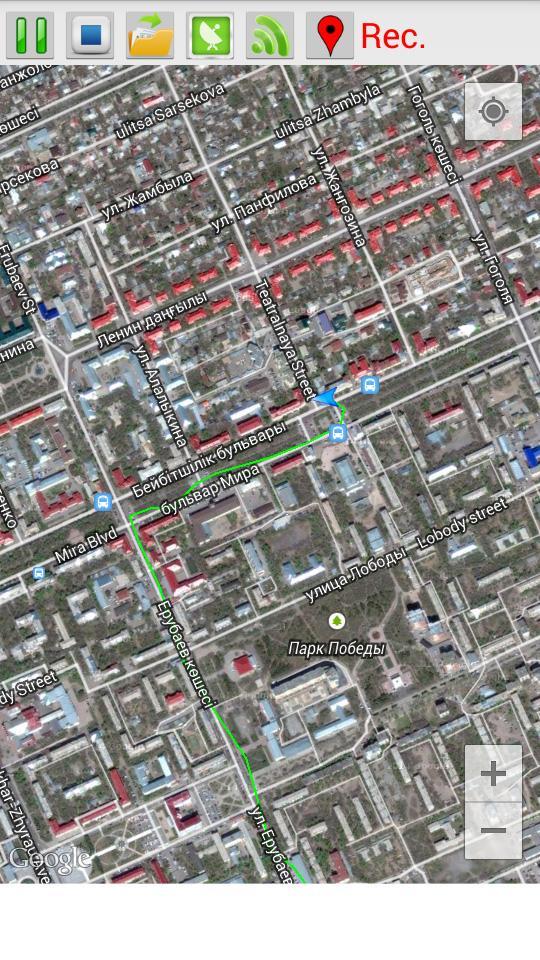
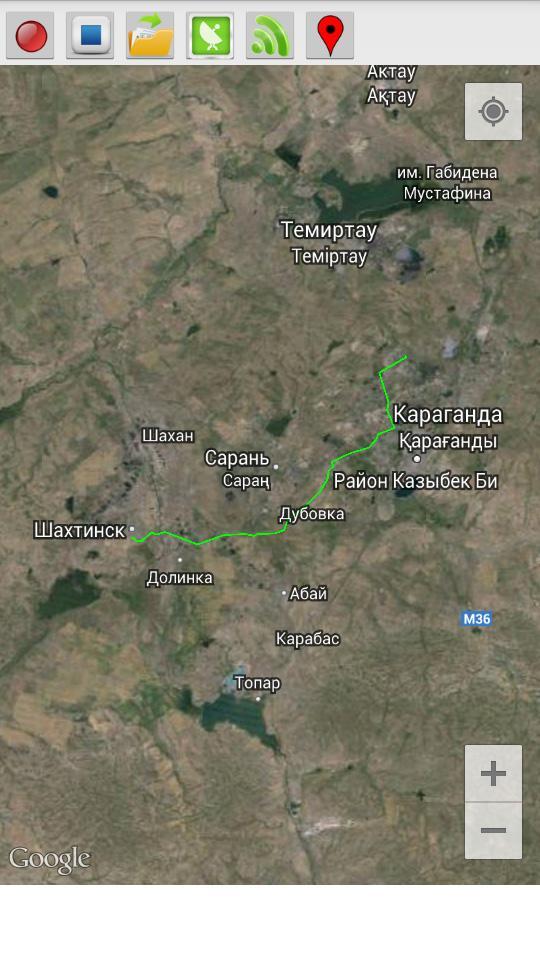
This program records your route traffic and imposes it on the satellite map.
- The route is recorded even when the internet is disabled.
- The route continues to be recorded when the phone is locked.
- To start recording, press the Rec (1) and enter the name of the route.
- To stop the recording, press Stop (2).
- In order to open a previously saved routes, click Open (3) and select the desired route from the list.
- Button GPS (4) opens a menu to enable / disable the GPS on your phone. If you do not have a GPS receiver, you can use the definition of the location of the mobile networks and access points Wi-Fi (the accuracy is lower).
- Button Wi-Fi (5) turns on / off Wi-Fi.
- Button Marker (6) sets the marker on the map.
ดูตัวอย่าง
ข้อมูล
นักพัฒนา
Ivan qSchulz
เวอร์ชั่นล่าสุด
1.0
อัพเดทล่าสุด
2014-09-02
หมวดหมู่
เครื่องมือ
มีจำหน่ายที่
Google Play
แสดงมากขึ้น
วิธีเล่น Maps Recorder ด้วย GameLoop บน PC
1. ดาวน์โหลด GameLoop จากเว็บไซต์ทางการ จากนั้นเรียกใช้ไฟล์ exe เพื่อติดตั้ง GameLoop
2. เปิด GameLoop และค้นหา "Maps Recorder" ค้นหา Maps Recorder ในผลการค้นหาแล้วคลิก "ติดตั้ง"
3. สนุกกับการเล่น Maps Recorder บน GameLoop
Minimum requirements
OS
Windows 8.1 64-bit or Windows 10 64-bit
GPU
GTX 1050
CPU
i3-8300
Memory
8GB RAM
Storage
1GB available space
Recommended requirements
OS
Windows 8.1 64-bit or Windows 10 64-bit
GPU
GTX 1050
CPU
i3-9320
Memory
16GB RAM
Storage
1GB available space