iOS 15 Control Center Pro PC
xharuko
ดาวน์โหลด iOS 15 Control Center Pro บนพีซีด้วย GameLoop Emulator
iOS 15 Control Center Pro บน PC
iOS 15 Control Center Pro มาจากผู้พัฒนา xharuko ที่เคยรันบนระบบปฏิบัติการ Android มาก่อน
ตอนนี้คุณสามารถเล่น iOS 15 Control Center Pro บนพีซีด้วย GameLoop ได้อย่างราบรื่น
ดาวน์โหลดในไลบรารี GameLoop หรือผลการค้นหา ไม่ต้องสนใจแบตเตอรี่หรือโทรผิดเวลาอีกต่อไป
เพียงเพลิดเพลินกับ iOS 15 Control Center Pro PC บนหน้าจอขนาดใหญ่ฟรี!
iOS 15 Control Center Pro บทนำ
🎉iOS 15 Control Center Support Screen Recorder 2021
App allow access some quick actions, saving you time searching and opening the app.
App will help your phone perform better, more beautiful and more luxurious.
iOS 15 Control Center Support Screen Recorder 2021 and experience the new things the application gives you.
--------------------------------------------------
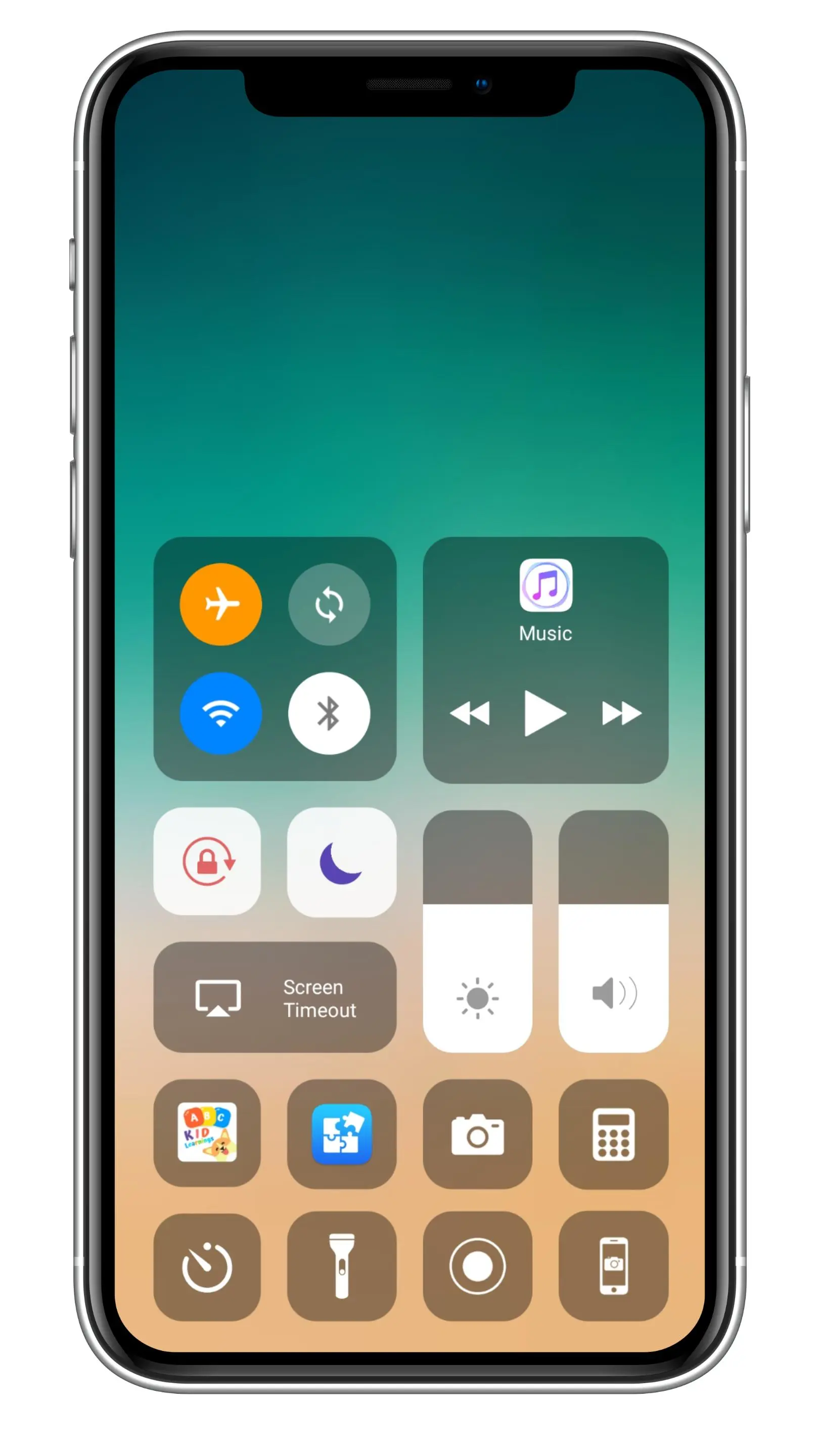
🎉 Quickly settings action.
👉 Wifi Action.
👉 Bluetooth Action
👉 Screen rotation Action.
👉 Do not disturb: Silence calls, alerts, and notifications that you receive while your device is locked.
👉 Lock the screen Action: Lock the screen in portrait mode.
👉 Night mode Action: To take care of your eyes.
👉 Alarms Action: You can Set an alarm to set the timer quickly.
👉 Calculator Action: To open the calculator app quickly.
👉 Mobile hotspot: Change Airplane Mode to turn off Bluetooth, Wi-Fi to save battery power and use for a long time.
👉 Control Audio Action: You can play, pause, change tracks quickly.
👉 Volume controller: Adjust volume ringtone, music, alarm, notification, and system sounds to avoid having to use the device's hard key repeatedly.
👉 Brightness controller: Adjust the brightness of screen to save battery power and use for a long time.
👉 Flashlight Action: Quickly turn the flashlight on and off without using the camera.
👉 Camera Action: You can Open Camera apps quickly without wasting time searching for apps in the launcher.
👉 Record Screen Action: Record Screen and and save video in file manager (Support android 5.0 above only).
Moreover you can edit the video right after stopping recording.
👉 Screenshot Action: Capture screen shot and save image in file manager (Support android 5.0 above only).
--------------------------------------------------
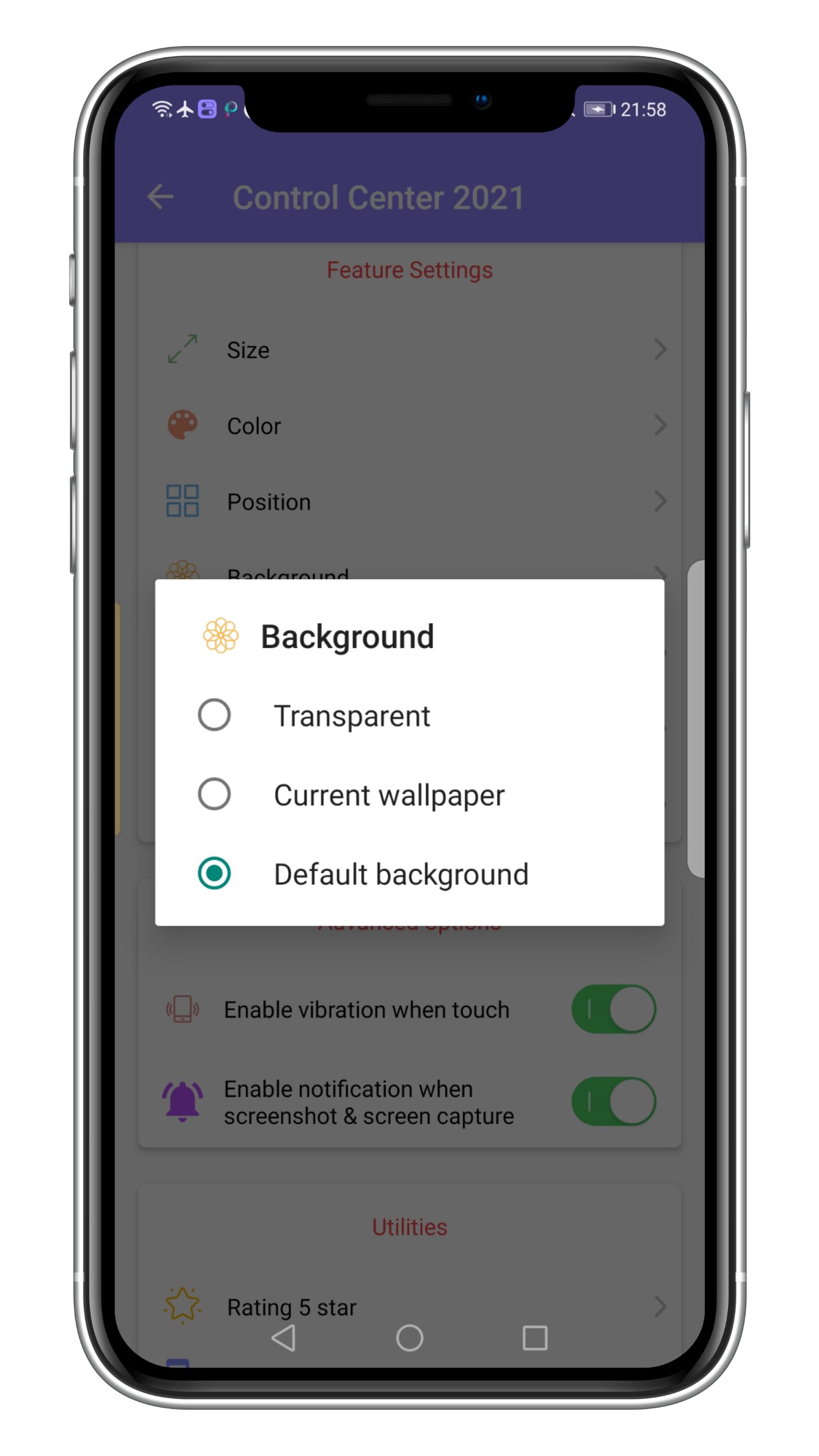
🎉 Feature setting supported:
👉 You can change the profile when recording video.
👉 You can to select the favourite application to display in control center.
👉 Enable vibrate when touch.
👉 Enable notification when screenshot.
👉 You can customize, resize, color, position of button touch no limitation.
👉 Select the background displayed in the control center.
👉 Select the default music player app to play stop and change the song.
🎉 Please watch video to use app and Don't hesitate to contact us if you have any questions.
Thanks for using my app!
ดูตัวอย่าง
แท็ก
เครื่องมือข้อมูล
นักพัฒนา
xharuko
เวอร์ชั่นล่าสุด
1.2
อัพเดทล่าสุด
2021-07-18
หมวดหมู่
เครื่องมือ
มีจำหน่ายที่
Google Play
แสดงมากขึ้น
วิธีเล่น iOS 15 Control Center Pro ด้วย GameLoop บน PC
1. ดาวน์โหลด GameLoop จากเว็บไซต์ทางการ จากนั้นเรียกใช้ไฟล์ exe เพื่อติดตั้ง GameLoop
2. เปิด GameLoop และค้นหา "iOS 15 Control Center Pro" ค้นหา iOS 15 Control Center Pro ในผลการค้นหาแล้วคลิก "ติดตั้ง"
3. สนุกกับการเล่น iOS 15 Control Center Pro บน GameLoop
Minimum requirements
OS
Windows 8.1 64-bit or Windows 10 64-bit
GPU
GTX 1050
CPU
i3-8300
Memory
8GB RAM
Storage
1GB available space
Recommended requirements
OS
Windows 8.1 64-bit or Windows 10 64-bit
GPU
GTX 1050
CPU
i3-9320
Memory
16GB RAM
Storage
1GB available space