
Device Info: System & CPU Info PC
SuriDevs
ดาวน์โหลด Device Info: System & CPU Info บนพีซีด้วย GameLoop Emulator
Device Info: System & CPU Info บน PC
Device Info: System & CPU Info มาจากผู้พัฒนา SuriDevs ที่เคยรันบนระบบปฏิบัติการ Android มาก่อน
ตอนนี้คุณสามารถเล่น Device Info: System & CPU Info บนพีซีด้วย GameLoop ได้อย่างราบรื่น
ดาวน์โหลดในไลบรารี GameLoop หรือผลการค้นหา ไม่ต้องสนใจแบตเตอรี่หรือโทรผิดเวลาอีกต่อไป
เพียงเพลิดเพลินกับ Device Info: System & CPU Info PC บนหน้าจอขนาดใหญ่ฟรี!
Device Info: System & CPU Info บทนำ
📱 Device Info: System & CPU Info – Detailed Hardware & Software Information for Your Smartphone
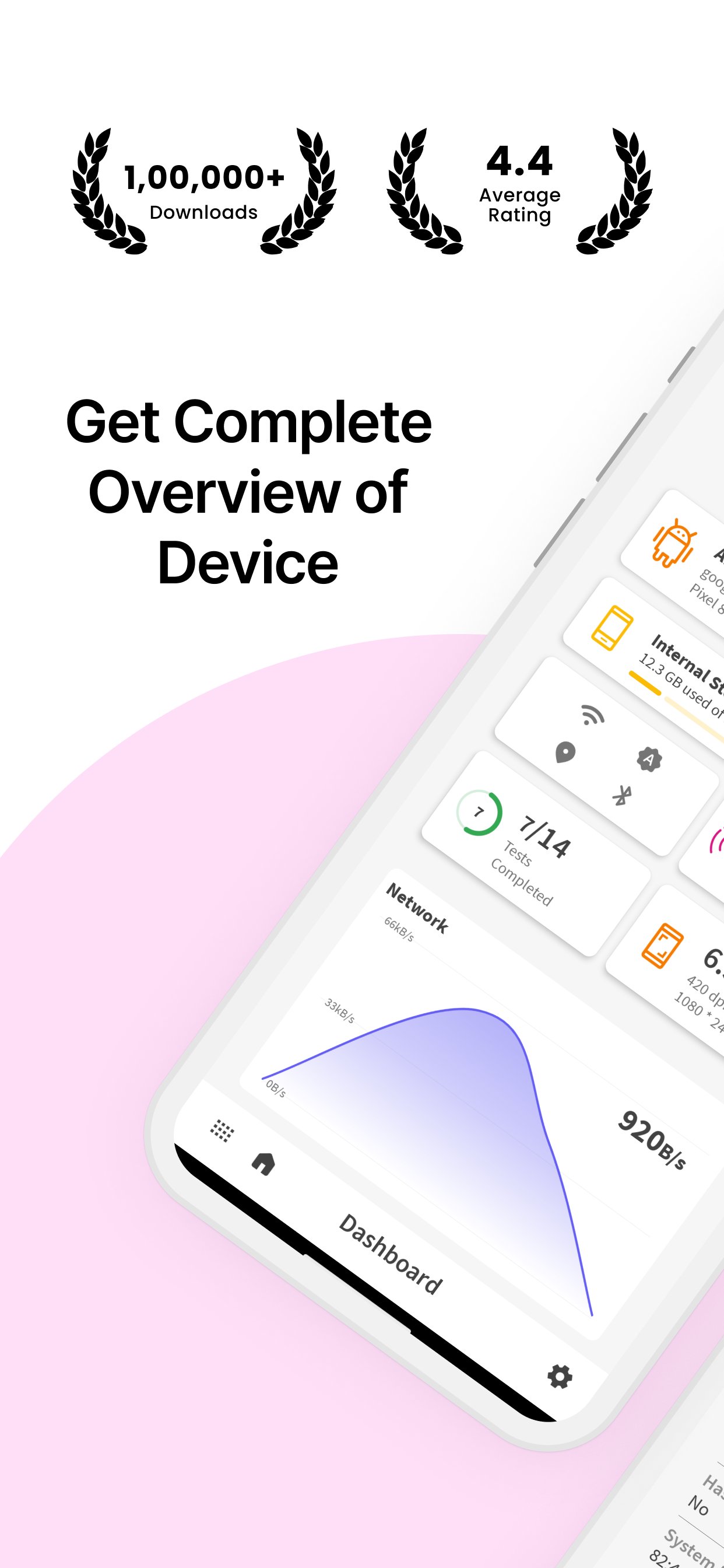
Looking for comprehensive hardware and software details of your smartphone? Device Info: System & CPU Info provides you with all the essential information about your device, including system details, display, sensors, camera, memory usage, processor, battery, and more!
🌟 Why Choose Device Info: System & CPU Info?
✔ #1 App in Its Category – Get all essential details of your device’s software & hardware.
✔ Simple & Powerful – A user-friendly app with a wide range of features.
✔ Dark Mode – Enjoy a comfortable experience in low-light settings with the built-in dark mode.
✔ Device Testing – Perform essential tests like display, vibration, Bluetooth, Wi-Fi, and more.
✔ SIM & Network Info – View SIM details and network information with a speed tracker.
📊 Key Features:
Device Details:
🔹 Manufacturer – Find out your device’s brand, serial number, and more.
🔹 Processor & SoC – Get information about the processor, system on chip, and hardware.
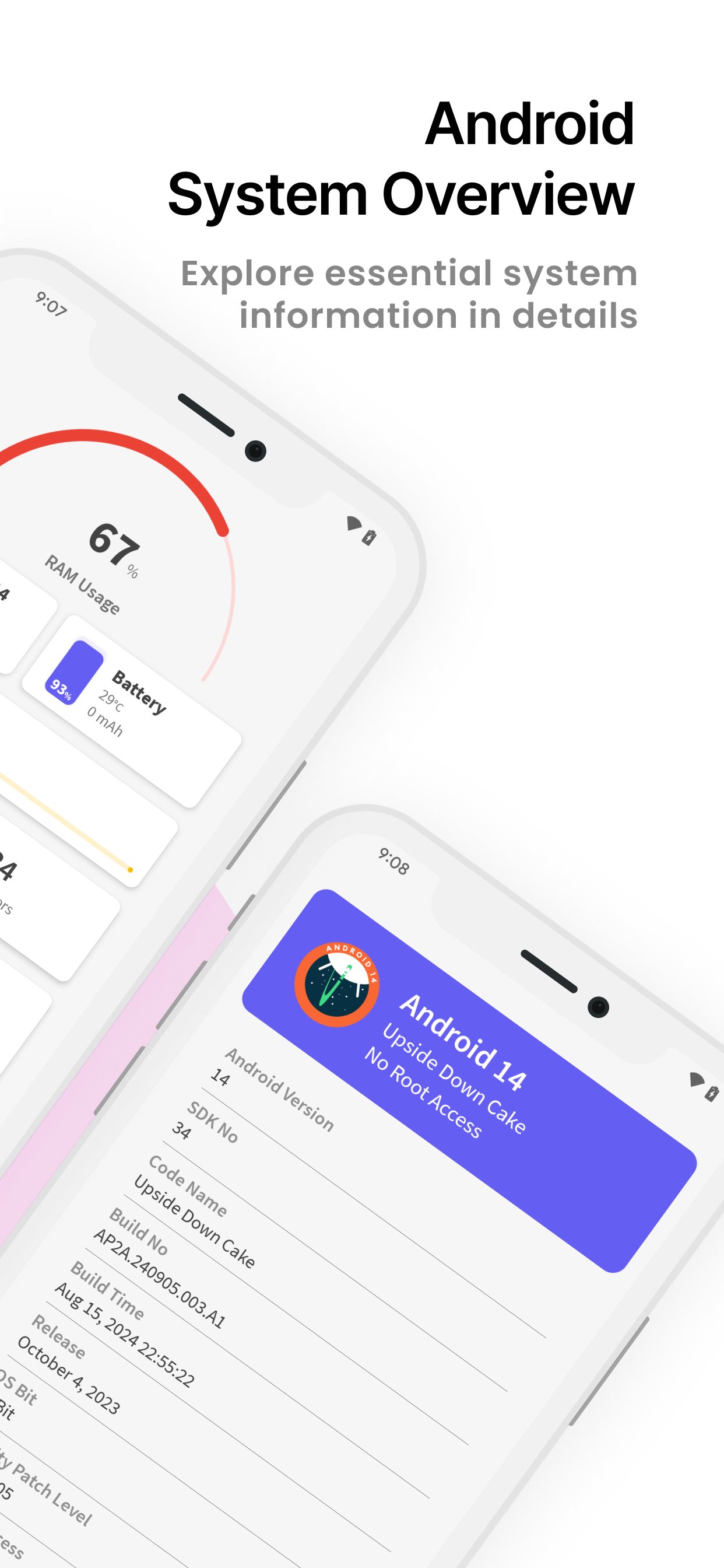
🔹 System Information – Includes build number, version name, SDK number, and more.
CPU Info:
🔹 CPU Utilization – Monitor current CPU usage, number of cores, clock speed, and kernel version.
🔹 Architecture & Features – Check out detailed CPU architecture and supported features.
Memory Usage:
🔹 RAM & Storage – View total and free RAM, internal storage, and external storage.
Display Details:
🔹 Brightness Level & Screen Timeout – Adjust your display settings with ease.
🔹 Screen Resolution & Refresh Rate – View screen width, height, and refresh rate.
Sensor Info:
🔹 Real-Time Graphs – Access a list of available sensors with real-time graphs.
🔹 Sensor Details – Get information on sensors like accelerometer, gyroscope, etc.
Camera Details:
🔹 Rear & Front Camera – Information about camera resolution, focus modes, scene modes, and more.
Battery Information:
🔹 Battery Health & Status – Check battery level, temperature, voltage, and power source.
Network & SIM Details:
🔹 Wi-Fi & Mobile Network – See network type, IP address, signal strength, Wi-Fi frequency, and link speed.
Bluetooth Info:
🔹 Bluetooth Status – View Bluetooth status, name, address, and scan mode.
Device Tests:
🔹 Essential Device Tests – Perform tests like Display, Paint, Multi-Touch, Bluetooth, Wifi, Vibration, Fingerprint, Light Sensor, and more!
🛡️ Required Permissions:
📞 Phone State – Required for displaying device info like serial number and SIM card information.
📸 Camera – Required to show your device’s camera details.
📥 Download Device Info: System & CPU Info Now – Your all-in-one tool for detailed device and system information! Fast, reliable, and completely free.
ดูตัวอย่าง
แท็ก
เครื่องมือข้อมูล
นักพัฒนา
SuriDevs
เวอร์ชั่นล่าสุด
3.5.38
อัพเดทล่าสุด
2025-11-27
หมวดหมู่
เครื่องมือ
มีจำหน่ายที่
Google Play
แสดงมากขึ้น
วิธีเล่น Device Info: System & CPU Info ด้วย GameLoop บน PC
1. ดาวน์โหลด GameLoop จากเว็บไซต์ทางการ จากนั้นเรียกใช้ไฟล์ exe เพื่อติดตั้ง GameLoop
2. เปิด GameLoop และค้นหา "Device Info: System & CPU Info" ค้นหา Device Info: System & CPU Info ในผลการค้นหาแล้วคลิก "ติดตั้ง"
3. สนุกกับการเล่น Device Info: System & CPU Info บน GameLoop
Minimum requirements
OS
Windows 8.1 64-bit or Windows 10 64-bit
GPU
GTX 1050
CPU
i3-8300
Memory
8GB RAM
Storage
1GB available space
Recommended requirements
OS
Windows 8.1 64-bit or Windows 10 64-bit
GPU
GTX 1050
CPU
i3-9320
Memory
16GB RAM
Storage
1GB available space