Quick Measure PC
Stonekick
ดาวน์โหลด Quick Measure บนพีซีด้วย GameLoop Emulator
Quick Measure บน PC
Quick Measure มาจากผู้พัฒนา Stonekick ที่เคยรันบนระบบปฏิบัติการ Android มาก่อน
ตอนนี้คุณสามารถเล่น Quick Measure บนพีซีด้วย GameLoop ได้อย่างราบรื่น
ดาวน์โหลดในไลบรารี GameLoop หรือผลการค้นหา ไม่ต้องสนใจแบตเตอรี่หรือโทรผิดเวลาอีกต่อไป
เพียงเพลิดเพลินกับ Quick Measure PC บนหน้าจอขนาดใหญ่ฟรี!
Quick Measure บทนำ
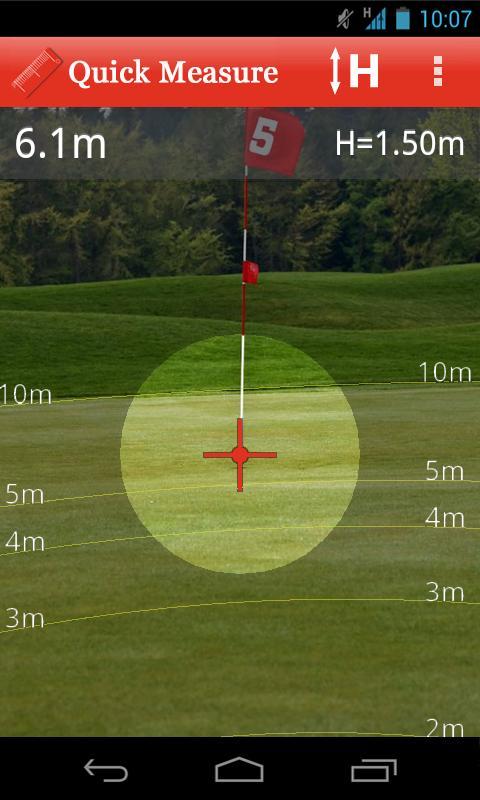
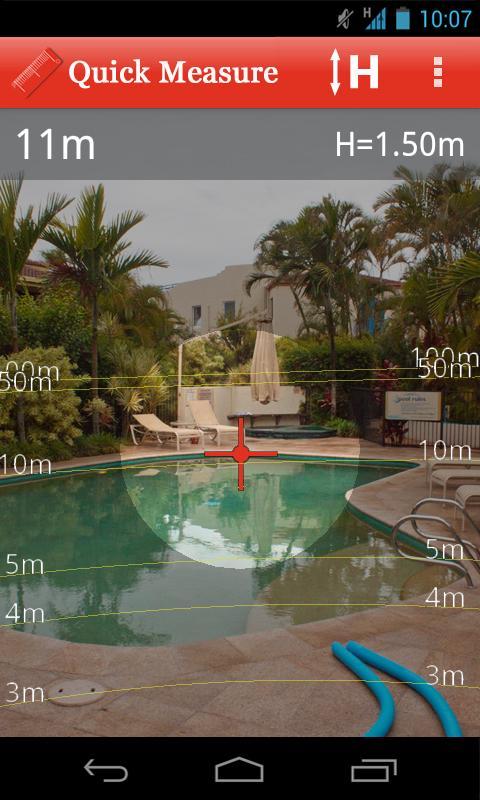
Quick Measure can be used to measure distances up to 100m. Use to check out the length of rooms in your home, design a new garden layout, or simply measure how far you can kick a ball!
It is simple to use: a target will be shown overlayed on your device’s camera. Aim this at the base of an object and the distance to it will be measured. The app also has an overlay with 1 to 5m, 10m, 50m, and 100m grid lines so that you can quickly see the approximate distance to surrounding objects. If you would rather see feet and inches than metres you can change this in the preferences menu.
The calculations within Quick Measure are based on trigonometry. To improve accuracy please see the “help” section with the app.
This app is supported by adverts, which is why it requires the “INTERNET” and “ACCESS NETWORK STATE” permissions.
ดูตัวอย่าง
ข้อมูล
นักพัฒนา
Stonekick
เวอร์ชั่นล่าสุด
1.0.3
อัพเดทล่าสุด
2015-09-21
หมวดหมู่
เครื่องมือ
มีจำหน่ายที่
Google Play
แสดงมากขึ้น
วิธีเล่น Quick Measure ด้วย GameLoop บน PC
1. ดาวน์โหลด GameLoop จากเว็บไซต์ทางการ จากนั้นเรียกใช้ไฟล์ exe เพื่อติดตั้ง GameLoop
2. เปิด GameLoop และค้นหา "Quick Measure" ค้นหา Quick Measure ในผลการค้นหาแล้วคลิก "ติดตั้ง"
3. สนุกกับการเล่น Quick Measure บน GameLoop
Minimum requirements
OS
Windows 8.1 64-bit or Windows 10 64-bit
GPU
GTX 1050
CPU
i3-8300
Memory
8GB RAM
Storage
1GB available space
Recommended requirements
OS
Windows 8.1 64-bit or Windows 10 64-bit
GPU
GTX 1050
CPU
i3-9320
Memory
16GB RAM
Storage
1GB available space