
Xiaomi Store (not official) PC
ROAR-Apps
ดาวน์โหลด Xiaomi Store (not official) บนพีซีด้วย GameLoop Emulator
Xiaomi Store (not official) บน PC
Xiaomi Store (not official) มาจากผู้พัฒนา ROAR-Apps ที่เคยรันบนระบบปฏิบัติการ Android มาก่อน
ตอนนี้คุณสามารถเล่น Xiaomi Store (not official) บนพีซีด้วย GameLoop ได้อย่างราบรื่น
ดาวน์โหลดในไลบรารี GameLoop หรือผลการค้นหา ไม่ต้องสนใจแบตเตอรี่หรือโทรผิดเวลาอีกต่อไป
เพียงเพลิดเพลินกับ Xiaomi Store (not official) PC บนหน้าจอขนาดใหญ่ฟรี!
Xiaomi Store (not official) บทนำ
Save Money & Time & Stress.
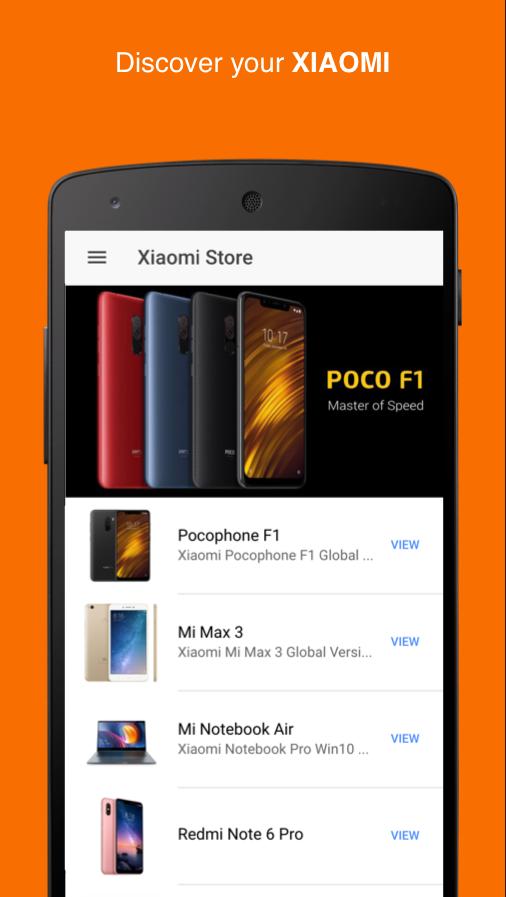
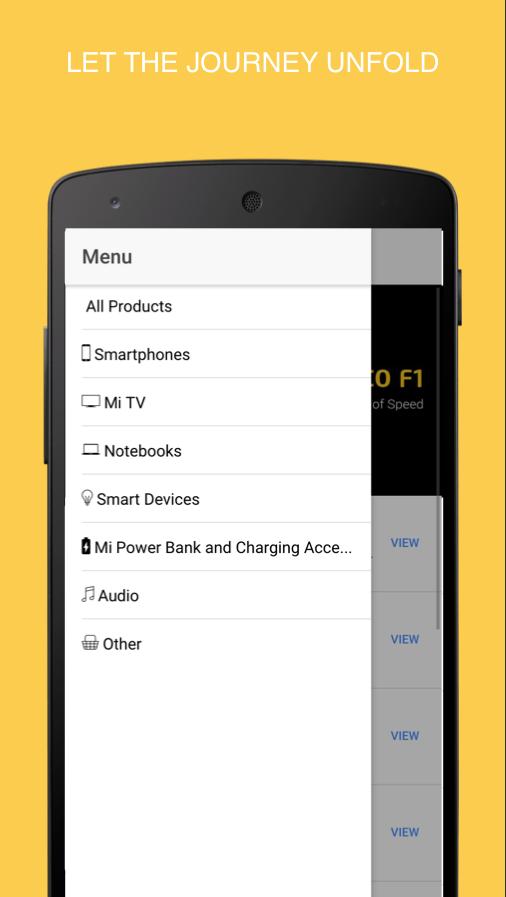
Buy the latest Xiaomi Shop offers! The best Xiaomi products shopping application
Why Xiaomi?
- Low Price – Great Specifications
- Premium Hardware and Build Quality
- Great Camera
- The MIUI – Highly Customizable Android Based OS
- Better Reliability
- No Warranty Void on Rooting
- Removable/ No Bloatware
Xiaomi has smartphones in 3 different Series. The flagship MI series, which is the high priced but still not so expensive. The Redmi series, which is budget friendly and most affordable smartphone series and the Redmi Note series, which are big screen smartphones priced in between the MI and Redmi series.
If you are on tight budget, consider buying the Redmi Series phones, which are budget-friendly and carry good specifications.
Redmi Note series is a great choice for those who love bigger screen phones as it usually comes with screen size of around 5.5″. And finally, if you have want a high specced smartphone, MI series is the one that suits you.
Why are Xiaomi devices so cheap? How can Xiaomi sell its smartphones at very lower prices, while other company’s cannot. Because…
Xiaomi sells its product directly to the consumers through Online stores. No Offline stores. No Distributors. No extra costs.
Xiaomi doesn’t spend money on Advertising. They rely on Social Media and a word of mouth from existing happy customers. Have you ever seen a TV ad of Xiaomi This helps Xiaomi save a lot of money and helps sell smartphones at Unbelievably low prices.
ดูตัวอย่าง
ข้อมูล
นักพัฒนา
ROAR-Apps
เวอร์ชั่นล่าสุด
1.3.2
อัพเดทล่าสุด
2019-01-21
หมวดหมู่
ช็อปปิ้ง
มีจำหน่ายที่
Google Play
แสดงมากขึ้น
วิธีเล่น Xiaomi Store (not official) ด้วย GameLoop บน PC
1. ดาวน์โหลด GameLoop จากเว็บไซต์ทางการ จากนั้นเรียกใช้ไฟล์ exe เพื่อติดตั้ง GameLoop
2. เปิด GameLoop และค้นหา "Xiaomi Store (not official)" ค้นหา Xiaomi Store (not official) ในผลการค้นหาแล้วคลิก "ติดตั้ง"
3. สนุกกับการเล่น Xiaomi Store (not official) บน GameLoop
Minimum requirements
OS
Windows 8.1 64-bit or Windows 10 64-bit
GPU
GTX 1050
CPU
i3-8300
Memory
8GB RAM
Storage
1GB available space
Recommended requirements
OS
Windows 8.1 64-bit or Windows 10 64-bit
GPU
GTX 1050
CPU
i3-9320
Memory
16GB RAM
Storage
1GB available space