
Drag & Draw - Guessing PC
KP Funny Apps
ดาวน์โหลด Drag & Draw - Guessing บนพีซีด้วย GameLoop Emulator
Drag & Draw - Guessing บน PC
Drag & Draw - Guessing มาจากผู้พัฒนา KP Funny Apps ที่เคยรันบนระบบปฏิบัติการ Android มาก่อน
ตอนนี้คุณสามารถเล่น Drag & Draw - Guessing บนพีซีด้วย GameLoop ได้อย่างราบรื่น
ดาวน์โหลดในไลบรารี GameLoop หรือผลการค้นหา ไม่ต้องสนใจแบตเตอรี่หรือโทรผิดเวลาอีกต่อไป
เพียงเพลิดเพลินกับ Drag & Draw - Guessing PC บนหน้าจอขนาดใหญ่ฟรี!
Drag & Draw - Guessing บทนำ
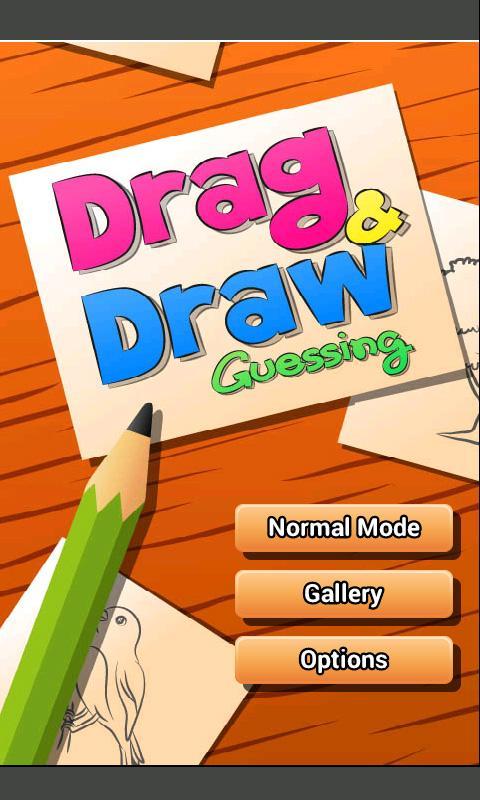
"Drag & Draw - Guessing" is a combination of drawing game and guessing game.
You can play this game for fun or play to practice your drawing skill (very suitable for kid).
Also, you can play this game while you're offline!
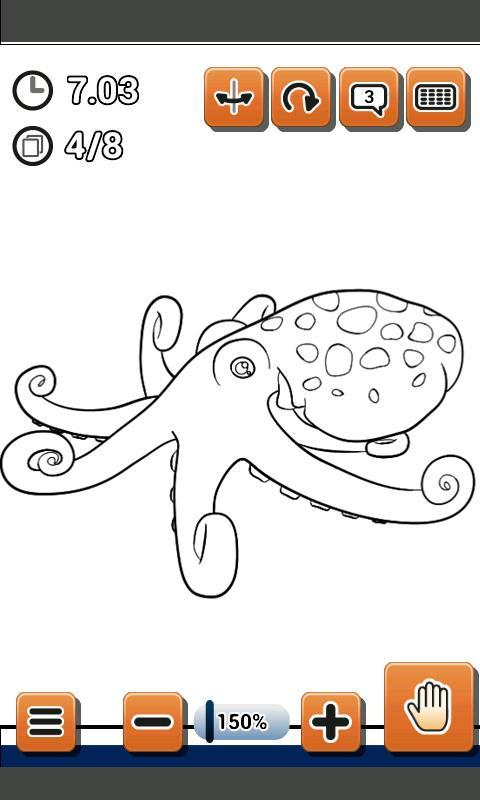
The goal of this game is to reveal an underlying image and guess what the image is before time out.
To play, just drag your finger along navigator points (blue and pink spots) to reveal image lines.
When you can figure out what image is, type the name in guessing box (sometimes you may have to rotate/flip the image to properly position to see what the image is).
This game contains 3 modes, NORMAL MODE, FREE MODE and GALLERY MODE.
NORMAL MODE : 6 levels with 72 games to play. You can unlock Free Mode by complete at least 3 levels of this mode.
FREE MODE : You can play unlimited game in this mode. You can also set code to play specific game which you can compete with your friends.
GALLERY MODE : This mode is for those who love drawing and want to practice drawing skill.
=====================================
There are many levels and pictures ready for an update, but due to many negative feedback, this app has temporarily discontinued.
=====================================
v 1.01
- fixed bugs
- changed "Comb" image.
v 1.02
- fixed bugs
- changed some graphics.
v 1.04
- fixed bug
v 1.05
- reduced difficulty by adding more time in each levels.
- integrated with Heyzap, now you can submit cleared time from Free Mode to leaderboard.
v1.06
- reduced difficulty
ดูตัวอย่าง
ข้อมูล
นักพัฒนา
KP Funny Apps
เวอร์ชั่นล่าสุด
1.10
อัพเดทล่าสุด
2013-12-04
หมวดหมู่
ปริศนา
มีจำหน่ายที่
Google Play
แสดงมากขึ้น
วิธีเล่น Drag & Draw - Guessing ด้วย GameLoop บน PC
1. ดาวน์โหลด GameLoop จากเว็บไซต์ทางการ จากนั้นเรียกใช้ไฟล์ exe เพื่อติดตั้ง GameLoop
2. เปิด GameLoop และค้นหา "Drag & Draw - Guessing" ค้นหา Drag & Draw - Guessing ในผลการค้นหาแล้วคลิก "ติดตั้ง"
3. สนุกกับการเล่น Drag & Draw - Guessing บน GameLoop
Minimum requirements
OS
Windows 8.1 64-bit or Windows 10 64-bit
GPU
GTX 1050
CPU
i3-8300
Memory
8GB RAM
Storage
1GB available space
Recommended requirements
OS
Windows 8.1 64-bit or Windows 10 64-bit
GPU
GTX 1050
CPU
i3-9320
Memory
16GB RAM
Storage
1GB available space