
AnySaver - Safe, Fast and No A PC
Vertexshare Software Ltd
ดาวน์โหลด AnySaver - Safe, Fast and No A บนพีซีด้วย GameLoop Emulator
AnySaver - Safe, Fast and No A บน PC
AnySaver - Safe, Fast and No A มาจากผู้พัฒนา Vertexshare Software Ltd ที่เคยรันบนระบบปฏิบัติการ Android มาก่อน
ตอนนี้คุณสามารถเล่น AnySaver - Safe, Fast and No A บนพีซีด้วย GameLoop ได้อย่างราบรื่น
ดาวน์โหลดในไลบรารี GameLoop หรือผลการค้นหา ไม่ต้องสนใจแบตเตอรี่หรือโทรผิดเวลาอีกต่อไป
เพียงเพลิดเพลินกับ AnySaver - Safe, Fast and No A PC บนหน้าจอขนาดใหญ่ฟรี!
AnySaver - Safe, Fast and No A บทนำ
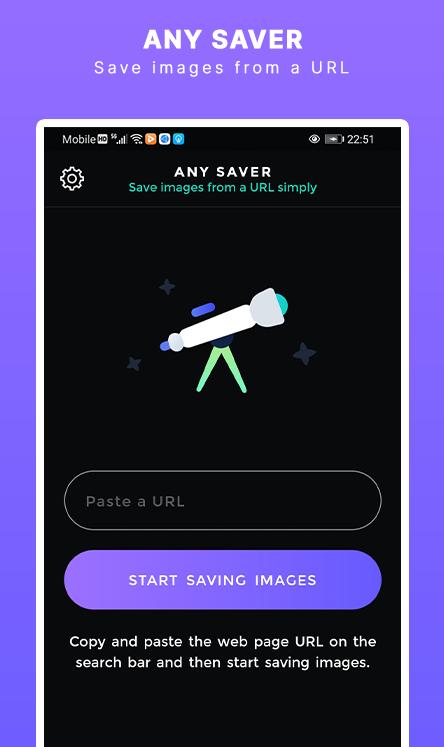
AnySaver is a powerful image downloading tool that you can save images from a URL in a batch. You can use it to extract, preview, and save images on your mobile phone.
===Main Benefits===
1. Copy and paste a webpage or image URL to preview and save to your photo album.
2. Seach images in the image library and save them on your mobile phone.
3. Download images from Instagram automatically.
4. Download video from Instagram automatically.
5. Bulk download images from Pinterest.
Contact Support: Support@imgdownloader.com
Privacy Policy: https://imgdownloader.com/privacy.html
Terms: https://imgdownloader.com/terms.html
ดูตัวอย่าง

แท็ก
ประสิทธิภาพการทำงานข้อมูล
นักพัฒนา
Vertexshare Software Ltd
เวอร์ชั่นล่าสุด
2.0.1
อัพเดทล่าสุด
2021-06-22
หมวดหมู่
ประสิทธิภาพการทำงาน
มีจำหน่ายที่
Google Play
แสดงมากขึ้น
วิธีเล่น AnySaver - Safe, Fast and No A ด้วย GameLoop บน PC
1. ดาวน์โหลด GameLoop จากเว็บไซต์ทางการ จากนั้นเรียกใช้ไฟล์ exe เพื่อติดตั้ง GameLoop
2. เปิด GameLoop และค้นหา "AnySaver - Safe, Fast and No A" ค้นหา AnySaver - Safe, Fast and No A ในผลการค้นหาแล้วคลิก "ติดตั้ง"
3. สนุกกับการเล่น AnySaver - Safe, Fast and No A บน GameLoop
Minimum requirements
OS
Windows 8.1 64-bit or Windows 10 64-bit
GPU
GTX 1050
CPU
i3-8300
Memory
8GB RAM
Storage
1GB available space
Recommended requirements
OS
Windows 8.1 64-bit or Windows 10 64-bit
GPU
GTX 1050
CPU
i3-9320
Memory
16GB RAM
Storage
1GB available space