Hd Camera Professional PC
Samtex
ดาวน์โหลด Hd Camera Professional บนพีซีด้วย GameLoop Emulator
Hd Camera Professional บน PC
Hd Camera Professional มาจากผู้พัฒนา Samtex ที่เคยรันบนระบบปฏิบัติการ Android มาก่อน
ตอนนี้คุณสามารถเล่น Hd Camera Professional บนพีซีด้วย GameLoop ได้อย่างราบรื่น
ดาวน์โหลดในไลบรารี GameLoop หรือผลการค้นหา ไม่ต้องสนใจแบตเตอรี่หรือโทรผิดเวลาอีกต่อไป
เพียงเพลิดเพลินกับ Hd Camera Professional PC บนหน้าจอขนาดใหญ่ฟรี!
Hd Camera Professional บทนำ
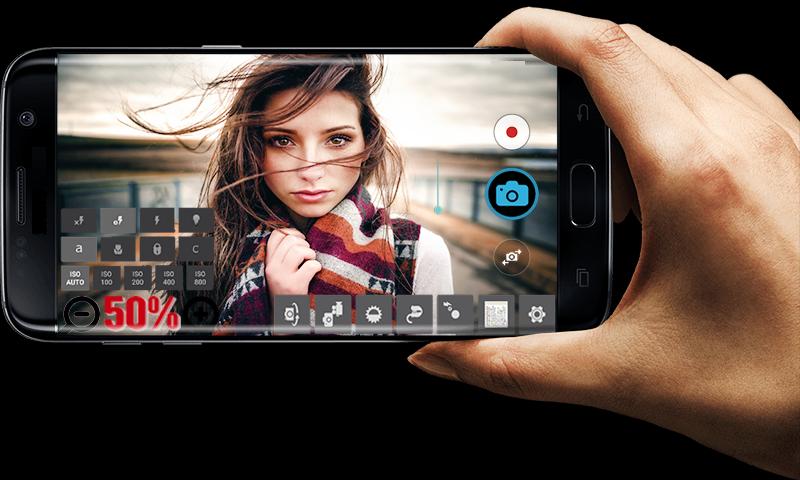
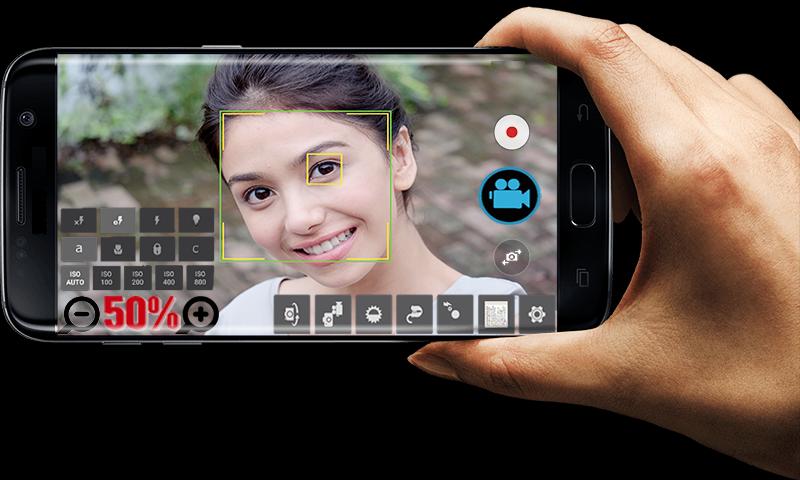
Take great pictures and videos with HD Camera Professional.
FEATURES:
* Video recording (supports all resolutions including HD).
* Convenient remote control: timer (optional audio countdown timer), automatic repeat mode (with configurable delay).
* Multi-touch gesture and one-touch remote control.
* To lock the portrait or landscape orientation for the desired photo or video.
* Disabilities shutter sound.
* Optional GPS location tagging (geotagging) photos and videos; For photos, this compass direction (GPSImgDirection, GPSImgDirectionRef) contains.
* Apply a date and time stamp, location coordinates, and custom text to photos.
* Also known as front camera (selfie shooting)
* (Some) external microphone support.
* Widget to take pictures automatically after the launch.
* Manual focusing distance; manual ISO; manual exposure time; RAW (DNG) files.
* Your comments will be answered as soon as possible. Please contact us for your satisfaction and your expectations.
*** You can reach us at samtex01app@gmail.com ***
ดูตัวอย่าง
ข้อมูล
นักพัฒนา
Samtex
เวอร์ชั่นล่าสุด
17.4
อัพเดทล่าสุด
2020-03-05
หมวดหมู่
การถ่ายภาพ
มีจำหน่ายที่
Google Play
แสดงมากขึ้น
วิธีเล่น Hd Camera Professional ด้วย GameLoop บน PC
1. ดาวน์โหลด GameLoop จากเว็บไซต์ทางการ จากนั้นเรียกใช้ไฟล์ exe เพื่อติดตั้ง GameLoop
2. เปิด GameLoop และค้นหา "Hd Camera Professional" ค้นหา Hd Camera Professional ในผลการค้นหาแล้วคลิก "ติดตั้ง"
3. สนุกกับการเล่น Hd Camera Professional บน GameLoop
Minimum requirements
OS
Windows 8.1 64-bit or Windows 10 64-bit
GPU
GTX 1050
CPU
i3-8300
Memory
8GB RAM
Storage
1GB available space
Recommended requirements
OS
Windows 8.1 64-bit or Windows 10 64-bit
GPU
GTX 1050
CPU
i3-9320
Memory
16GB RAM
Storage
1GB available space