GIF maker, video to GIF, GIF editor PC
GIF Maker - Diary - Edge Screen
ดาวน์โหลด GIF maker, video to GIF, GIF editor บนพีซีด้วย GameLoop Emulator
GIF maker, video to GIF, GIF editor บน PC
GIF maker, video to GIF, GIF editor มาจากผู้พัฒนา GIF Maker - Diary - Edge Screen ที่เคยรันบนระบบปฏิบัติการ Android มาก่อน
ตอนนี้คุณสามารถเล่น GIF maker, video to GIF, GIF editor บนพีซีด้วย GameLoop ได้อย่างราบรื่น
ดาวน์โหลดในไลบรารี GameLoop หรือผลการค้นหา ไม่ต้องสนใจแบตเตอรี่หรือโทรผิดเวลาอีกต่อไป
เพียงเพลิดเพลินกับ GIF maker, video to GIF, GIF editor PC บนหน้าจอขนาดใหญ่ฟรี!
GIF maker, video to GIF, GIF editor บทนำ
GIF - GIF MAKER - GIF EIDTOR - VIDEO TO GIF - PICTURES TO GIF - CAMERA TO GIF - all in one professional tool.
Completely free with no watermark!
This is a free GIF maker application that allow users to create animated GIF in a simple way. Share these files via social network, message applications, and email! With the help of GIF Maker, everyone can easily make interesting animated GIF files.
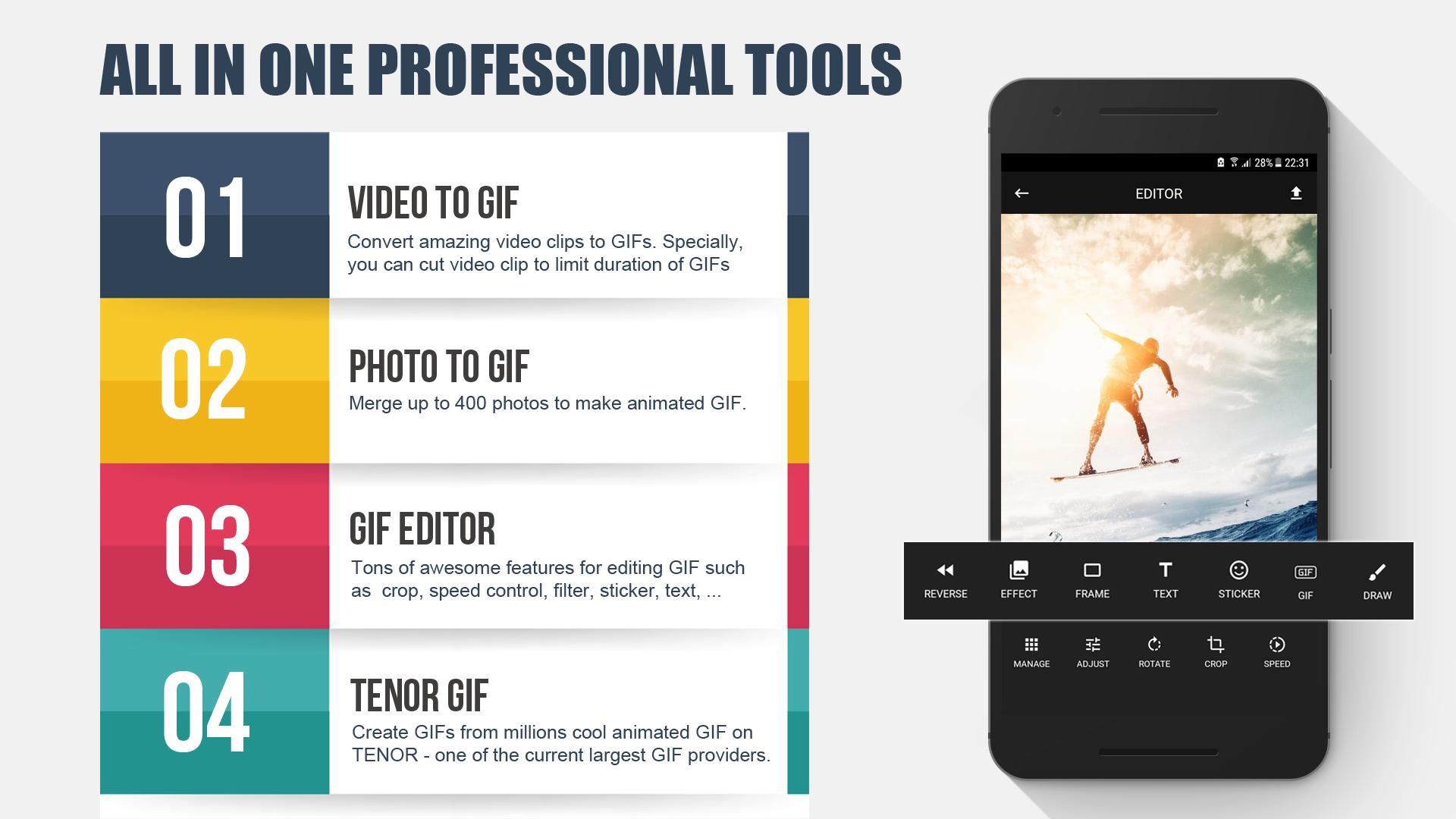
GIF Maker provides three GIF image generation modes, including
· Convert from video to GIF
· Merge images together to create GIF
· Choose GIF images in the TENOR library – one of the current largest GIF image providers.
Our application also provides all features needed to edit GIF images. Check out these outstanding features of GIF Maker - GIF Editor:
· Cut video to GIF images time (Trim video).
· Merge up to 400 photos to make GIF files!
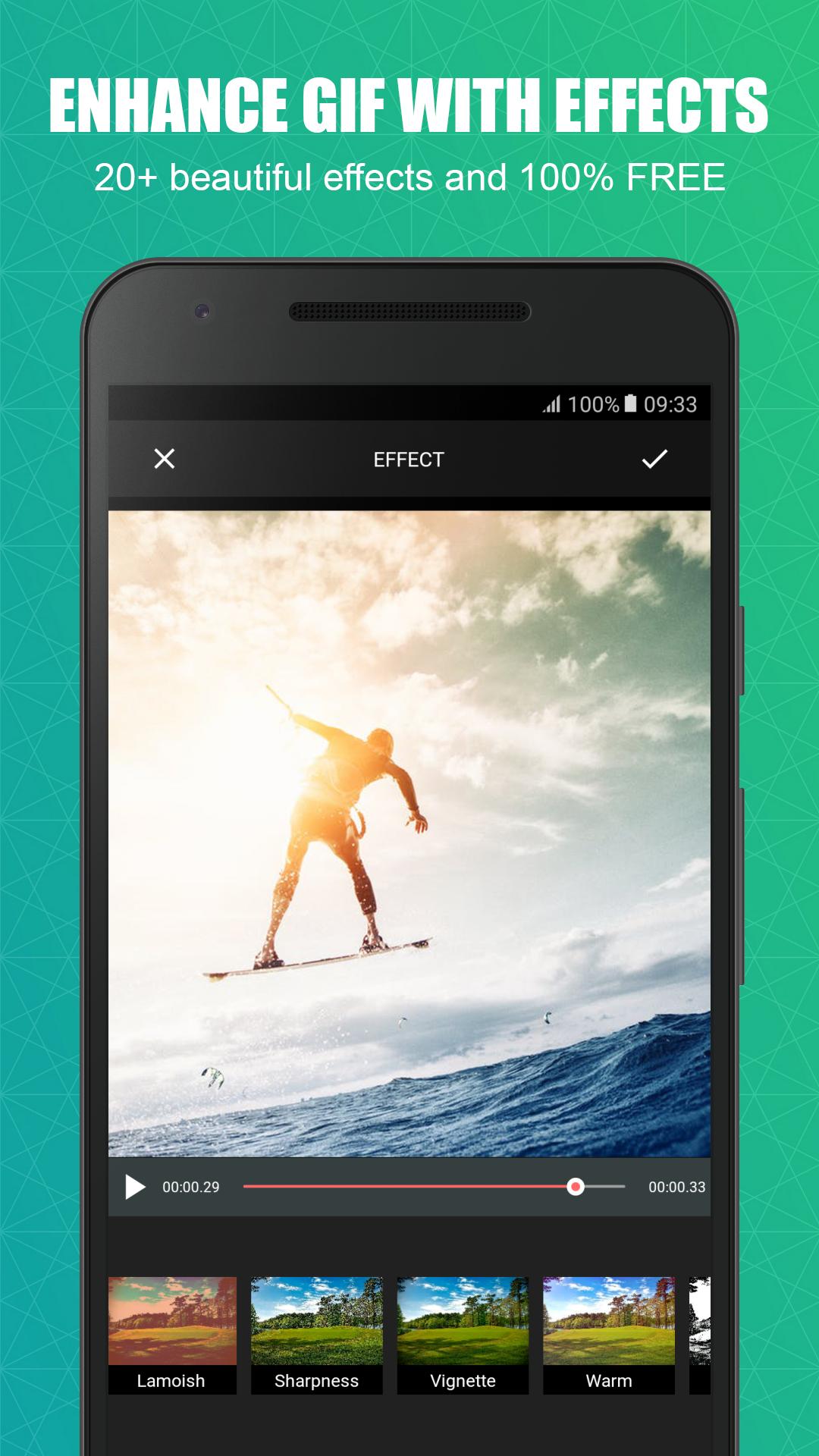
· Adjust color balance for GIF images by changing contrast, brightness, and saturation.
· Add or remove each frame in GIF images.
· Fast crop, rotate, and flip GIF images.
· Use the editor to create a reverse GIF!
· Speed Control – use this to create fast or slow motion at anytime.
· Choose from more than 20 filters to create effects for GIF images.
· Provide more than 20 frames for images.
· Add emojis, text, and gifts into each frame of GIF images.
· Export GIF images with high quality resolution!
· Share GIF via social network like Facebook, Imgur, Instagram, and Whatsapp.
GIF Maker is a completely free application, which does not include any watermark. We are committed to keeping it free forever!
GIF Maker – GIF Editor is the No. 1 GIF Maker and GIF Editor app. Let's make your GIF great!
If you have any problems, please feel free to contact us:
Email: developer.alticode@gmail.com
ดูตัวอย่าง
ข้อมูล
นักพัฒนา
GIF Maker - Diary - Edge Screen
เวอร์ชั่นล่าสุด
8.4
อัพเดทล่าสุด
2018-05-23
หมวดหมู่
การถ่ายภาพ
มีจำหน่ายที่
Google Play
แสดงมากขึ้น
วิธีเล่น GIF maker, video to GIF, GIF editor ด้วย GameLoop บน PC
1. ดาวน์โหลด GameLoop จากเว็บไซต์ทางการ จากนั้นเรียกใช้ไฟล์ exe เพื่อติดตั้ง GameLoop
2. เปิด GameLoop และค้นหา "GIF maker, video to GIF, GIF editor" ค้นหา GIF maker, video to GIF, GIF editor ในผลการค้นหาแล้วคลิก "ติดตั้ง"
3. สนุกกับการเล่น GIF maker, video to GIF, GIF editor บน GameLoop
Minimum requirements
OS
Windows 8.1 64-bit or Windows 10 64-bit
GPU
GTX 1050
CPU
i3-8300
Memory
8GB RAM
Storage
1GB available space
Recommended requirements
OS
Windows 8.1 64-bit or Windows 10 64-bit
GPU
GTX 1050
CPU
i3-9320
Memory
16GB RAM
Storage
1GB available space