Techno Mouse GO Keyboard PC
CuteKeyboards
ดาวน์โหลด Techno Mouse GO Keyboard บนพีซีด้วย GameLoop Emulator
Techno Mouse GO Keyboard บน PC
Techno Mouse GO Keyboard มาจากผู้พัฒนา CuteKeyboards ที่เคยรันบนระบบปฏิบัติการ Android มาก่อน
ตอนนี้คุณสามารถเล่น Techno Mouse GO Keyboard บนพีซีด้วย GameLoop ได้อย่างราบรื่น
ดาวน์โหลดในไลบรารี GameLoop หรือผลการค้นหา ไม่ต้องสนใจแบตเตอรี่หรือโทรผิดเวลาอีกต่อไป
เพียงเพลิดเพลินกับ Techno Mouse GO Keyboard PC บนหน้าจอขนาดใหญ่ฟรี!
Techno Mouse GO Keyboard บทนำ
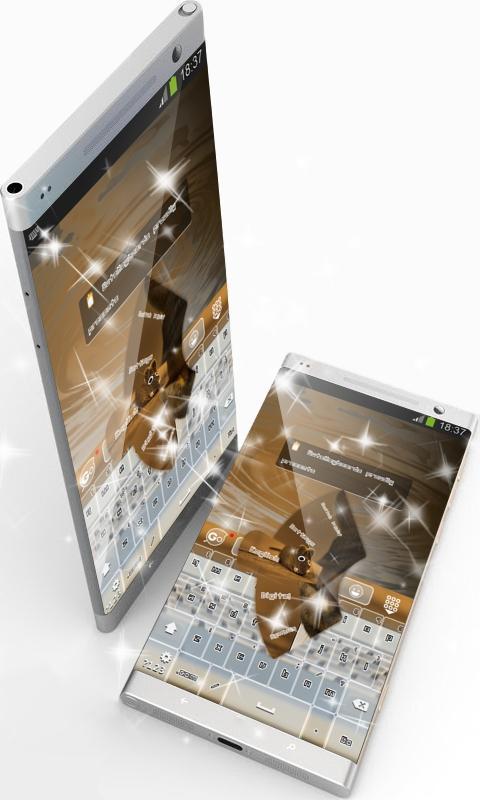
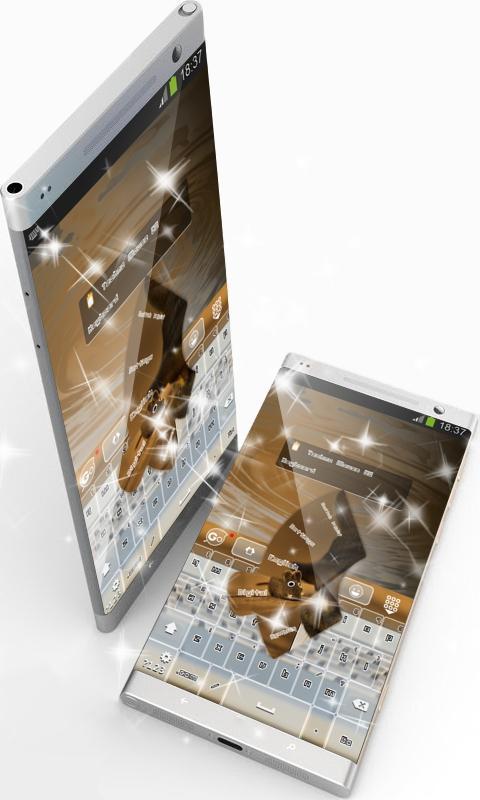
This is the GO Keyboard "Techno Mouse" theme by CuteKeyboards.
Techno Mouse.
With the potential of offering multiple meanings and features to any theme, mouse, cuteness and toy are the elements that inspired this mud brown theme.
If little else, the brain is an educational toy.
Keeping equilibrium within its design with superb purple brown nuances, this keyboard not only that achieved a marvelous look, but it also conveys sublimeness.
The "Techno Mouse" GO Keyboard will become your lucky charm that will make your days easier with its gorgeous features painted in dark brown, so take it straight away!
*** Usage instructions ***
1. Click on the Techno Mouse theme icon
2. Click on the "Apply theme" button
This is a free theme for GO Keyboard. If you do not have it installed on your device, our application will guide you step by step. It will only take a minute.
Please don't hesitate to rate this theme or comment. Your feedback is valuable to us and enables us to improve our applications.
We included the free font Unlearned 2 BRK Normal.
ดูตัวอย่าง
ข้อมูล
นักพัฒนา
CuteKeyboards
เวอร์ชั่นล่าสุด
4.1 Faded Orange
อัพเดทล่าสุด
2016-08-28
หมวดหมู่
การปรับเปลี่ยนในแบบของคุณ
มีจำหน่ายที่
Google Play
แสดงมากขึ้น
วิธีเล่น Techno Mouse GO Keyboard ด้วย GameLoop บน PC
1. ดาวน์โหลด GameLoop จากเว็บไซต์ทางการ จากนั้นเรียกใช้ไฟล์ exe เพื่อติดตั้ง GameLoop
2. เปิด GameLoop และค้นหา "Techno Mouse GO Keyboard" ค้นหา Techno Mouse GO Keyboard ในผลการค้นหาแล้วคลิก "ติดตั้ง"
3. สนุกกับการเล่น Techno Mouse GO Keyboard บน GameLoop
Minimum requirements
OS
Windows 8.1 64-bit or Windows 10 64-bit
GPU
GTX 1050
CPU
i3-8300
Memory
8GB RAM
Storage
1GB available space
Recommended requirements
OS
Windows 8.1 64-bit or Windows 10 64-bit
GPU
GTX 1050
CPU
i3-9320
Memory
16GB RAM
Storage
1GB available space