
LaunchTime (Homescreen) PC
Quaap, my free-time FOSS apps
ดาวน์โหลด LaunchTime (Homescreen) บนพีซีด้วย GameLoop Emulator
LaunchTime (Homescreen) บน PC
LaunchTime (Homescreen) มาจากผู้พัฒนา Quaap, my free-time FOSS apps ที่เคยรันบนระบบปฏิบัติการ Android มาก่อน
ตอนนี้คุณสามารถเล่น LaunchTime (Homescreen) บนพีซีด้วย GameLoop ได้อย่างราบรื่น
ดาวน์โหลดในไลบรารี GameLoop หรือผลการค้นหา ไม่ต้องสนใจแบตเตอรี่หรือโทรผิดเวลาอีกต่อไป
เพียงเพลิดเพลินกับ LaunchTime (Homescreen) PC บนหน้าจอขนาดใหญ่ฟรี!
LaunchTime (Homescreen) บทนำ
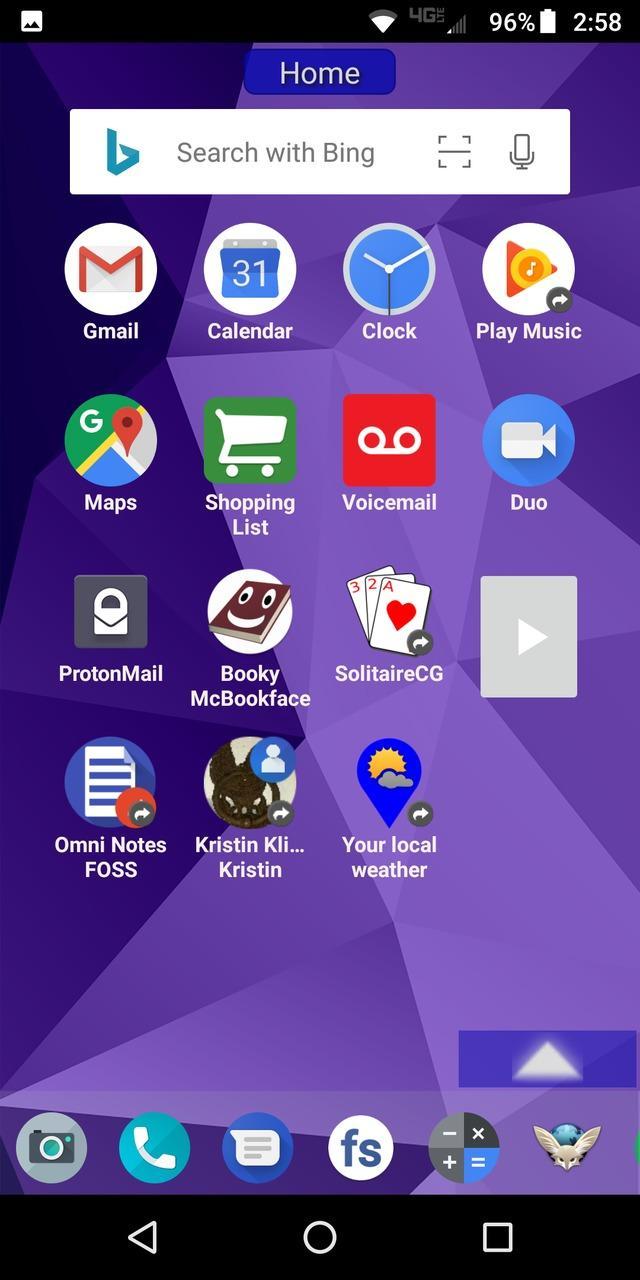
Highly configurable alternative homescreen/launcher which features a side menu to automatically and/or manually organize your apps into common-sense and customizable categories.
Latest features: Resizable widgets, hideable side menu, action menus, appinfo, better appearance, animated transitions, and an experimental "dumbphone" mode.
More features:
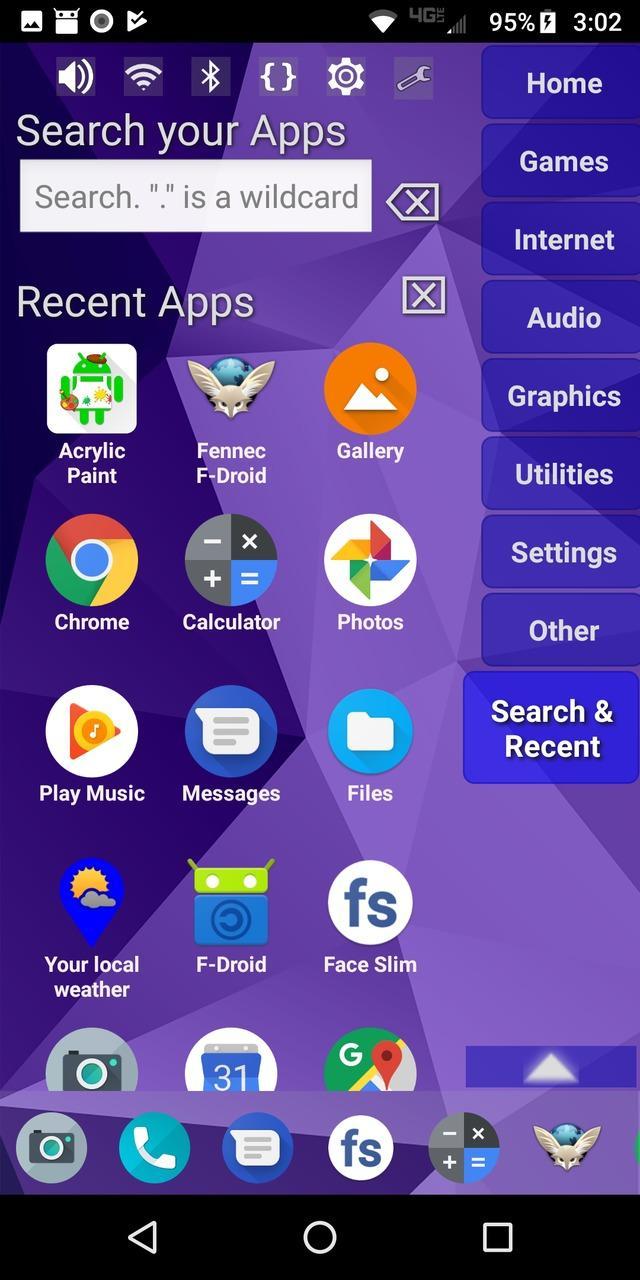
* Configurable app categories in a scrollable/hideable side menu.
* Scrolling QuickBar on the bottom for easy access to your favorite apps.
* Text search to find apps.
* List of recent apps.
* Quick access to settings.
* Multiple widget support.
* Rearrange/sort icons and menu items.
* Toddler/child mode
* Shortcut/link and Oreo Pinned shortcut support.
* Android 7.1+ shortcut actions / menus.
* Unread badges.
* Adw/nova/apex icon-packs.
* Supports both portrait and landscape mode.
* Can hide apps you don't want but can't uninstall.
* Back up and restore your settings.
* Configurable colors.
* Customize icons and labels.
* Built-in themes.
ดูตัวอย่าง
แท็ก
การปรับเปลี่ยนในแบบของคุณข้อมูล
นักพัฒนา
Quaap, my free-time FOSS apps
เวอร์ชั่นล่าสุด
0.8.5
อัพเดทล่าสุด
2019-08-26
หมวดหมู่
การปรับเปลี่ยนในแบบของคุณ
มีจำหน่ายที่
Google Play
แสดงมากขึ้น
วิธีเล่น LaunchTime (Homescreen) ด้วย GameLoop บน PC
1. ดาวน์โหลด GameLoop จากเว็บไซต์ทางการ จากนั้นเรียกใช้ไฟล์ exe เพื่อติดตั้ง GameLoop
2. เปิด GameLoop และค้นหา "LaunchTime (Homescreen)" ค้นหา LaunchTime (Homescreen) ในผลการค้นหาแล้วคลิก "ติดตั้ง"
3. สนุกกับการเล่น LaunchTime (Homescreen) บน GameLoop
Minimum requirements
OS
Windows 8.1 64-bit or Windows 10 64-bit
GPU
GTX 1050
CPU
i3-8300
Memory
8GB RAM
Storage
1GB available space
Recommended requirements
OS
Windows 8.1 64-bit or Windows 10 64-bit
GPU
GTX 1050
CPU
i3-9320
Memory
16GB RAM
Storage
1GB available space