
Apple Music PC
Apple
ดาวน์โหลด Apple Music บนพีซีด้วย GameLoop Emulator
Apple Music บน PC
Apple Music มาจากผู้พัฒนา Apple ที่เคยรันบนระบบปฏิบัติการ Android มาก่อน
ตอนนี้คุณสามารถเล่น Apple Music บนพีซีด้วย GameLoop ได้อย่างราบรื่น
ดาวน์โหลดในไลบรารี GameLoop หรือผลการค้นหา ไม่ต้องสนใจแบตเตอรี่หรือโทรผิดเวลาอีกต่อไป
เพียงเพลิดเพลินกับ Apple Music PC บนหน้าจอขนาดใหญ่ฟรี!
Apple Music บทนำ
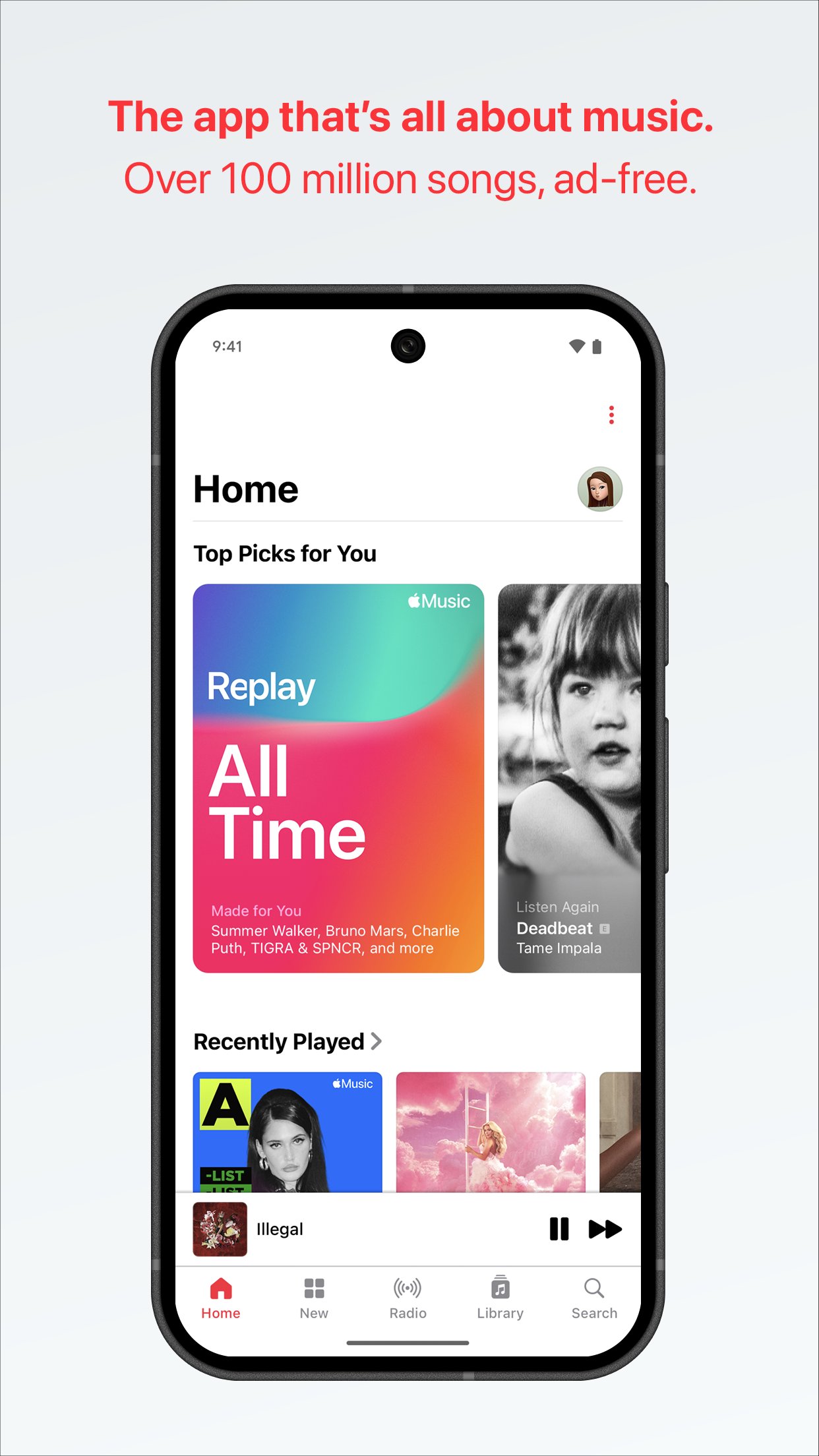
Apple Music is all about the music, with the highest audio quality; exclusive, in-depth content and unparalleled access to the artists you love–all ad-free.
• Get unlimited access to over 100 million songs.
• Playlists & stations made just for you. Find your Discovery Station, personalized picks, mixes, and more on Home.
• Precise, beat-by-beat lyrics now include translations and pronunciations on many of your favorite songs to help you sing along with confidence.(1)
• Stream your favorite music via Chromecast to your favorite device.
• Hear next-level sound quality with Spatial Audio(2) and lossless audio.(3)
• Go deeper with the artists you love through in-depth interviews, live performances, and exclusive radio shows created by the most iconic names in music, and only found on Apple Music.
• Find concerts in your area and tour dates for your favorite artists.
• Keep the music going with AutoPlay for a continuous listening experience.
• Listen with friends in real time using SharePlay, and control the music together in the car.
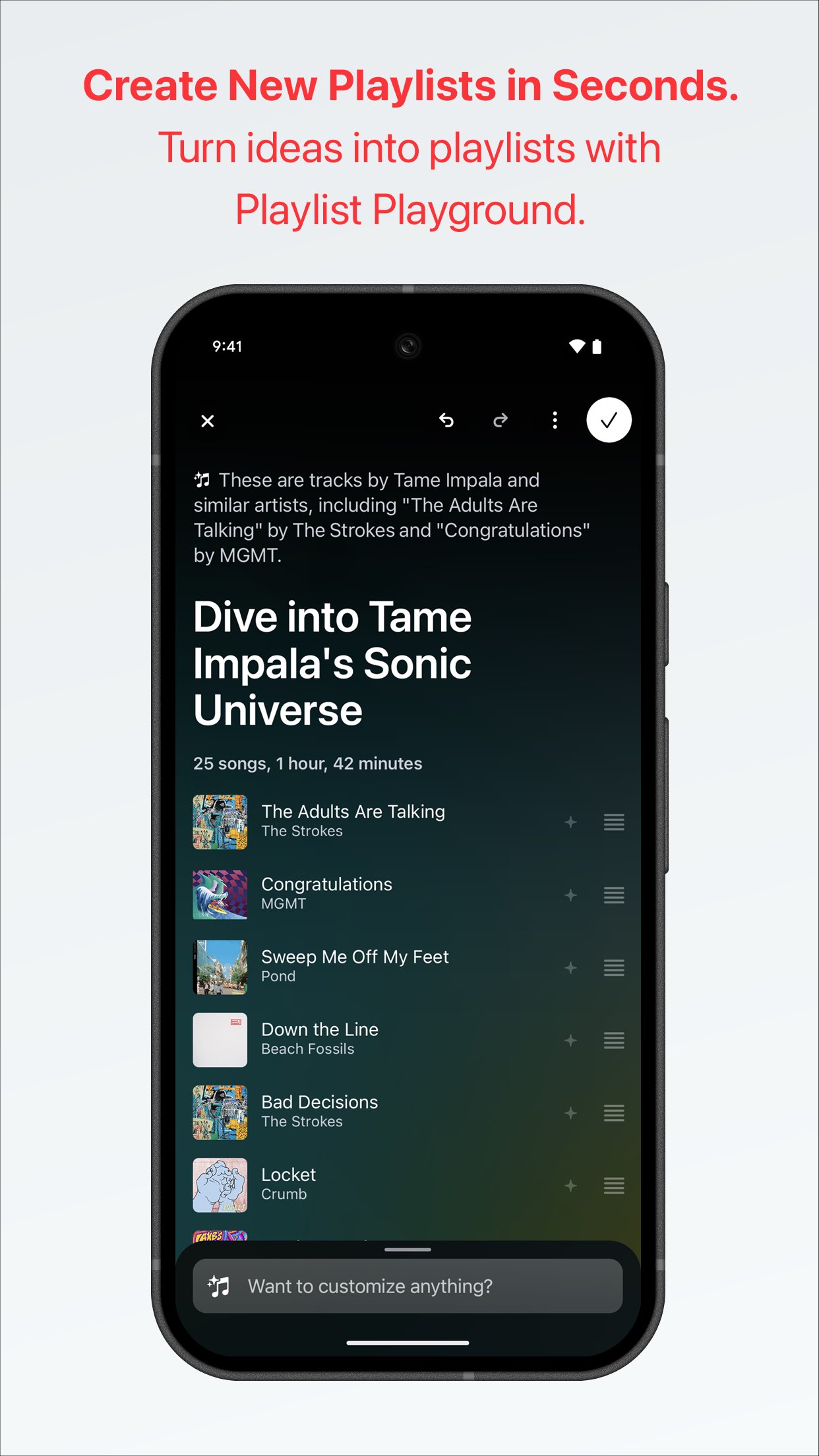
• Share the music you love. Invite friends to collaborate on playlists,(4) join listening sessions with SharePlay, even share the lyrics that move you in Messages.
• Download your favorite music, and listen offline.
• Listen while on the go with Android Auto.
1. Compatible hardware and software required. Not all content available in Spatial Audio with Dolby Atmos.
2. Lossless audio available up to 24-bit/192 kHz. Hi-Res Lossless requires external equipment such as a USB digital to analog converter.
3. Lyrics Translation and Lyrics Pronunciation is available for select songs in select languages and scripts.
4. Users under the age of 13 cannot collaborate on playlists because they are not allowed to have identities within Music. Users in Cameroon, China mainland, Malawi, Mali, Russia, Türkiye, United Arab Emirates, and Uruguay cannot collaborate.
Availability and features vary by country and region, plan, or device. Subscriptions automatically renew unless they are canceled at least 24 hours prior to the end of the current period. Your account will be charged for renewal within 24 hours prior to the end of the current period. You can manage or cancel your subscriptions in Settings after purchase. Apple Media Services Terms and Conditions can be found at https://www.apple.com/legal/internet-services/itunes/.
Optional App Permissions:
Notifications: To send push notifications about upcoming releases, new artists, friend activity, and other happenings on Apple Music.
Contacts: To recommend friends you may want to connect with on Apple Music.
Camera: If you want to create a personal profile on Apple Music to share and connect with others, you can choose to take a profile photo. You can also choose to take a photo to add to your Personal Playlists.
Location: To set your city to find concerts nearby.
You can use Apple Music even without providing consent to any of the above optional app permissions. However, some features of the service may not be available.
ดูตัวอย่าง
แท็ก
Music-&ข้อมูล
นักพัฒนา
Apple
เวอร์ชั่นล่าสุด
6.5.2
อัพเดทล่าสุด
2026-08-18
หมวดหมู่
Music-audio
มีจำหน่ายที่
Google Play
แสดงมากขึ้น
วิธีเล่น Apple Music ด้วย GameLoop บน PC
1. ดาวน์โหลด GameLoop จากเว็บไซต์ทางการ จากนั้นเรียกใช้ไฟล์ exe เพื่อติดตั้ง GameLoop
2. เปิด GameLoop และค้นหา "Apple Music" ค้นหา Apple Music ในผลการค้นหาแล้วคลิก "ติดตั้ง"
3. สนุกกับการเล่น Apple Music บน GameLoop
Minimum requirements
OS
Windows 8.1 64-bit or Windows 10 64-bit
GPU
GTX 1050
CPU
i3-8300
Memory
8GB RAM
Storage
1GB available space
Recommended requirements
OS
Windows 8.1 64-bit or Windows 10 64-bit
GPU
GTX 1050
CPU
i3-9320
Memory
16GB RAM
Storage
1GB available space