
In.Sight+ (aka InSightHD) PC
Mobile Video Solutions
ดาวน์โหลด In.Sight+ (aka InSightHD) บนพีซีด้วย GameLoop Emulator
In.Sight+ (aka InSightHD) บน PC
In.Sight+ (aka InSightHD) มาจากผู้พัฒนา Mobile Video Solutions ที่เคยรันบนระบบปฏิบัติการ Android มาก่อน
ตอนนี้คุณสามารถเล่น In.Sight+ (aka InSightHD) บนพีซีด้วย GameLoop ได้อย่างราบรื่น
ดาวน์โหลดในไลบรารี GameLoop หรือผลการค้นหา ไม่ต้องสนใจแบตเตอรี่หรือโทรผิดเวลาอีกต่อไป
เพียงเพลิดเพลินกับ In.Sight+ (aka InSightHD) PC บนหน้าจอขนาดใหญ่ฟรี!
In.Sight+ (aka InSightHD) บทนำ
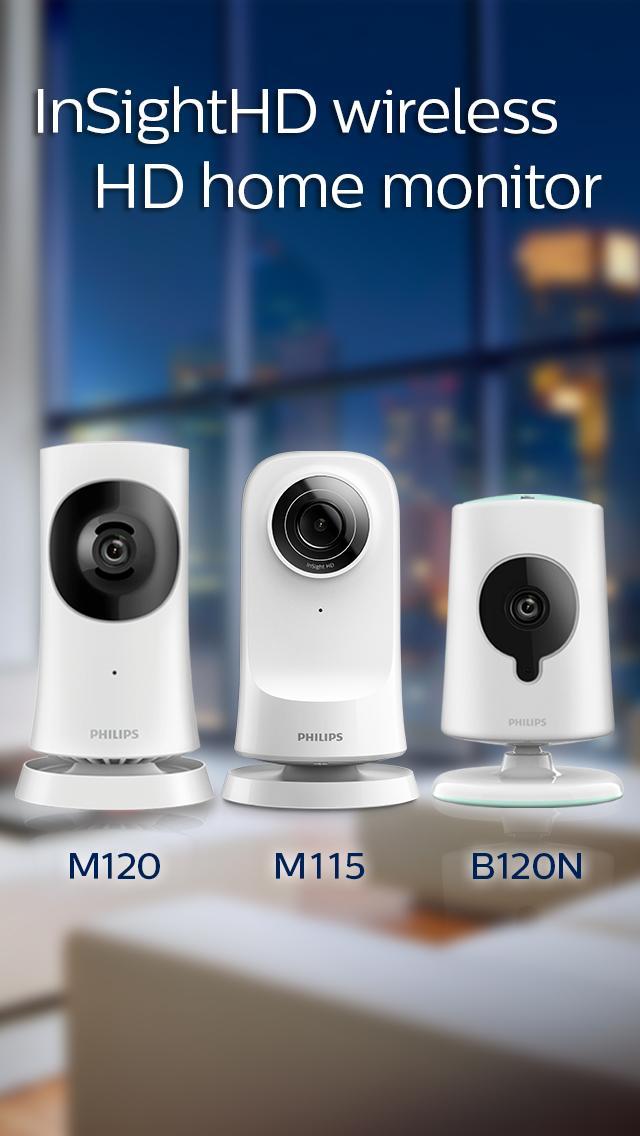
Please Note: InSightHD is for Philips InSightHD home monitor M115, wide‑angle home monitor M120 and HD baby monitor B120N only. For other Philips monitors please use the InSightHD app.
Philips InSightHD are cloud based Wi-Fi monitors, powered by Ivideon that allow you to watch what’s going on anytime, anywhere.
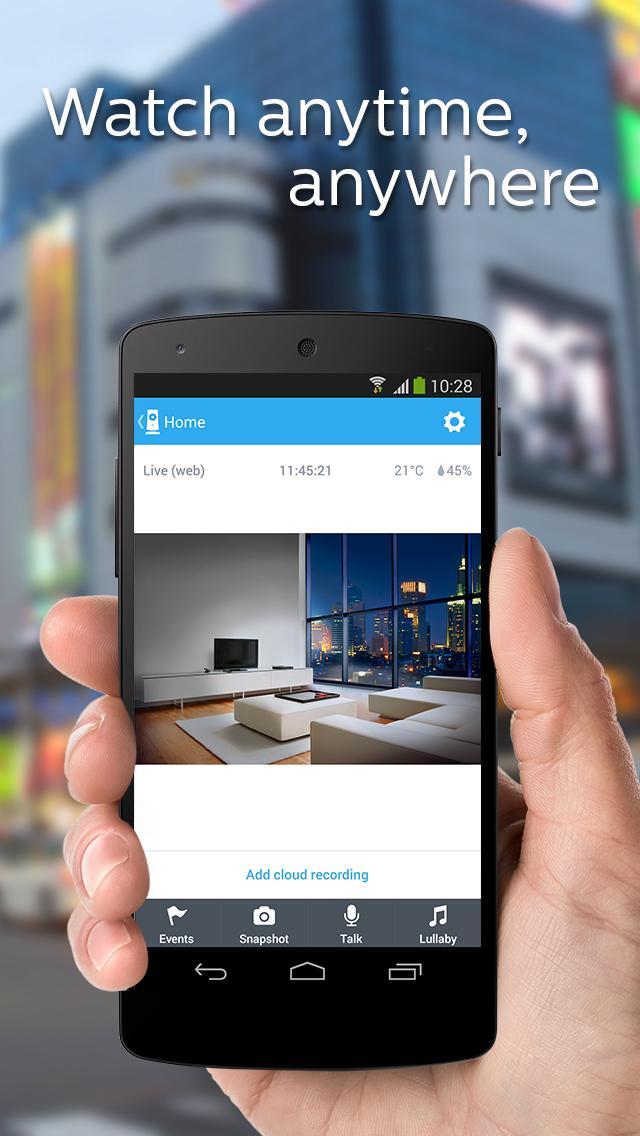
The InSightHD app provides live audio and video using 3G, LTE or Wi-Fi networks.
InSightHD lets you:
• Check your home while you are away
• Watch your baby sleeping from another room
• See what the kids are up to whilst you’re still at work
• Keep an eye on pets when you not there
With InSightHD you can:
• Have unlimited live video streaming
• Create a free account with secure access
• View multiple InSightHD wireless home monitors
• Receive real-time motion and sound alerts via push notifications
• Share your monitor access to your family and friends
• Record and review events triggered by motion/sound (optional)
• Recordings are uploaded to the Ivideon Cloud storage (optional)
• Events are stored for up to 7-days or 30-days (optional)
Philips InSightHD home monitors provide:
• Quick and easy set-up
• Fully Encrypted for secure connections
• Built-in sound and motion detection technology
• Offers wall-mounting option for best possible placement
ดูตัวอย่าง
ข้อมูล
นักพัฒนา
Mobile Video Solutions
เวอร์ชั่นล่าสุด
2.3.12
อัพเดทล่าสุด
2016-01-27
หมวดหมู่
ไลฟ์สไตล์
มีจำหน่ายที่
Google Play
แสดงมากขึ้น
วิธีเล่น In.Sight+ (aka InSightHD) ด้วย GameLoop บน PC
1. ดาวน์โหลด GameLoop จากเว็บไซต์ทางการ จากนั้นเรียกใช้ไฟล์ exe เพื่อติดตั้ง GameLoop
2. เปิด GameLoop และค้นหา "In.Sight+ (aka InSightHD)" ค้นหา In.Sight+ (aka InSightHD) ในผลการค้นหาแล้วคลิก "ติดตั้ง"
3. สนุกกับการเล่น In.Sight+ (aka InSightHD) บน GameLoop
Minimum requirements
OS
Windows 8.1 64-bit or Windows 10 64-bit
GPU
GTX 1050
CPU
i3-8300
Memory
8GB RAM
Storage
1GB available space
Recommended requirements
OS
Windows 8.1 64-bit or Windows 10 64-bit
GPU
GTX 1050
CPU
i3-9320
Memory
16GB RAM
Storage
1GB available space