Fake OS 5 Keyboard PC
Brio Arc.
ดาวน์โหลด Fake OS 5 Keyboard บนพีซีด้วย GameLoop Emulator
Fake OS 5 Keyboard บน PC
Fake OS 5 Keyboard มาจากผู้พัฒนา Brio Arc. ที่เคยรันบนระบบปฏิบัติการ Android มาก่อน
ตอนนี้คุณสามารถเล่น Fake OS 5 Keyboard บนพีซีด้วย GameLoop ได้อย่างราบรื่น
ดาวน์โหลดในไลบรารี GameLoop หรือผลการค้นหา ไม่ต้องสนใจแบตเตอรี่หรือโทรผิดเวลาอีกต่อไป
เพียงเพลิดเพลินกับ Fake OS 5 Keyboard PC บนหน้าจอขนาดใหญ่ฟรี!
Fake OS 5 Keyboard บทนำ
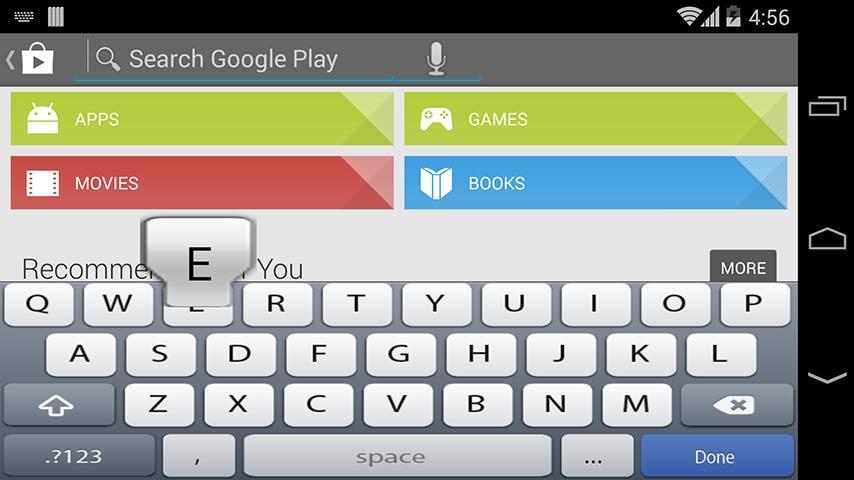
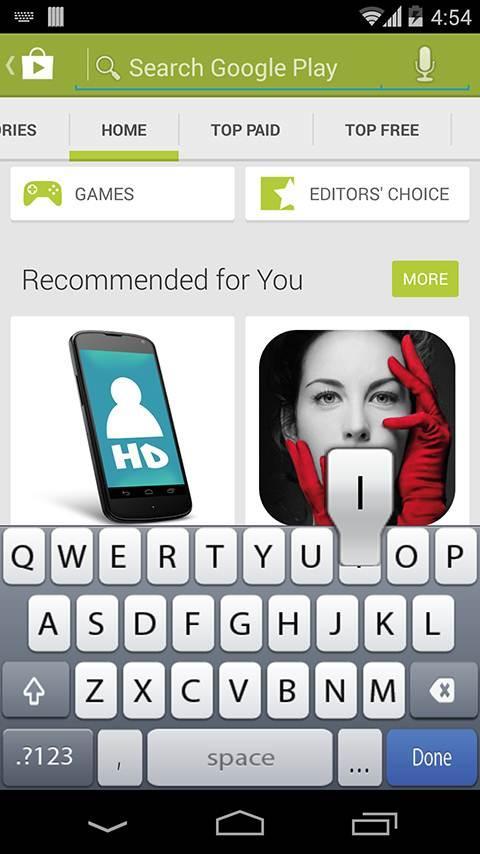
OS 5 Keyboard Forget about the boring stock of keyboards, It's time for something new!!
OS 5 Keyboard theme will make your mobile device unique and awesome.
# Type faster and easier with an OS 5 Keyboard layout, while enjoying the cool features of the android OS. Fool your friends and everyone that your phone is OS 5 using OS 5 Keyboard free application. OS 5 Keyboard lets you emulate OS 5 Keyboard on any android phone.
# Take command of your android device's touch pad with a perfect and smart keyboard “OS 5 Keyboard “for android.
“OS 5 Keyboard " lets you use custom dictionaries and adjust the keyboard's vibration density. In short it allows you to setup your android device's touch pad keyboard so that it works best for you.
# Keyboard Settings.
* Vibrate when typing.
* Auto suggestion.
* Sound when typing.
* Auto capitalization.
* Share (share with your family, friends, and colleagues).
# Take time to rate and comment after you install, your opinion will help us to improve our work.
-- Disclaimer --
All images and ideas are registered trademarks of their respective owners
ดูตัวอย่าง
ข้อมูล
นักพัฒนา
Brio Arc.
เวอร์ชั่นล่าสุด
1.0.4
อัพเดทล่าสุด
2017-03-22
หมวดหมู่
บันเทิง
มีจำหน่ายที่
Google Play
แสดงมากขึ้น
วิธีเล่น Fake OS 5 Keyboard ด้วย GameLoop บน PC
1. ดาวน์โหลด GameLoop จากเว็บไซต์ทางการ จากนั้นเรียกใช้ไฟล์ exe เพื่อติดตั้ง GameLoop
2. เปิด GameLoop และค้นหา "Fake OS 5 Keyboard" ค้นหา Fake OS 5 Keyboard ในผลการค้นหาแล้วคลิก "ติดตั้ง"
3. สนุกกับการเล่น Fake OS 5 Keyboard บน GameLoop
Minimum requirements
OS
Windows 8.1 64-bit or Windows 10 64-bit
GPU
GTX 1050
CPU
i3-8300
Memory
8GB RAM
Storage
1GB available space
Recommended requirements
OS
Windows 8.1 64-bit or Windows 10 64-bit
GPU
GTX 1050
CPU
i3-9320
Memory
16GB RAM
Storage
1GB available space