
Auto Clicker -Tapping PC
guo yun
ดาวน์โหลด Auto Clicker -Tapping บนพีซีด้วย GameLoop Emulator
Auto Clicker -Tapping บน PC
Auto Clicker -Tapping มาจากผู้พัฒนา guo yun ที่เคยรันบนระบบปฏิบัติการ Android มาก่อน
ตอนนี้คุณสามารถเล่น Auto Clicker -Tapping บนพีซีด้วย GameLoop ได้อย่างราบรื่น
ดาวน์โหลดในไลบรารี GameLoop หรือผลการค้นหา ไม่ต้องสนใจแบตเตอรี่หรือโทรผิดเวลาอีกต่อไป
เพียงเพลิดเพลินกับ Auto Clicker -Tapping PC บนหน้าจอขนาดใหญ่ฟรี!
Auto Clicker -Tapping บทนำ
2020 best Auto Clicker Tapping
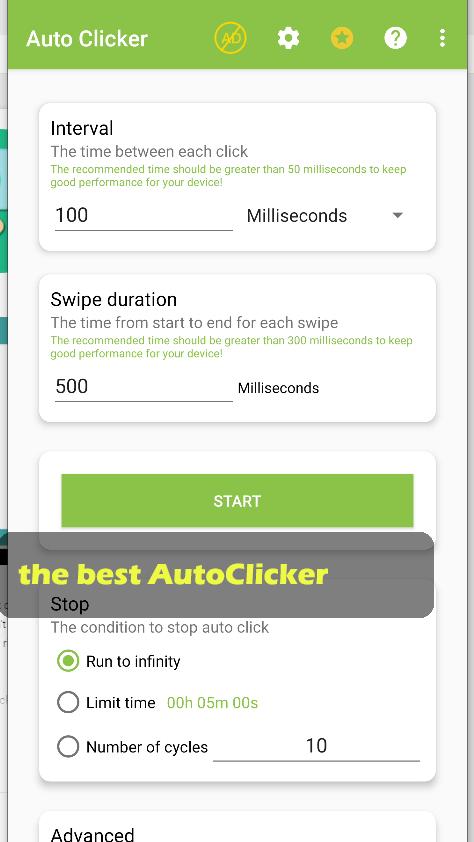
Automatically click or swipe anywhere on the screen you want with custom durations.
Auto Clicker doesn’t require root access
Install Auto Clicker right now to save your time, it's free for you.
Feature
- Support single click, multiple click, and multiple swipes
- set the click time to match your set requirements
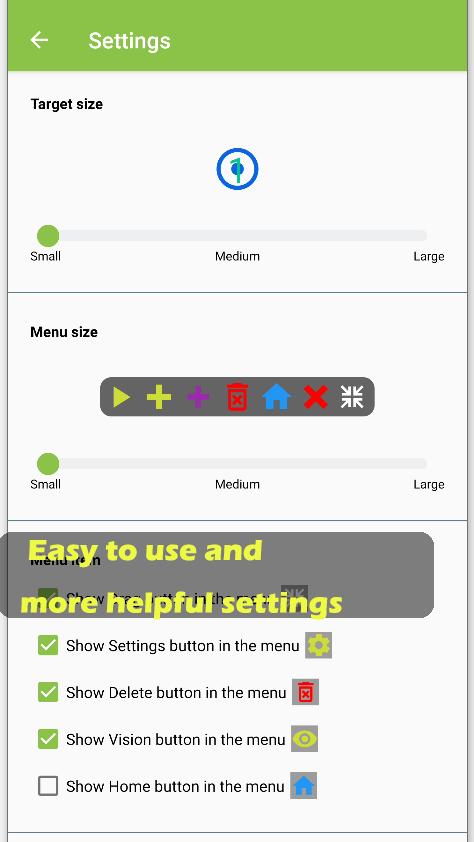
- Touch points can be hidden or displayed at any time
- Change the frequency of clicks at any time
- Save your configs
- Easy to use and more helpful settings
- Support multiple languages
Loop mode can be set
- Loop times
- Loop until stop button is pressed
- Loop for time up
Toolbar settings
- Freely sort button order, or hide unwanted features
Require
- Only support Android 7.0 and up
- System alert window permission
- Accessibility service
ดูตัวอย่าง
ข้อมูล
นักพัฒนา
guo yun
เวอร์ชั่นล่าสุด
1.0.1
อัพเดทล่าสุด
2020-10-23
หมวดหมู่
บันเทิง
มีจำหน่ายที่
Google Play
แสดงมากขึ้น
วิธีเล่น Auto Clicker -Tapping ด้วย GameLoop บน PC
1. ดาวน์โหลด GameLoop จากเว็บไซต์ทางการ จากนั้นเรียกใช้ไฟล์ exe เพื่อติดตั้ง GameLoop
2. เปิด GameLoop และค้นหา "Auto Clicker -Tapping" ค้นหา Auto Clicker -Tapping ในผลการค้นหาแล้วคลิก "ติดตั้ง"
3. สนุกกับการเล่น Auto Clicker -Tapping บน GameLoop
Minimum requirements
OS
Windows 8.1 64-bit or Windows 10 64-bit
GPU
GTX 1050
CPU
i3-8300
Memory
8GB RAM
Storage
1GB available space
Recommended requirements
OS
Windows 8.1 64-bit or Windows 10 64-bit
GPU
GTX 1050
CPU
i3-9320
Memory
16GB RAM
Storage
1GB available space