
Burton Adventist Academy PC
Burton Adventist Academy
ดาวน์โหลด Burton Adventist Academy บนพีซีด้วย GameLoop Emulator
Burton Adventist Academy บน PC
Burton Adventist Academy มาจากผู้พัฒนา Burton Adventist Academy ที่เคยรันบนระบบปฏิบัติการ Android มาก่อน
ตอนนี้คุณสามารถเล่น Burton Adventist Academy บนพีซีด้วย GameLoop ได้อย่างราบรื่น
ดาวน์โหลดในไลบรารี GameLoop หรือผลการค้นหา ไม่ต้องสนใจแบตเตอรี่หรือโทรผิดเวลาอีกต่อไป
เพียงเพลิดเพลินกับ Burton Adventist Academy PC บนหน้าจอขนาดใหญ่ฟรี!
Burton Adventist Academy บทนำ
Welcome to Burton Adventist Academy in Arlington, Texas!
Check out the key features of the BAA App below:
HOME:
Find out what's going on today with a custom marquee message, featured events, polls, and more!
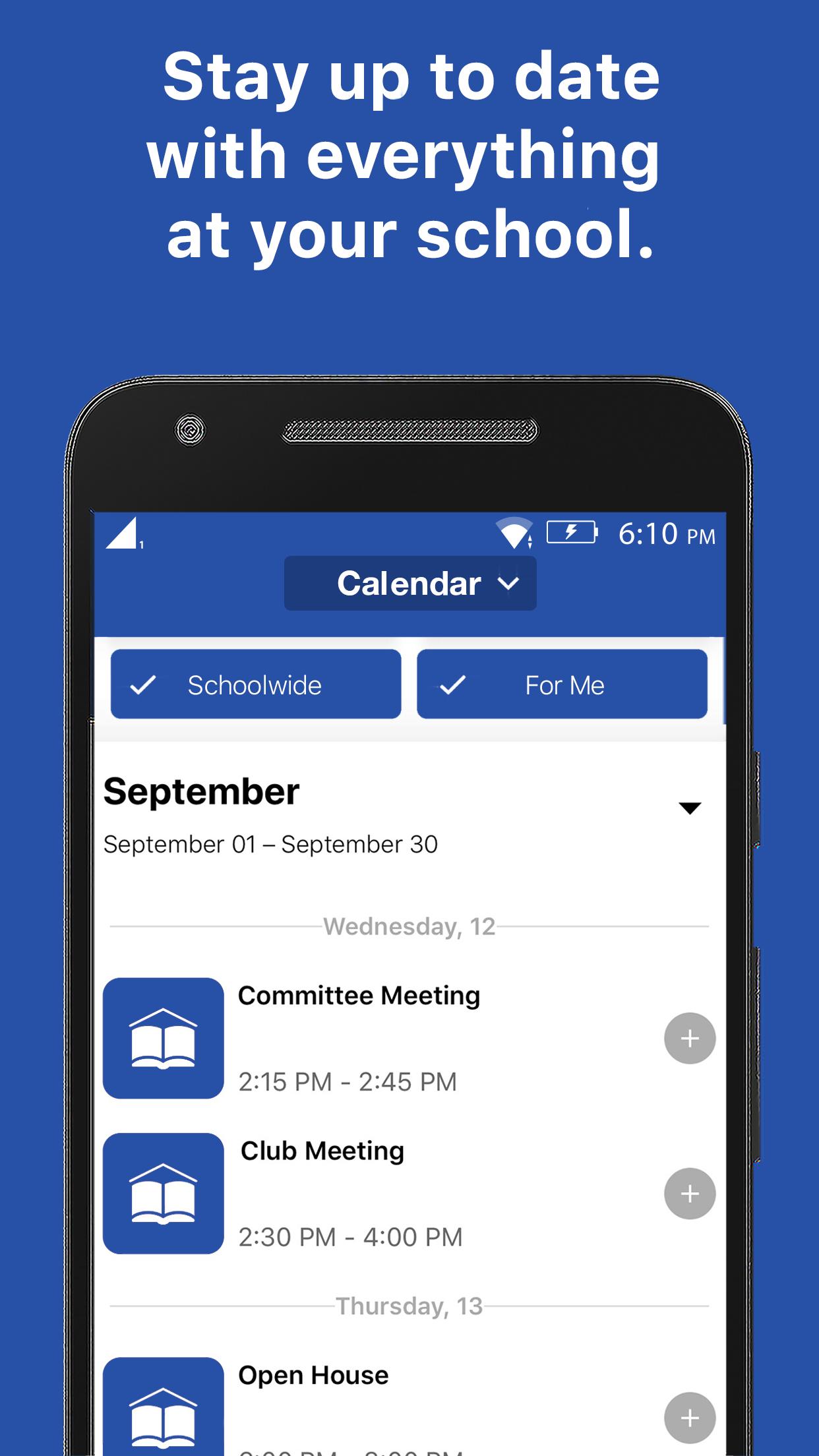
CALENDARS:
Get connected to the right calendars based on who you are. See your events, not someone else's. View event details, attachments, links, time & place. Easily find the event w/ interactive maps.
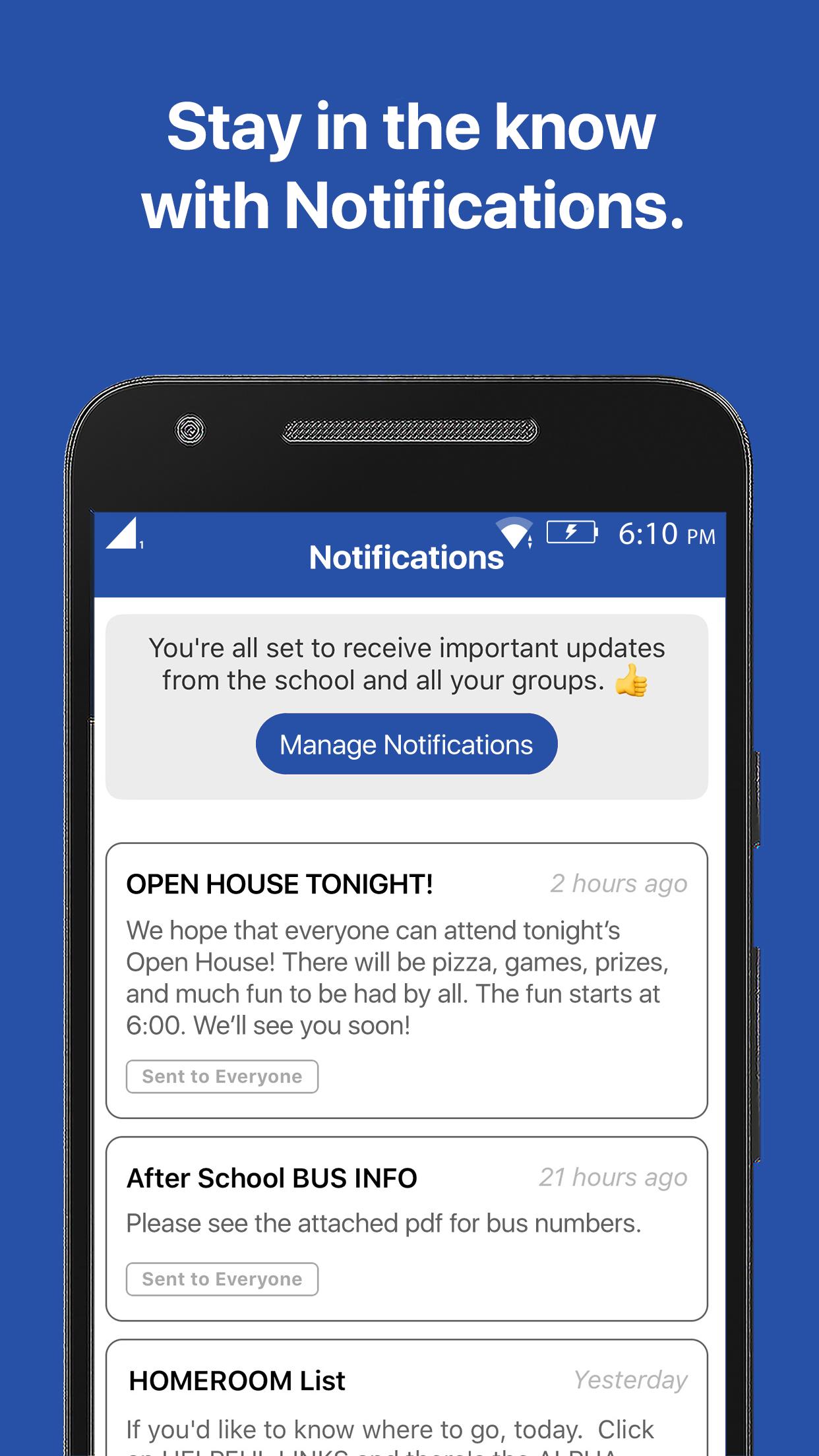
NOTIFICATIONS:
Subscribe to receive the messages that are most important to you and always stay up-to-date with the latest communication.
RESOURCES:
Have the knowledge you need. Forms, flyers, and facts all at your fingertips.
GROUPS:
Get connected with your clubs, teams, and groups, and discover new ways to get involved.
ดูตัวอย่าง
แท็ก
การศึกษาข้อมูล
นักพัฒนา
Burton Adventist Academy
เวอร์ชั่นล่าสุด
15999794
อัพเดทล่าสุด
2021-01-25
หมวดหมู่
การศึกษา
มีจำหน่ายที่
Google Play
แสดงมากขึ้น
วิธีเล่น Burton Adventist Academy ด้วย GameLoop บน PC
1. ดาวน์โหลด GameLoop จากเว็บไซต์ทางการ จากนั้นเรียกใช้ไฟล์ exe เพื่อติดตั้ง GameLoop
2. เปิด GameLoop และค้นหา "Burton Adventist Academy" ค้นหา Burton Adventist Academy ในผลการค้นหาแล้วคลิก "ติดตั้ง"
3. สนุกกับการเล่น Burton Adventist Academy บน GameLoop
Minimum requirements
OS
Windows 8.1 64-bit or Windows 10 64-bit
GPU
GTX 1050
CPU
i3-8300
Memory
8GB RAM
Storage
1GB available space
Recommended requirements
OS
Windows 8.1 64-bit or Windows 10 64-bit
GPU
GTX 1050
CPU
i3-9320
Memory
16GB RAM
Storage
1GB available space