OBDDiag Toyota PC
OBD Scantech
ดาวน์โหลด OBDDiag Toyota บนพีซีด้วย GameLoop Emulator
OBDDiag Toyota บน PC
OBDDiag Toyota มาจากผู้พัฒนา OBD Scantech ที่เคยรันบนระบบปฏิบัติการ Android มาก่อน
ตอนนี้คุณสามารถเล่น OBDDiag Toyota บนพีซีด้วย GameLoop ได้อย่างราบรื่น
ดาวน์โหลดในไลบรารี GameLoop หรือผลการค้นหา ไม่ต้องสนใจแบตเตอรี่หรือโทรผิดเวลาอีกต่อไป
เพียงเพลิดเพลินกับ OBDDiag Toyota PC บนหน้าจอขนาดใหญ่ฟรี!
OBDDiag Toyota บทนำ
OBD2 App with Ads that will communicate with your Toyota Engine ECU Vehicles. The Generic OBDII is also included and will work with any OBD2 Complaint Vehicle. The app requires OBDII ELM 327 Bluetooth (See Below). It will read Toyota Enhance/Extended PIDS (130 available) and Perform Output Test (70 available). Not all of the PIDS are supported by the vehicle. It will support certain ranges of Toyota Models and Years (2000 - 2006). It may work on some of the Lexus Models.
Currently, It will Support ISO-9141 PROTOCOL ONLY for the Enhanced Toyota! CAN BUS is not supported for the Toyota's!
The Generic OBD2 supports all of the Protocols.
-----------------------------------------------------------
The App Supports the Following (ISO-9141)
-----------------------------------------------------------
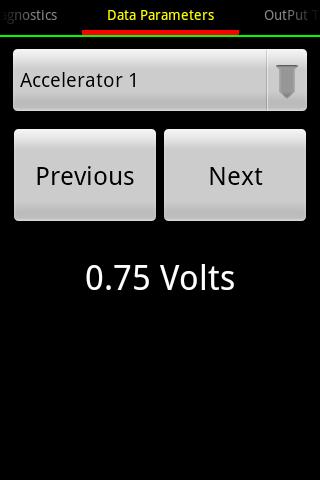
* Enhance Data Parameters
* Output Test
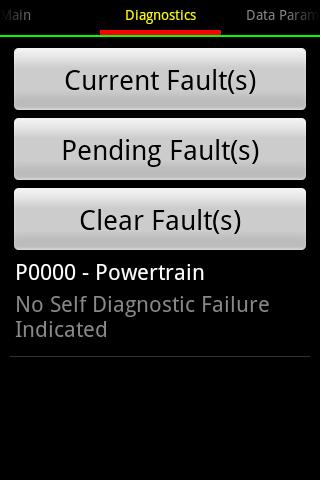
* Mode 3 - Read Faults
* Mode 4 - Clear Faults
* Mode 7 - Pending Faults
* Generic Data Parameters (Any OBD2 Complaint Vehicle)
* Readiness
* O2 Sensor Location
* Mode 2 - Freeze Frame Data
* Mode 3 - Read Current Faults
* Mode 4 - Clear Faults
* Mode 6 - On-board Test Result
* Mode 7 - Read Pending Faults
* Mode 9 - VIN, Performance Tracking Data, ECU Name, Calibration and Verification ID
* Mode A - Read Stored Faults
Output Test parameters is not filtered thoroughly and some of the Output Test will not work, because the ECU does not support it.
Toyota Enhance Powertrain: Tested successfully on the following vehicles
* 2004 Toyota Camry
* 2002 Toyota Camry Solara
HARDWARE REQUIREMENT: ELM 327 (Clone Type) Bluetooth Adapter or OBDLink MX
Vendors Type: CHX, OBDII, BAFX Bluetooth Device tested OK.
ดูตัวอย่าง
ข้อมูล
นักพัฒนา
OBD Scantech
เวอร์ชั่นล่าสุด
1.05.31
อัพเดทล่าสุด
2015-02-10
หมวดหมู่
การสื่อสาร
มีจำหน่ายที่
Google Play
แสดงมากขึ้น
วิธีเล่น OBDDiag Toyota ด้วย GameLoop บน PC
1. ดาวน์โหลด GameLoop จากเว็บไซต์ทางการ จากนั้นเรียกใช้ไฟล์ exe เพื่อติดตั้ง GameLoop
2. เปิด GameLoop และค้นหา "OBDDiag Toyota" ค้นหา OBDDiag Toyota ในผลการค้นหาแล้วคลิก "ติดตั้ง"
3. สนุกกับการเล่น OBDDiag Toyota บน GameLoop
Minimum requirements
OS
Windows 8.1 64-bit or Windows 10 64-bit
GPU
GTX 1050
CPU
i3-8300
Memory
8GB RAM
Storage
1GB available space
Recommended requirements
OS
Windows 8.1 64-bit or Windows 10 64-bit
GPU
GTX 1050
CPU
i3-9320
Memory
16GB RAM
Storage
1GB available space