Document Scanner PC
He xia Ngian apps
ดาวน์โหลด Document Scanner บนพีซีด้วย GameLoop Emulator
Document Scanner บน PC
Document Scanner มาจากผู้พัฒนา He xia Ngian apps ที่เคยรันบนระบบปฏิบัติการ Android มาก่อน
ตอนนี้คุณสามารถเล่น Document Scanner บนพีซีด้วย GameLoop ได้อย่างราบรื่น
ดาวน์โหลดในไลบรารี GameLoop หรือผลการค้นหา ไม่ต้องสนใจแบตเตอรี่หรือโทรผิดเวลาอีกต่อไป
เพียงเพลิดเพลินกับ Document Scanner PC บนหน้าจอขนาดใหญ่ฟรี!
Document Scanner บทนำ
Sometimes in a single day you need your different documents scanned multiple times. In that situation if everything is planned you will definitely not suffer more. But if the need to scan that document arises one by one it will be a disaster for sure.
To rescue you from that situation we brings you a portable Doc Scanner. This Doc scanner you let you scan your documents anytime anywhere.
There are some additional features as well in the app which makes your document after scanning more professional and good to look at.
Let's take a tour of that attractive features::
* Scan your document.
* Enhance the scan quality automatically/Manually.
* Enhancement includes smart cropping and many more.
* Optimize your PDF into modes like B/W, Lighten, Color and dark.
* Turn scans into clear and and sharp PDF.
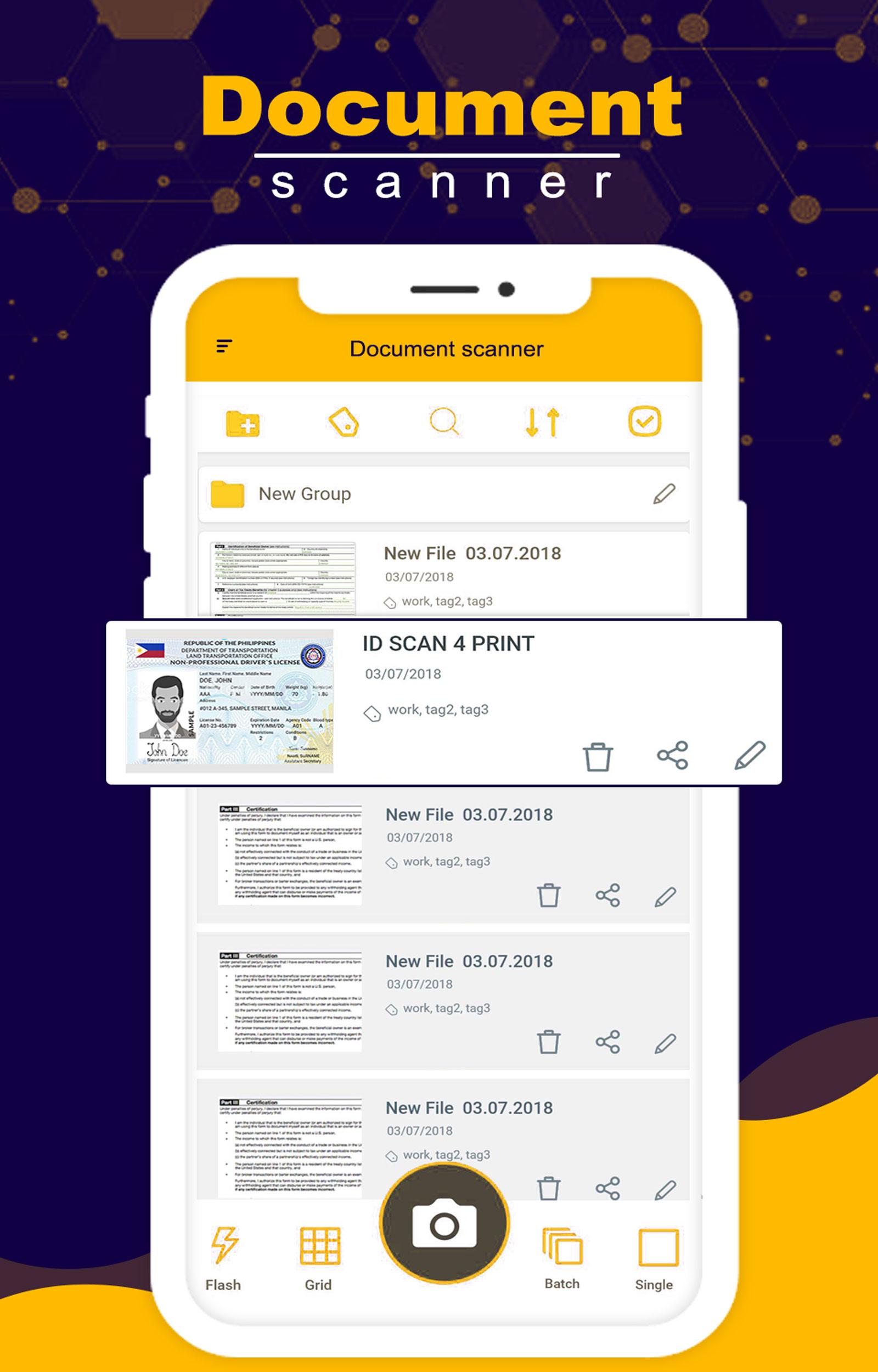
* Arrange your doc in folder and sub folders.
* Share PDF/JPEG files.
* Print and fax the scanned doc directly from the app.
* Upload doc’s to the cloud like Google Drive, Dropbox etc.
* Scan QR Code/Bar-code.
* Create QR Code.
* Share scanned QR Code.
* Turns your old documents into a clear and sharp one by removing the noise.
* Can create PDF in different sizes from A1 to A-6 and like Postcard, letter ,Note etc.
Features:
*Quickly Digitize Document
Just use your phone camera to scan and digitize all kinds of paper documents: receipts, notes, invoices, whiteboard discussions, business cards, certificates, etc.
*Optimize Scan Quality
Smart cropping and auto enhancing ensures the texts and graphics in scanned documents are clear and sharp with premium colors and resolutions.
*Extract Texts from Image
OCR (optical character recognition) feature recognizes texts in document images and extract them from images for later searching, editing or sharing. (Premium only)
*Share PDF/JPEG Files
Easily share documents in PDF or JPEG format with friends via various ways: post on social media, send attachment or document download link through email.
*Advanced Document Editing
adding customized watermarks are made available to mark your own documents.
*Quick Search
When you have plenty of documents, you can use Tags to categorize and easily find them. In addition, OCR for Search helps you find texts inside image and notes. Just enter one keyword, you can quickly find the document you want. (Registrants only)
*Secure Important Documents
If you want to protect confidential contents, you can set pass-code for viewing important documents.
ดูตัวอย่าง
ข้อมูล
นักพัฒนา
He xia Ngian apps
เวอร์ชั่นล่าสุด
1.0
อัพเดทล่าสุด
2020-12-24
หมวดหมู่
ธุรกิจ
มีจำหน่ายที่
Google Play
แสดงมากขึ้น
วิธีเล่น Document Scanner ด้วย GameLoop บน PC
1. ดาวน์โหลด GameLoop จากเว็บไซต์ทางการ จากนั้นเรียกใช้ไฟล์ exe เพื่อติดตั้ง GameLoop
2. เปิด GameLoop และค้นหา "Document Scanner" ค้นหา Document Scanner ในผลการค้นหาแล้วคลิก "ติดตั้ง"
3. สนุกกับการเล่น Document Scanner บน GameLoop
Minimum requirements
OS
Windows 8.1 64-bit or Windows 10 64-bit
GPU
GTX 1050
CPU
i3-8300
Memory
8GB RAM
Storage
1GB available space
Recommended requirements
OS
Windows 8.1 64-bit or Windows 10 64-bit
GPU
GTX 1050
CPU
i3-9320
Memory
16GB RAM
Storage
1GB available space