
VPNCity - Secure & Fast VPN PC
VPN City
قم بتنزيل VPNCity - Secure & Fast VPN على جهاز الكمبيوتر باستخدام GameLoop Emulator
VPNCity - Secure & Fast VPN على الكمبيوتر الشخصي
VPNCity - Secure & Fast VPN ، القادم من المطور VPN City ، يعمل على نظام Android في الماضي.
الآن ، يمكنك لعب VPNCity - Secure & Fast VPN على جهاز الكمبيوتر باستخدام GameLoop بسلاسة.
قم بتنزيله في مكتبة GameLoop أو في نتائج البحث. لا مزيد من الانتباه إلى البطارية أو المكالمات المحبطة في الوقت الخطأ بعد الآن.
ما عليك سوى الاستمتاع بجهاز VPNCity - Secure & Fast VPN على الشاشة الكبيرة مجانًا!
VPNCity - Secure & Fast VPN مقدمة
Why should you use VPNCity?
✔ 3-day free trial
Download it for free on your Android phone, tablet, or TV.
✔ Protect your personal details. Browse Securely
There's nothing worse than credit and debit fraud. Save yourself from stress and protect your personal details with our hack-proof VPN.
✔ Military-Grade defense against cyber threats
VPNCity app protects you from accessing dangerous websites that host malware, spyware, and other malicious software.
✔ No-Log Policy. Enjoy real privacy online
What you do online is your business. We don’t keep any of your online activity. No browser data, credit card information, no IP address. None, nada, niente.
✔ Multi-App-Friendly
Whether you use a Windows PC, iOS tablet, Android phone or all of them, we got you covered. VPNCity is available for all platforms.
✔ Protect up to 12 Devices
Streaming, gaming and surfing the web? You can connect multiple devices at the same time. Either you have a big family, friends visiting or a small business we cover it all.
✔ Connect to any of our 40+ secure locations
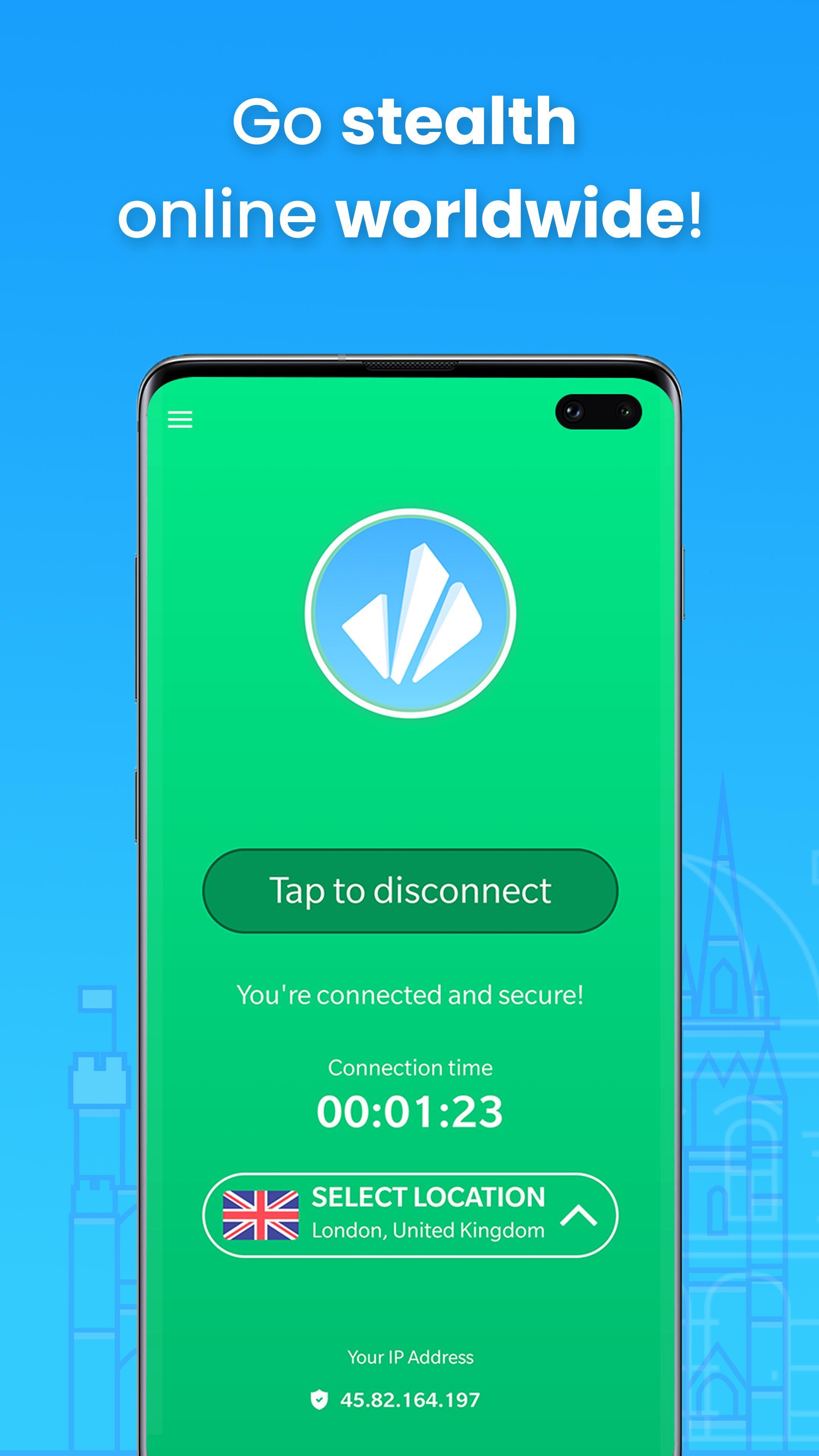
Change your digital location to any of the 40+ cities from our network of 3,167 servers.
✔ Stay safe on Wi-Fi
Whether you’re on public Wi-Fi or mobile internet, VPNCity hides your IP and encrypts all your data to keep you anonymous and protected on your mobile.
✔ Unlock worldwide content
Bypass censorship and unlock geo-located content. Watch your favourite series or sports, access social networks and much more.
✔ Watch & play your favourite content
Get access to all content on Netflix, Amazon Prime Video, BBC iPlayer, Firestick and much more! VPNCity enables you to watch the programs you love.
✔ VPN app that works with Netflix in 2019
Probably the only VPN app that works with Netflix worldwide because we are using special servers optimized for streaming that can not be detected.
✔ Lighting fast speed streaming
We don't restrict upload or download speeds, so you won't experience any buffering issues whilst you're watching your favourite TV show on Netflix.
✔ Simply swipe to connect
Technology doesn’t need to be complicated. That’s why we’ve made our Apps super-simple. Just swipe to connect!
✔ 24/7 customer service
Realtime support. No chatbots here! Get help in seconds, not days. Ask us anything through live chat support or email.
✔ 30-day money-back guarantee
No questions asked. If for any reasons you just want to cancel your subscription and get a refund, just message our customer support 24/7.
Your search for the best VPN app for your Android device has just ended.
Technology doesn’t need to be complicated. That’s why we’ve made our Apps super-simple. Just swipe to connect!
How? Established in 2012, our infrastructure was built from the ground up to support your connection needs 24/7.
Disguises your online identity and access blocked apps and sites with VPNCity, while keeping your mobile activities anonymous, private and secure!
Other features:
• Works with Wi-Fi, LTE/4G, 3G, and all mobile data carriers
• Zero-logging. Zero-trace
• Super fast servers for P2P sharing
• Both soft ether and OpenVPN protocols
• Firefox/Chrome proxies and ShadowSocks
Very important:
VPNCity does not collect user data or browsing activity. Beware of “free VPN” providers that make money by selling your data. Before you install a VPN it’s important you trust the company running the app.
Further questions? Contact us now at support@vpncity.com and be assured of a response within 2 hours.
معاينة
العلامات
أدواتمعلومة
مطور
VPN City
احدث اصدار
1.2.4
آخر تحديث
2023-12-06
فئة
أدوات
متاح على
Google Play
أظهر المزيد
كيف تلعب VPNCity - Secure & Fast VPN مع GameLoop على جهاز الكمبيوتر
1. قم بتنزيل GameLoop من الموقع الرسمي ، ثم قم بتشغيل ملف exe لتثبيت GameLoop.
2. افتح GameLoop وابحث عن "VPNCity - Secure & Fast VPN" ، وابحث عن VPNCity - Secure & Fast VPN في نتائج البحث وانقر على "تثبيت".
3. استمتع بلعب VPNCity - Secure & Fast VPN على GameLoop.
Minimum requirements
OS
Windows 8.1 64-bit or Windows 10 64-bit
GPU
GTX 1050
CPU
i3-8300
Memory
8GB RAM
Storage
1GB available space
Recommended requirements
OS
Windows 8.1 64-bit or Windows 10 64-bit
GPU
GTX 1050
CPU
i3-9320
Memory
16GB RAM
Storage
1GB available space