
Volume Manager : Volume administer per app PC
Scorpion Infosoft
قم بتنزيل Volume Manager : Volume administer per app على جهاز الكمبيوتر باستخدام GameLoop Emulator
Volume Manager : Volume administer per app على الكمبيوتر الشخصي
Volume Manager : Volume administer per app ، القادم من المطور Scorpion Infosoft ، يعمل على نظام Android في الماضي.
الآن ، يمكنك لعب Volume Manager : Volume administer per app على جهاز الكمبيوتر باستخدام GameLoop بسلاسة.
قم بتنزيله في مكتبة GameLoop أو في نتائج البحث. لا مزيد من الانتباه إلى البطارية أو المكالمات المحبطة في الوقت الخطأ بعد الآن.
ما عليك سوى الاستمتاع بجهاز Volume Manager : Volume administer per app على الشاشة الكبيرة مجانًا!
Volume Manager : Volume administer per app مقدمة
Volume manager helps you to manage automate volume levels and ringer modes based on the app you open in your device.
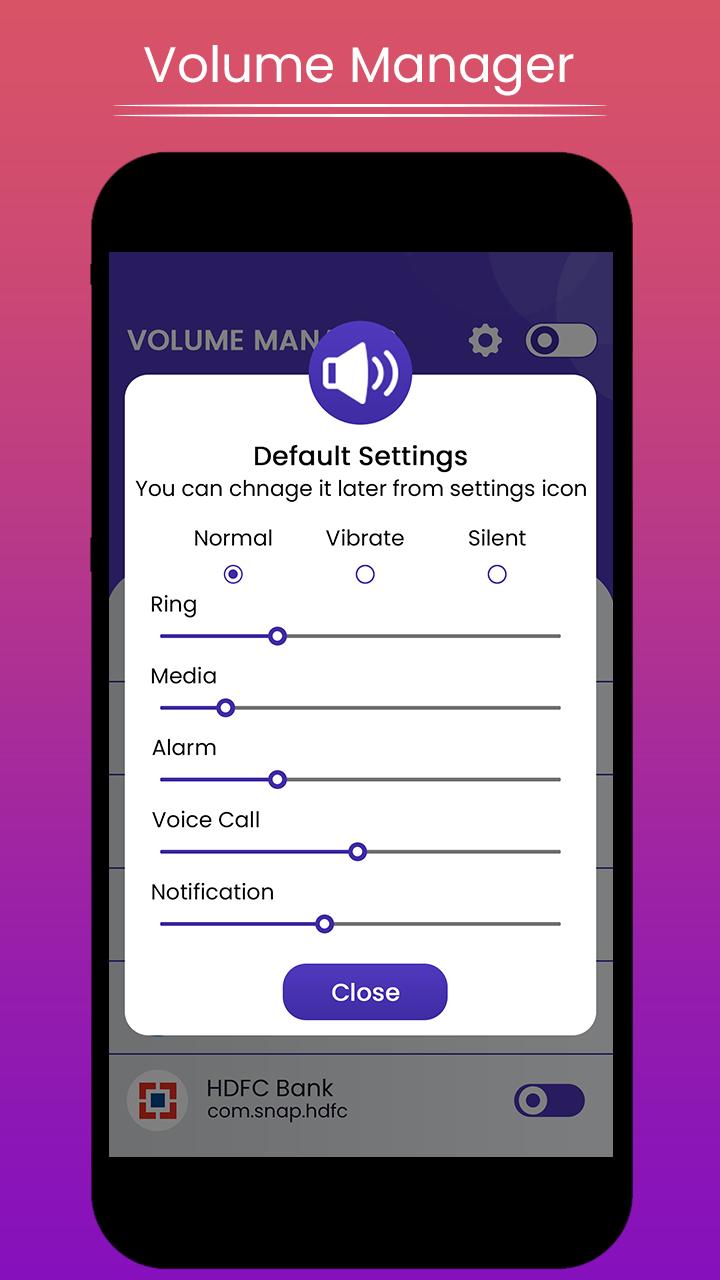
Volume Manager makes its easy to control different volume levels for android such as Ring, music, alarm, in call voice, notification etc.App also offers automate ringer modes, such as silent, vibrate or normal mode based on the app you open.
How to use:
1. App list all installed and system apps from your device.Enable the mode you want.It will be automatically off once you leave the app.
2. App shows normal.ringer,vibrate and silent mode with their different volume levels.
choose the mode and volume set for particular application.
That's all, easy and quick.
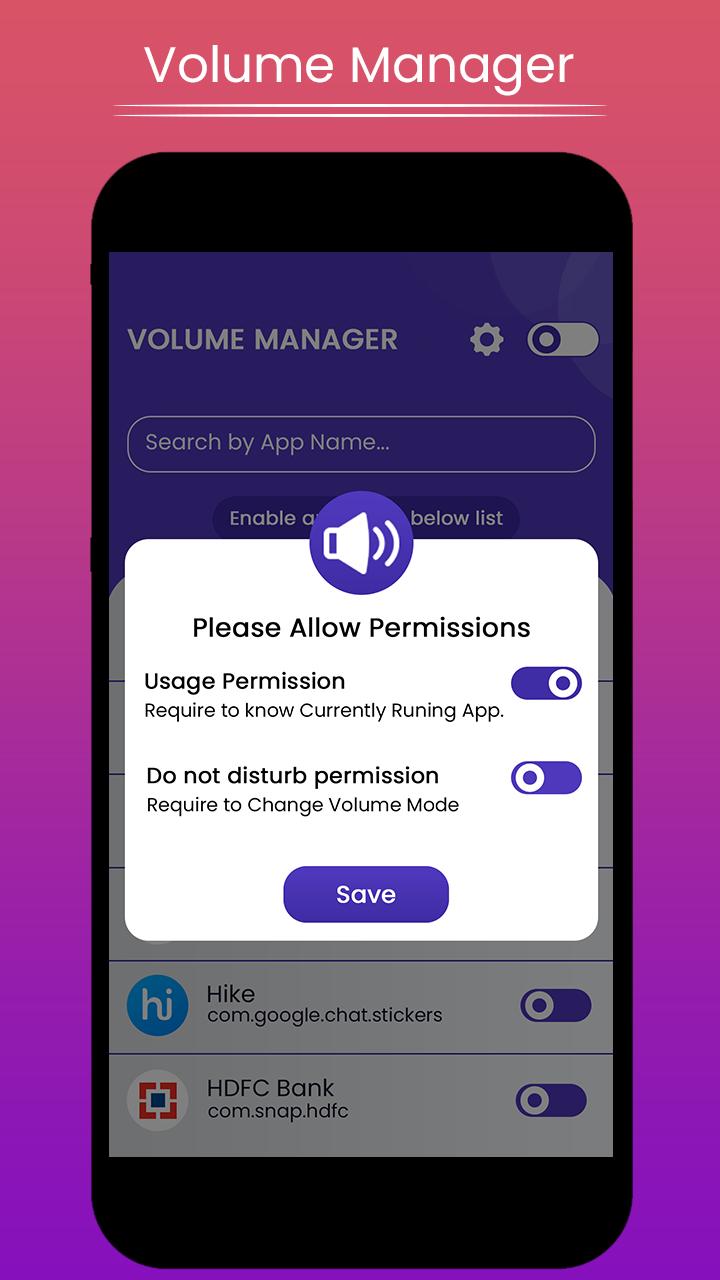
App need following permissions to complete the task, please allow these permissions for the app when you first time open the app.
Permissions:
Do Not Disturb: permission need to change volume modes.
Usage access: permission needed to check currently running app for applying volume level changes.
How to configure:
1. Give all require permissions app asks for.
2. That's all.Now you can set the volume set and modes as per your application.
Note:
✔ Please make sure Volume Manager Service is ON, please check the toggle
at top right corner.
Please try atleast once and let us know so that we can make our better for all users.
And if like the app please leave rating & review for the same.
Thank you...
معاينة
معلومة
مطور
Scorpion Infosoft
احدث اصدار
1.5
آخر تحديث
2020-07-19
فئة
أدوات
متاح على
Google Play
أظهر المزيد
كيف تلعب Volume Manager : Volume administer per app مع GameLoop على جهاز الكمبيوتر
1. قم بتنزيل GameLoop من الموقع الرسمي ، ثم قم بتشغيل ملف exe لتثبيت GameLoop.
2. افتح GameLoop وابحث عن "Volume Manager : Volume administer per app" ، وابحث عن Volume Manager : Volume administer per app في نتائج البحث وانقر على "تثبيت".
3. استمتع بلعب Volume Manager : Volume administer per app على GameLoop.
Minimum requirements
OS
Windows 8.1 64-bit or Windows 10 64-bit
GPU
GTX 1050
CPU
i3-8300
Memory
8GB RAM
Storage
1GB available space
Recommended requirements
OS
Windows 8.1 64-bit or Windows 10 64-bit
GPU
GTX 1050
CPU
i3-9320
Memory
16GB RAM
Storage
1GB available space