
Thai keyboard Typing Keyboard PC
Keyboard All Language
قم بتنزيل Thai keyboard Typing Keyboard على جهاز الكمبيوتر باستخدام GameLoop Emulator
Thai keyboard Typing Keyboard على الكمبيوتر الشخصي
Thai keyboard Typing Keyboard ، القادم من المطور Keyboard All Language ، يعمل على نظام Android في الماضي.
الآن ، يمكنك لعب Thai keyboard Typing Keyboard على جهاز الكمبيوتر باستخدام GameLoop بسلاسة.
قم بتنزيله في مكتبة GameLoop أو في نتائج البحث. لا مزيد من الانتباه إلى البطارية أو المكالمات المحبطة في الوقت الخطأ بعد الآن.
ما عليك سوى الاستمتاع بجهاز Thai keyboard Typing Keyboard على الشاشة الكبيرة مجانًا!
Thai keyboard Typing Keyboard مقدمة
Typing in your Thai Keyboard language is now a piece of cake with the help of the Thai Keyboard Language English keyboard. Easy Thai keyboard provides all the necessary functions that you need to write any text on your phone. Fast Thai keyboard is a free and latest Thai keyboard that provides the most accurate characters of the Thai Keyboard language.
If there is a special occasion and you want to text your friends or family members in Thai Keyboard language then the Thai Keyboard Language English keyboard will assist you in this matter. There is no need to write in roman, instead you can write in your own language by using the Thai Keyboard typing keyboard.
Easily switch between English and Thai languages with Thai Keyboard Language English Keyboard: Thai Keyboard language without any hassle
Perfect placement of Thai Keyboard alphabets on your phone keyboard provides you to write in Thai, even if you are writing a long story, speech, office documents, or any kind of text. While you are typing any text on the Thai Keyboard typing keyboard this free keyboard helps you in writing your message by providing a suggestion of a word. You can change themes of your own choice of this free Thai Keyboard language .
How to operate Thai Keyboard Language English Keyboard: Thai Keyboard language
Click on the icon of the Thai Keyboard language
To work on this Thai Keyboard language you have to follow two steps to make this app functional.
After completing the steps you can now write all messages and documents in both English and Thai Keyboard languages.
Thai Keyboard Language English keyboard: Thai Keyboard language Features
Thai Keyboard typing keyboard: Provides a set of emojis through which you can make your texting more amazing.
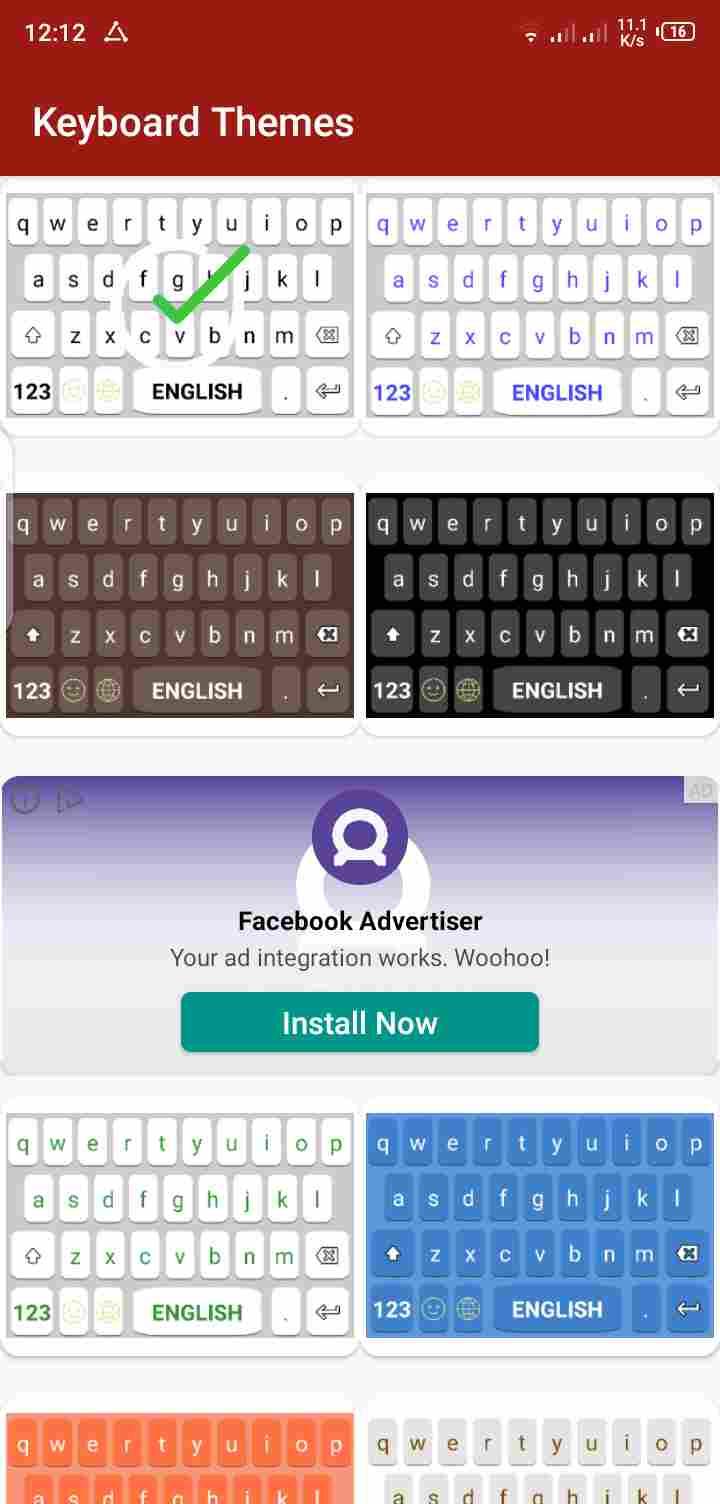
Easy Thai Keyboard: Provides a set of beautiful and colored themes through which you can personalize your app.
Fast Thai Keyboard language gives an easy interface through which you can easily use this app.
معاينة

العلامات
أدواتمعلومة
مطور
Keyboard All Language
احدث اصدار
1.0.9
آخر تحديث
2024-09-02
فئة
أدوات
متاح على
Google Play
أظهر المزيد
كيف تلعب Thai keyboard Typing Keyboard مع GameLoop على جهاز الكمبيوتر
1. قم بتنزيل GameLoop من الموقع الرسمي ، ثم قم بتشغيل ملف exe لتثبيت GameLoop.
2. افتح GameLoop وابحث عن "Thai keyboard Typing Keyboard" ، وابحث عن Thai keyboard Typing Keyboard في نتائج البحث وانقر على "تثبيت".
3. استمتع بلعب Thai keyboard Typing Keyboard على GameLoop.
Minimum requirements
OS
Windows 8.1 64-bit or Windows 10 64-bit
GPU
GTX 1050
CPU
i3-8300
Memory
8GB RAM
Storage
1GB available space
Recommended requirements
OS
Windows 8.1 64-bit or Windows 10 64-bit
GPU
GTX 1050
CPU
i3-9320
Memory
16GB RAM
Storage
1GB available space