RYNAN TIJ 1000s Printer PC
RYNAN Printing
قم بتنزيل RYNAN TIJ 1000s Printer على جهاز الكمبيوتر باستخدام GameLoop Emulator
RYNAN TIJ 1000s Printer على الكمبيوتر الشخصي
RYNAN TIJ 1000s Printer ، القادم من المطور RYNAN Printing ، يعمل على نظام Android في الماضي.
الآن ، يمكنك لعب RYNAN TIJ 1000s Printer على جهاز الكمبيوتر باستخدام GameLoop بسلاسة.
قم بتنزيله في مكتبة GameLoop أو في نتائج البحث. لا مزيد من الانتباه إلى البطارية أو المكالمات المحبطة في الوقت الخطأ بعد الآن.
ما عليك سوى الاستمتاع بجهاز RYNAN TIJ 1000s Printer على الشاشة الكبيرة مجانًا!
RYNAN TIJ 1000s Printer مقدمة
This is software that allows controlling printer machines via Bluetooth.
The mobile app supported control of the printer RYNAN TIJ 1000s.
FEATURE IN APP V3.0.0
✪ Control printer B1040, B1040H, B1040HE, B1040CN, B1060.
✪ Create message.
✪ Create and update logo.
✪ Setting printer.
CONTROL PRINTER
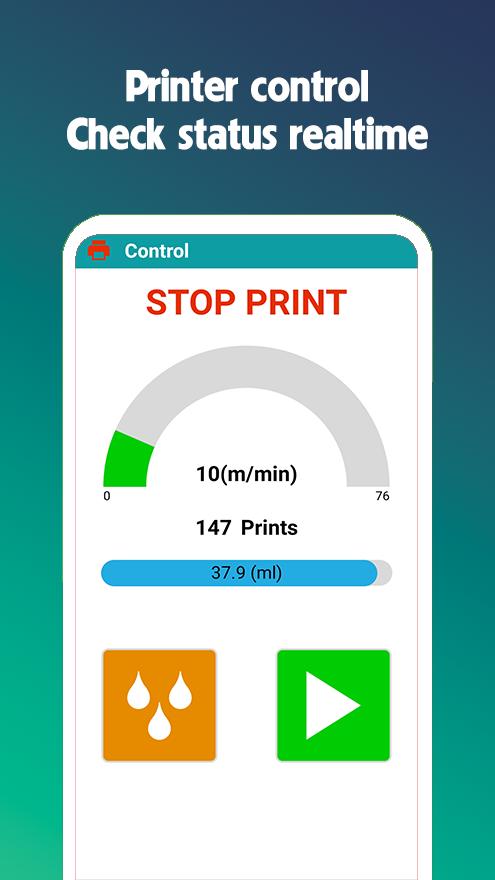
✪ Print control: start printing, stop printing, purge.
✪ Check printer status real-time: number of printed pages, amount of ink in the cartridge, cartridge status, print speed, printing units.
DESIGN MESSAGES
✪ Load messages from printer. (not support B1040H).
✪ Start print messages loaded from printer. (not support B1040H).
✪ Edit messages loaded from printer. (not support B1040H).
✪ Create messages with objects (hours, date, shift, counter, barcode, logo) and send to printer.
SETTING
✪ Setting all parameter such as: Speed, Resolution, Delay time...
LOGO
✪ Create barcode logos with over 80 types of 1D and 2D barcodes.
✪ Create logos with text.
✪ Create logos using photos and images from your gallery.
DEVICES
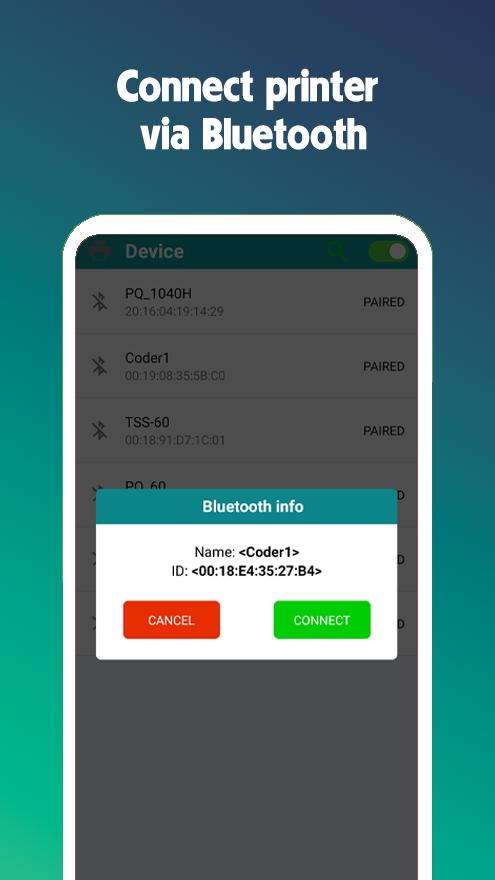
✪ Search for printers.
✪ Connect/disconnect the printer.
APP INFORMATION
✪ Displays application and printer information.
✪ See the quick user guide.
✪ Change the system interface language.
✪ Send feedback and request support.
معاينة
العلامات
أدواتمعلومة
مطور
RYNAN Printing
احدث اصدار
3.0.1
آخر تحديث
2025-10-16
فئة
أدوات
متاح على
Google Play
أظهر المزيد
كيف تلعب RYNAN TIJ 1000s Printer مع GameLoop على جهاز الكمبيوتر
1. قم بتنزيل GameLoop من الموقع الرسمي ، ثم قم بتشغيل ملف exe لتثبيت GameLoop.
2. افتح GameLoop وابحث عن "RYNAN TIJ 1000s Printer" ، وابحث عن RYNAN TIJ 1000s Printer في نتائج البحث وانقر على "تثبيت".
3. استمتع بلعب RYNAN TIJ 1000s Printer على GameLoop.
Minimum requirements
OS
Windows 8.1 64-bit or Windows 10 64-bit
GPU
GTX 1050
CPU
i3-8300
Memory
8GB RAM
Storage
1GB available space
Recommended requirements
OS
Windows 8.1 64-bit or Windows 10 64-bit
GPU
GTX 1050
CPU
i3-9320
Memory
16GB RAM
Storage
1GB available space