
G-MoN PC
C. Knuetter
قم بتنزيل G-MoN على جهاز الكمبيوتر باستخدام GameLoop Emulator
G-MoN على الكمبيوتر الشخصي
G-MoN ، القادم من المطور C. Knuetter ، يعمل على نظام Android في الماضي.
الآن ، يمكنك لعب G-MoN على جهاز الكمبيوتر باستخدام GameLoop بسلاسة.
قم بتنزيله في مكتبة GameLoop أو في نتائج البحث. لا مزيد من الانتباه إلى البطارية أو المكالمات المحبطة في الوقت الخطأ بعد الآن.
ما عليك سوى الاستمتاع بجهاز G-MoN على الشاشة الكبيرة مجانًا!
G-MoN مقدمة
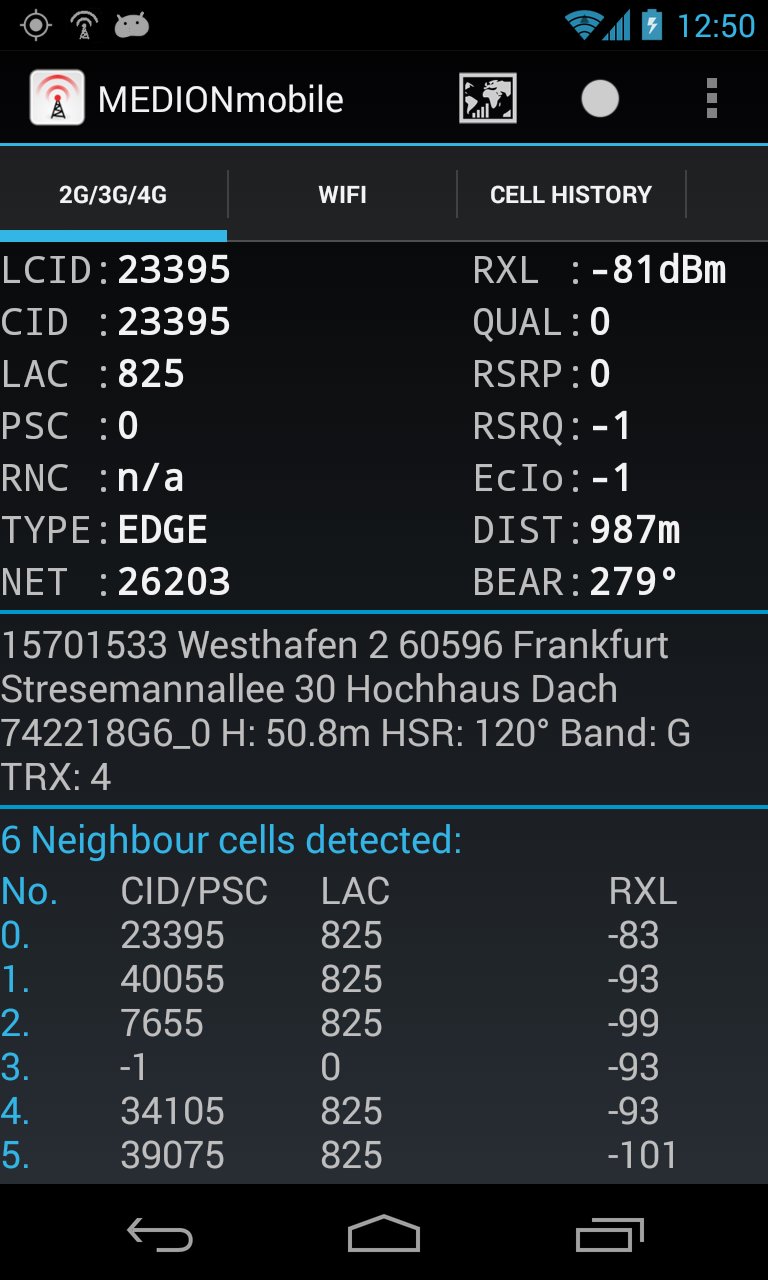
Now LTE ready! Fieldtest shows LTE RSRP and RSRQ.
A permanent RXL level of -115dBm on some Samsung phones is a Samsung bug! Only Samsung is able to fix that.
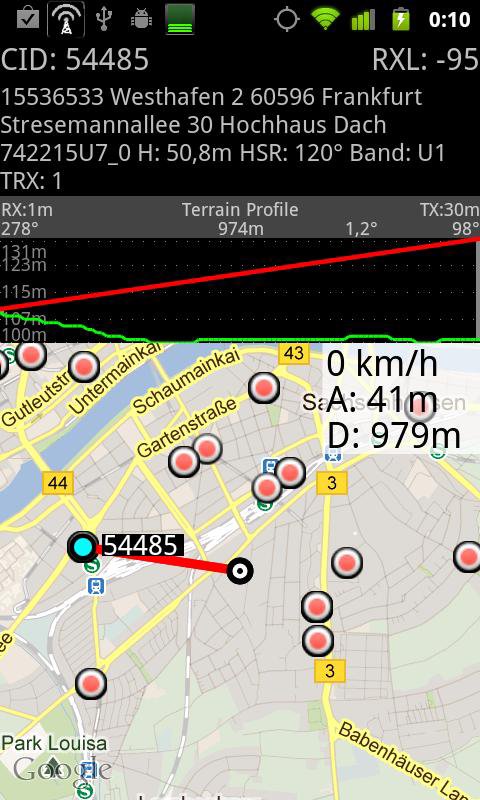
Powerful WarDriving scanner and GSM / CDMA / EVDO / UMTS and LTE Netmonitor and drive test tool with voice notifications. It scans for all WiFi networks in range & saves the data with GPS coordinates into a file on your sd card. You can create a kml file for Google Earth. It shows you the encrytion, channel an signal strength. It shows all APs in range in a live map.
G-MoN is a Wardriving scanner to collect and map all received wifi access points. It is also a 2G/3G netmonitor and field test drive tool for radio planning engineers. Needs enabled GPS for correct position in map!
To import a V3.0 (decimal cell data and coordinates without characters) CLF file, remove all comment lines, rename it to import.clf and copy it to /sdcard/gmon/ then start import CLF from menu.
You can log GSM or UMTS RX levels into a kml file for Google Earth or a csv file. There are 5 color groups for different levels. These levels can be defined by the user in the settings menue. This file is saved into the gmon folder on the sdcard or external memory. When the log is running, the G-MoN Notification Icon changes color to red. 2G/3G logging does not work when the screen is off!
معاينة
العلامات
أدواتمعلومة
مطور
C. Knuetter
احدث اصدار
4.2.3
آخر تحديث
2020-03-28
فئة
أدوات
متاح على
Google Play
أظهر المزيد
كيف تلعب G-MoN مع GameLoop على جهاز الكمبيوتر
1. قم بتنزيل GameLoop من الموقع الرسمي ، ثم قم بتشغيل ملف exe لتثبيت GameLoop.
2. افتح GameLoop وابحث عن "G-MoN" ، وابحث عن G-MoN في نتائج البحث وانقر على "تثبيت".
3. استمتع بلعب G-MoN على GameLoop.
Minimum requirements
OS
Windows 8.1 64-bit or Windows 10 64-bit
GPU
GTX 1050
CPU
i3-8300
Memory
8GB RAM
Storage
1GB available space
Recommended requirements
OS
Windows 8.1 64-bit or Windows 10 64-bit
GPU
GTX 1050
CPU
i3-9320
Memory
16GB RAM
Storage
1GB available space