
Auto Call Scheduler & Reminder PC
COvayurt
قم بتنزيل Auto Call Scheduler & Reminder على جهاز الكمبيوتر باستخدام GameLoop Emulator
Auto Call Scheduler & Reminder على الكمبيوتر الشخصي
Auto Call Scheduler & Reminder ، القادم من المطور COvayurt ، يعمل على نظام Android في الماضي.
الآن ، يمكنك لعب Auto Call Scheduler & Reminder على جهاز الكمبيوتر باستخدام GameLoop بسلاسة.
قم بتنزيله في مكتبة GameLoop أو في نتائج البحث. لا مزيد من الانتباه إلى البطارية أو المكالمات المحبطة في الوقت الخطأ بعد الآن.
ما عليك سوى الاستمتاع بجهاز Auto Call Scheduler & Reminder على الشاشة الكبيرة مجانًا!
Auto Call Scheduler & Reminder مقدمة
Forget to call back? Not anymore.
Life is full of things to remember — follow-ups, check-ins, work calls, and personal moments.
Auto Call Scheduler & Reminder helps you stay organized by letting you schedule calls ahead of time. So even when life gets chaotic, your calls stay on track.
Simple, reliable, and designed to make calling easier — right when you need it.
✨ Here’s what you can do with Auto Call Scheduler:
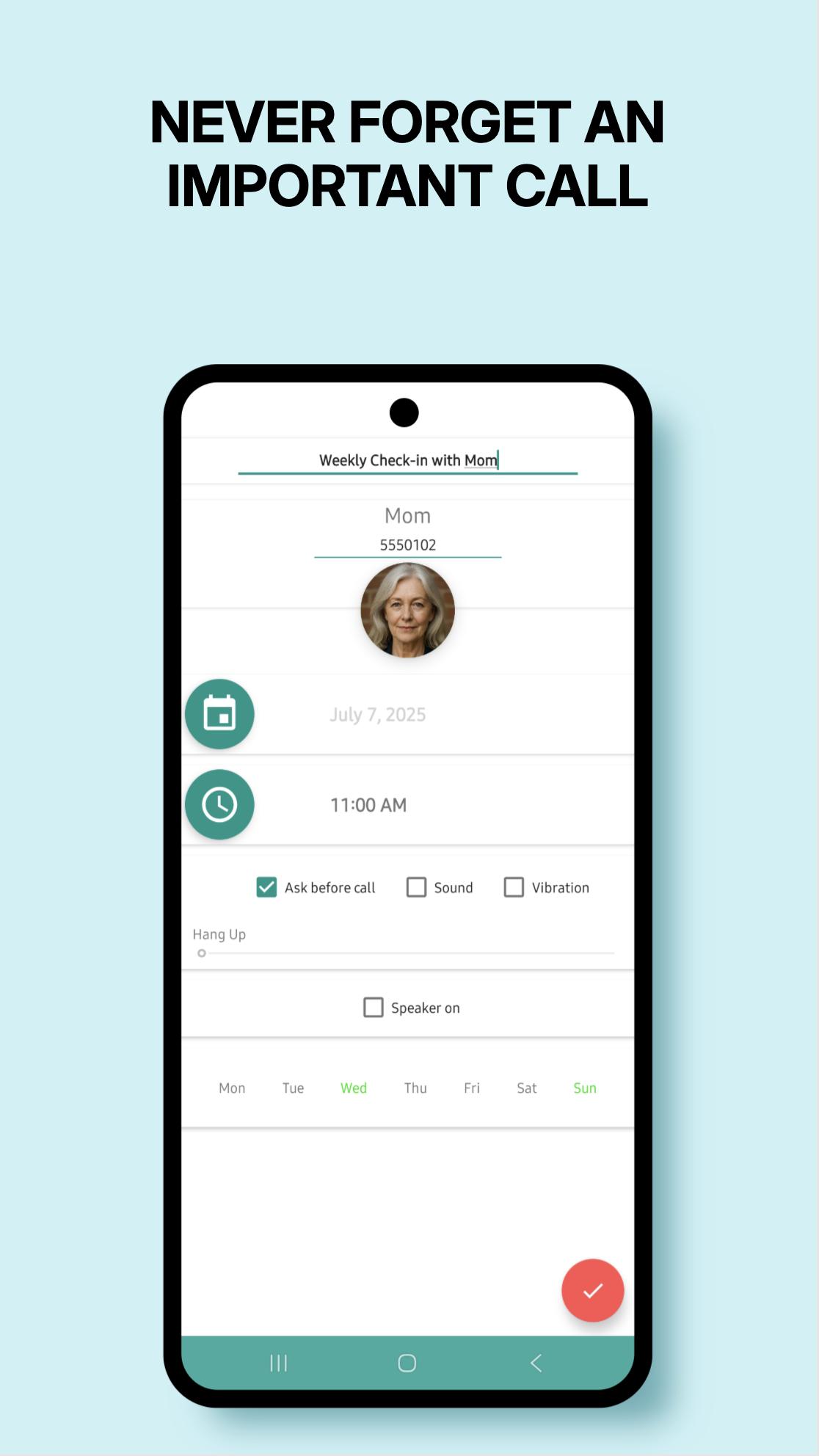
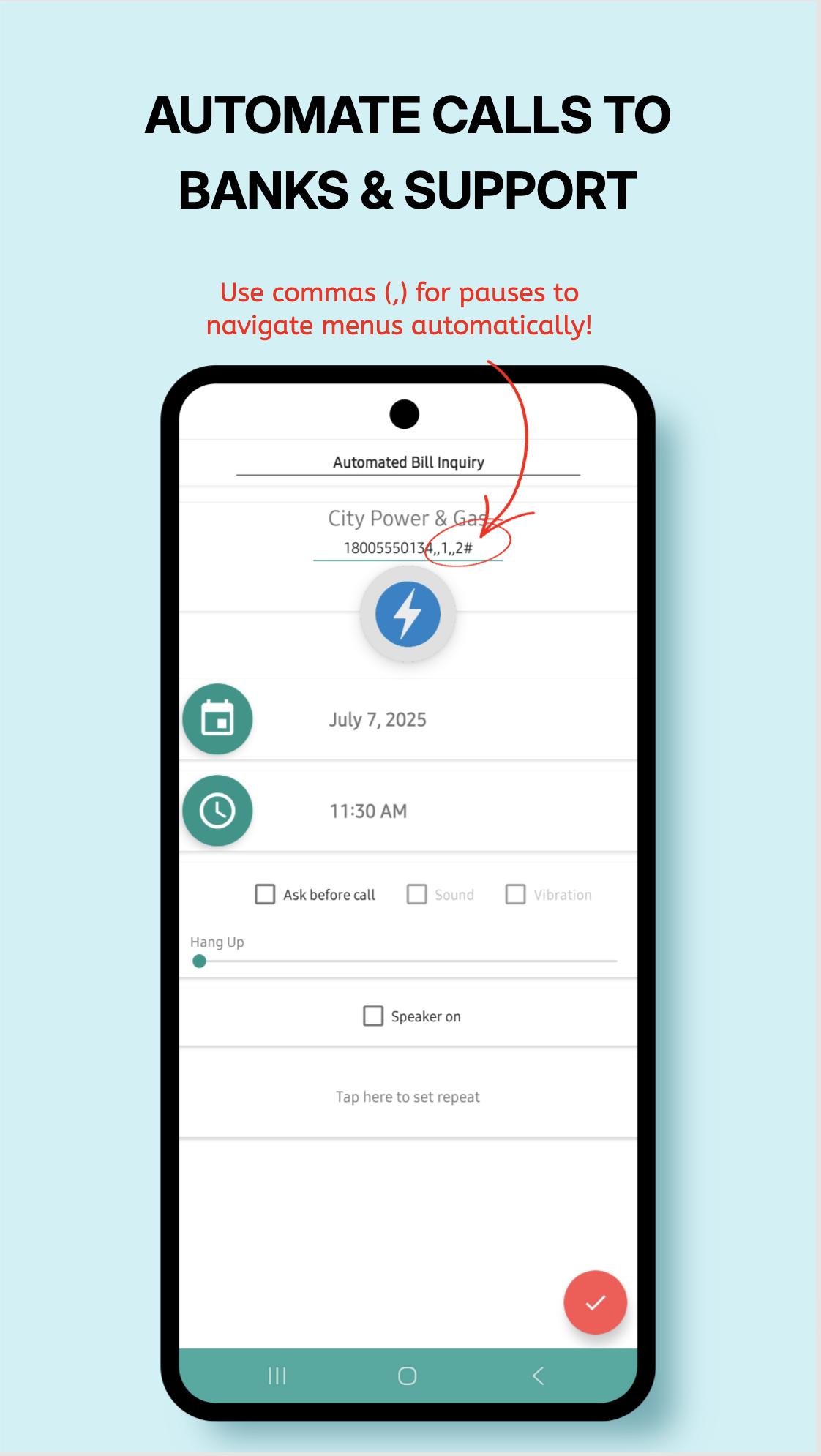
✅ Schedule calls by minute, hour, day, week, or specific weekdays
✅ Hands-free calls with automatic “speaker on”
✅ Get a reminder alarm before each scheduled call — cancel if needed
✅ Add notes to remember what the call is about
✅ Duplicate, edit, or delete schedules in seconds
✅ Auto hang-up after a set time (if supported by your device)
✅ Multi-SIM support
✅ Sleek, easy-to-use design
✅ Quick Call Widget – instantly schedule or dismiss calls while you're still on the line!
Whether it’s a client, a loved one, or a follow-up you must not forget —
Auto Call Scheduler helps you stay connected, on time, and stress-free.
Got feedback? We'd love to hear it: c.ovayurt@gmail.com
Want to try new features first?
Join our beta program:
https://play.google.com/apps/testing/autocallschedule.covayurt.com.autocallschedule
معاينة
العلامات
أدواتمعلومة
مطور
COvayurt
احدث اصدار
1.25.7
آخر تحديث
2025-08-09
فئة
أدوات
متاح على
Google Play
أظهر المزيد
كيف تلعب Auto Call Scheduler & Reminder مع GameLoop على جهاز الكمبيوتر
1. قم بتنزيل GameLoop من الموقع الرسمي ، ثم قم بتشغيل ملف exe لتثبيت GameLoop.
2. افتح GameLoop وابحث عن "Auto Call Scheduler & Reminder" ، وابحث عن Auto Call Scheduler & Reminder في نتائج البحث وانقر على "تثبيت".
3. استمتع بلعب Auto Call Scheduler & Reminder على GameLoop.
Minimum requirements
OS
Windows 8.1 64-bit or Windows 10 64-bit
GPU
GTX 1050
CPU
i3-8300
Memory
8GB RAM
Storage
1GB available space
Recommended requirements
OS
Windows 8.1 64-bit or Windows 10 64-bit
GPU
GTX 1050
CPU
i3-9320
Memory
16GB RAM
Storage
1GB available space