Aadhar Card – Check Aadhar Card Status Online PC
VPN Master Inc.
قم بتنزيل Aadhar Card – Check Aadhar Card Status Online على جهاز الكمبيوتر باستخدام GameLoop Emulator
Aadhar Card – Check Aadhar Card Status Online على الكمبيوتر الشخصي
Aadhar Card – Check Aadhar Card Status Online ، القادم من المطور VPN Master Inc. ، يعمل على نظام Android في الماضي.
الآن ، يمكنك لعب Aadhar Card – Check Aadhar Card Status Online على جهاز الكمبيوتر باستخدام GameLoop بسلاسة.
قم بتنزيله في مكتبة GameLoop أو في نتائج البحث. لا مزيد من الانتباه إلى البطارية أو المكالمات المحبطة في الوقت الخطأ بعد الآن.
ما عليك سوى الاستمتاع بجهاز Aadhar Card – Check Aadhar Card Status Online على الشاشة الكبيرة مجانًا!
Aadhar Card – Check Aadhar Card Status Online مقدمة
Check the status of your aadhar card online. This service is provided by the Unique Identification Authority of India (UIDAI). Users can check status of their aadhar card by entering enrolment number, date and time given on acknowledgement slip.
How to download aadhar card?
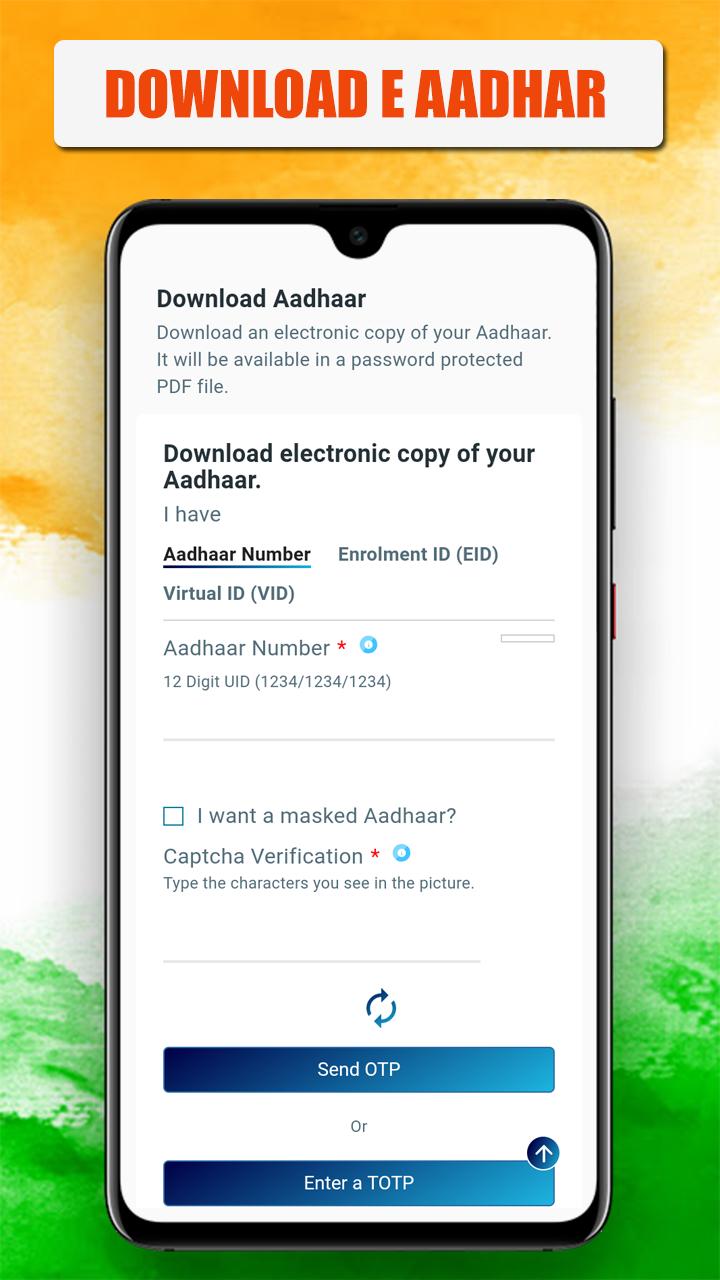
e-aadhar: how to download aadhar card online: you can also download your aadhar card from internet which is called e-aadhar. To get aadhar card online, you must have a UID (12-digit aadhar number) or EID (enrolment id on aadhar slip). In this way, you can download the aadhaar card with two options.
For this, first you have to visit the official site of UIDAI.
There, a form will open in front of you, in which you have to select the option of UID or EID and after filling all the details, you have to fill the phone number for OTP.
After this, an OTP will come on the phone number linked to your aadhaar card, after filling the OTP, you have to click on Validate and Download, after clicking, your aadhar card will be downloaded.
All citizens of the country are entitled to get aadhaar card. This 12-digit government identification number is not mandatory, but it is used as an identity card in most government papers. The aadhaar card is issued by the Unique Identification Authority of India (UIDAI) on behalf of the Government of India. In recent times it has been made mandatory in some government institutions. Therefore, we would suggest that you make it even if it is not urgently needed.
This App you can find enrolment center in your area and check status and after the generation of your aadhar card you can download aadhar card download. You can also update your aadhar card from this app and as well as check its status after the download of your aadhar card pdf file.
❏❏❏ Features ❏❏❏
✔ download e-aadhar card
✔ download aadhar card on Mobile in pdf
✔ aadhar card address change
✔ check you aadhar application status
✔ update aadhar card
✔ aadhar card correction in name, mobile, address etc. online
✔ update your aadhar information
✔ find nearest aadhar center
✔ check aadhar status
✔ check and link aadhar card with pan card
✔ verify aadhar ( aadhaar verification )
✔ verify mobile number and email address with aadhar
✔ Lock/Unlock Your Biometrics
aadhar card check status Online using enrolment number
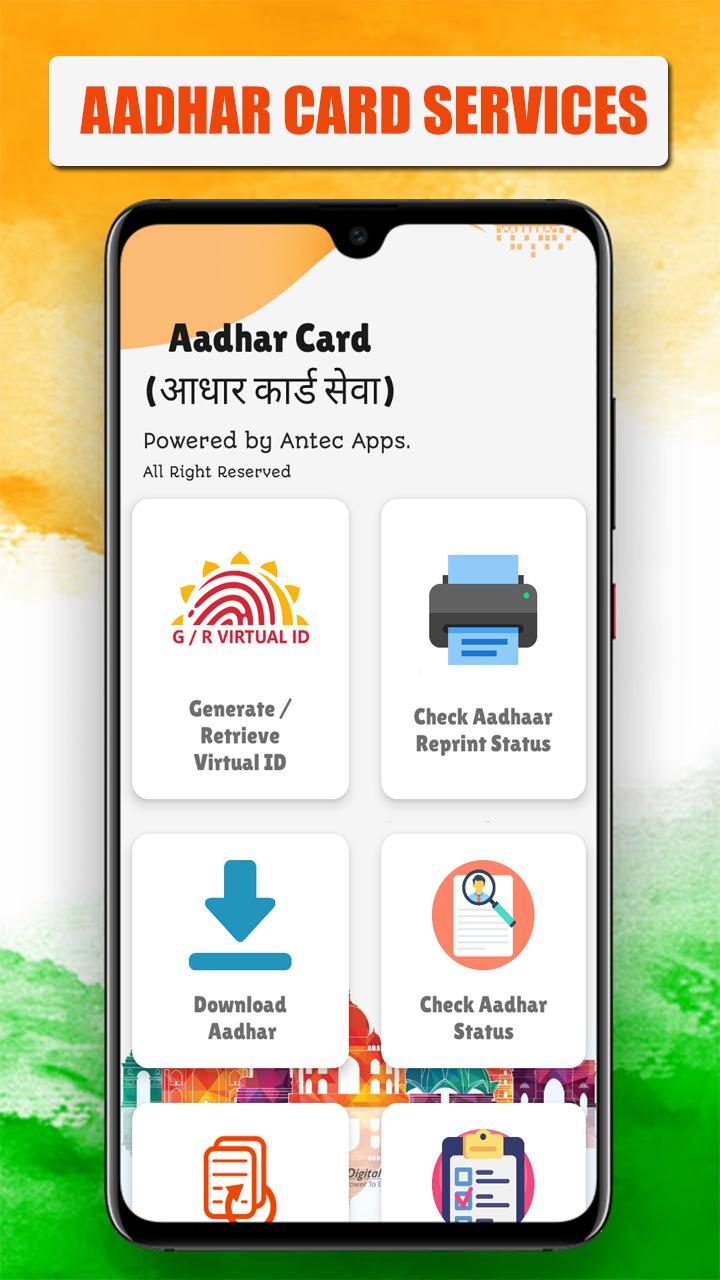
Find all the aadhar card online update, correction, download or status related information and Services in this app and very useful one to all.
To know the status of your aadhaar card application, you can follow the instructions given below.
1. Go to aadhar status page on UIDAI website.
2. Check the enrolment slip of your aadhar card. At the top of this you will be able to see the enrolment number of 14 numbers. With this, the date and time of enrolment will also be given, it will also be of 14 figures.
3. Write these details in the box of EID and Date / Time respectively.
4. Then write the captcha code in the box with Enter the Security Code.
5. Now click on check aadhar card status.
By doing this you will know the status of your aadhar enrolment application. Let me tell you that through this process you can only know the status of new application. If you have lost your card and take out a digital copy of it
Above features can also be accessed on our portal i.e. https://resident.uidai.gov.in
Usage Guidelines:
1. "How to download aadhar card Guide 2020" needs to connect to UIDAI Server to work smoothly. So ensure that internet connectivity is available on your phone.
2. In case of any issue or query, please write to portalsupport@uidai.net.in
Disclaimer:
This is NOT an official aadhar app and we are not affiliated with the UIDAI in any way.
The purpose of this app is only Guide to How To know aadhar details And How It Works.
Thank You ………….!!
معاينة
معلومة
مطور
VPN Master Inc.
احدث اصدار
2.2
آخر تحديث
2020-06-15
فئة
أدوات
متاح على
Google Play
أظهر المزيد
كيف تلعب Aadhar Card – Check Aadhar Card Status Online مع GameLoop على جهاز الكمبيوتر
1. قم بتنزيل GameLoop من الموقع الرسمي ، ثم قم بتشغيل ملف exe لتثبيت GameLoop.
2. افتح GameLoop وابحث عن "Aadhar Card – Check Aadhar Card Status Online" ، وابحث عن Aadhar Card – Check Aadhar Card Status Online في نتائج البحث وانقر على "تثبيت".
3. استمتع بلعب Aadhar Card – Check Aadhar Card Status Online على GameLoop.
Minimum requirements
OS
Windows 8.1 64-bit or Windows 10 64-bit
GPU
GTX 1050
CPU
i3-8300
Memory
8GB RAM
Storage
1GB available space
Recommended requirements
OS
Windows 8.1 64-bit or Windows 10 64-bit
GPU
GTX 1050
CPU
i3-9320
Memory
16GB RAM
Storage
1GB available space