東元雲端控 TECO iHome PC
AIFA TECHNOLOGY CORP.
قم بتنزيل 東元雲端控 TECO iHome على جهاز الكمبيوتر باستخدام GameLoop Emulator
東元雲端控 TECO iHome على الكمبيوتر الشخصي
東元雲端控 TECO iHome ، القادم من المطور AIFA TECHNOLOGY CORP. ، يعمل على نظام Android في الماضي.
الآن ، يمكنك لعب 東元雲端控 TECO iHome على جهاز الكمبيوتر باستخدام GameLoop بسلاسة.
قم بتنزيله في مكتبة GameLoop أو في نتائج البحث. لا مزيد من الانتباه إلى البطارية أو المكالمات المحبطة في الوقت الخطأ بعد الآن.
ما عليك سوى الاستمتاع بجهاز 東元雲端控 TECO iHome على الشاشة الكبيرة مجانًا!
東元雲端控 TECO iHome مقدمة
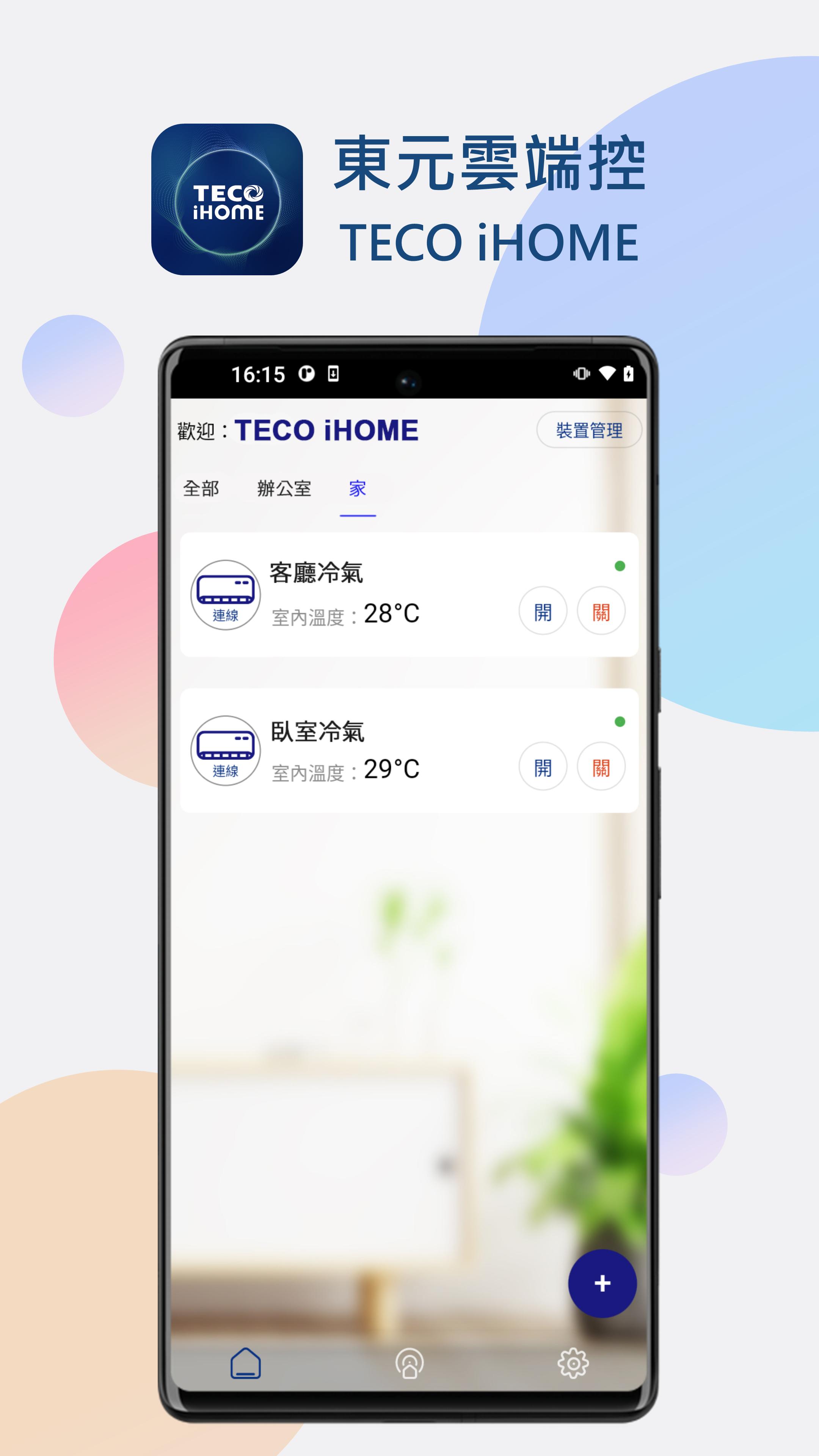
Welcome to TECO iHOME Cloud Control.
The TECO iHOME app allows users to manage their TECO cloud-based smart air conditioners and appliances using their smartphone or tablet. By pairing selected air conditioner models with the purchase of an additional cloud module, users can easily upgrade their air conditioners and appliances to smart functionality. Users can connect their smartphone to their home Wi-Fi or 4G/5G mobile network to enjoy the comprehensive suite of smart services offered by TECO iHOME Cloud Control.
For more information, please visit https://www.tecohome.com.tw/tw
TECO iHOME Cloud Control Smart Air Conditioner Features:
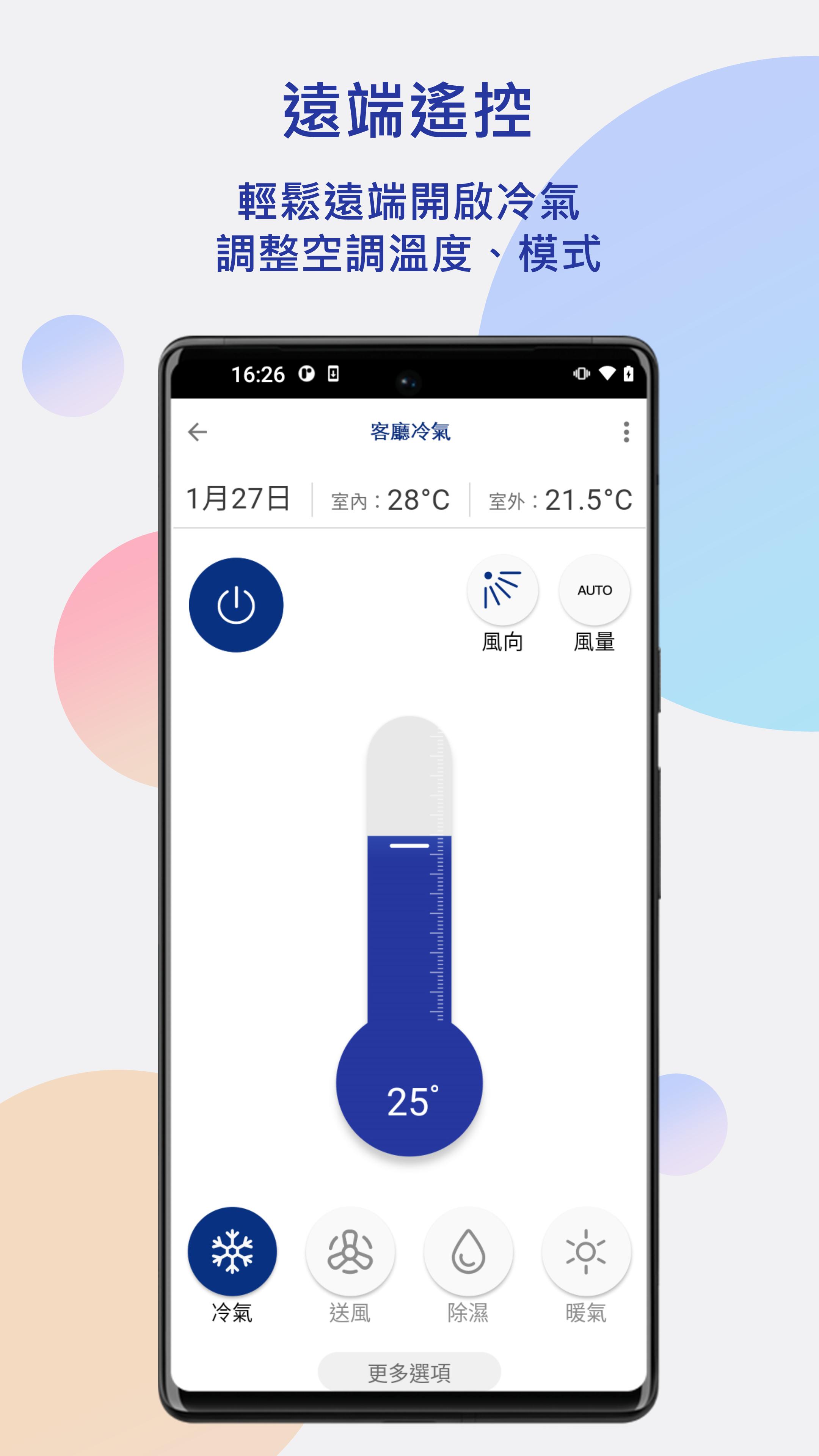
Remote Control: Remotely adjust air conditioner and air conditioner settings using the TECO iHOME app.
Smart Scheduling: Automatically activate/deactivate the air conditioner and adjust operating modes at specific times, allowing for convenient remote temperature management.
Energy Management: Daily energy usage is recorded for visibility and cost control. GPS Air Conditioner On/Off Reminders: By setting your GPS location, the app will proactively remind you to turn the air conditioner on or off when you leave or return home, allowing you to easily enjoy a comfortable and smart lifestyle while also saving energy.
AI Temperature Automation: Senses temperature changes and automatically turns the air conditioner on and off when a specified indoor temperature is reached, along with other intelligent control features.
Smart Voice Control: Supports Google Assistant and Chunghwa Telecom iBaby smart voice control.
Simply connect your smartphone to the internet to enjoy a range of smart services offered by TECO's iHOME cloud-based home appliances.
---
You need to purchase TECO cloud-based hardware modules to upgrade your air conditioner and home appliances before you can use the TECO iHOME cloud-based home appliance app and start living smarter.
This app provides a "Power Management" page that displays power usage information for the air conditioner. Whether this information is displayed depends on whether the connected air conditioner supports power transmission. If the model does not support this feature, the power information will be automatically hidden on this page.
If you encounter any problems using the app, please contact us.
If you need support, please email us:
tecoems@gmail.com
معاينة
العلامات
أدواتمعلومة
مطور
AIFA TECHNOLOGY CORP.
احدث اصدار
1.3.3
آخر تحديث
2025-08-22
فئة
أدوات
متاح على
Google Play
أظهر المزيد
كيف تلعب 東元雲端控 TECO iHome مع GameLoop على جهاز الكمبيوتر
1. قم بتنزيل GameLoop من الموقع الرسمي ، ثم قم بتشغيل ملف exe لتثبيت GameLoop.
2. افتح GameLoop وابحث عن "東元雲端控 TECO iHome" ، وابحث عن 東元雲端控 TECO iHome في نتائج البحث وانقر على "تثبيت".
3. استمتع بلعب 東元雲端控 TECO iHome على GameLoop.
Minimum requirements
OS
Windows 8.1 64-bit or Windows 10 64-bit
GPU
GTX 1050
CPU
i3-8300
Memory
8GB RAM
Storage
1GB available space
Recommended requirements
OS
Windows 8.1 64-bit or Windows 10 64-bit
GPU
GTX 1050
CPU
i3-9320
Memory
16GB RAM
Storage
1GB available space