Handball Tactic Board PC
Jan Soukup
قم بتنزيل Handball Tactic Board على جهاز الكمبيوتر باستخدام GameLoop Emulator
Handball Tactic Board على الكمبيوتر الشخصي
Handball Tactic Board ، القادم من المطور Jan Soukup ، يعمل على نظام Android في الماضي.
الآن ، يمكنك لعب Handball Tactic Board على جهاز الكمبيوتر باستخدام GameLoop بسلاسة.
قم بتنزيله في مكتبة GameLoop أو في نتائج البحث. لا مزيد من الانتباه إلى البطارية أو المكالمات المحبطة في الوقت الخطأ بعد الآن.
ما عليك سوى الاستمتاع بجهاز Handball Tactic Board على الشاشة الكبيرة مجانًا!
Handball Tactic Board مقدمة
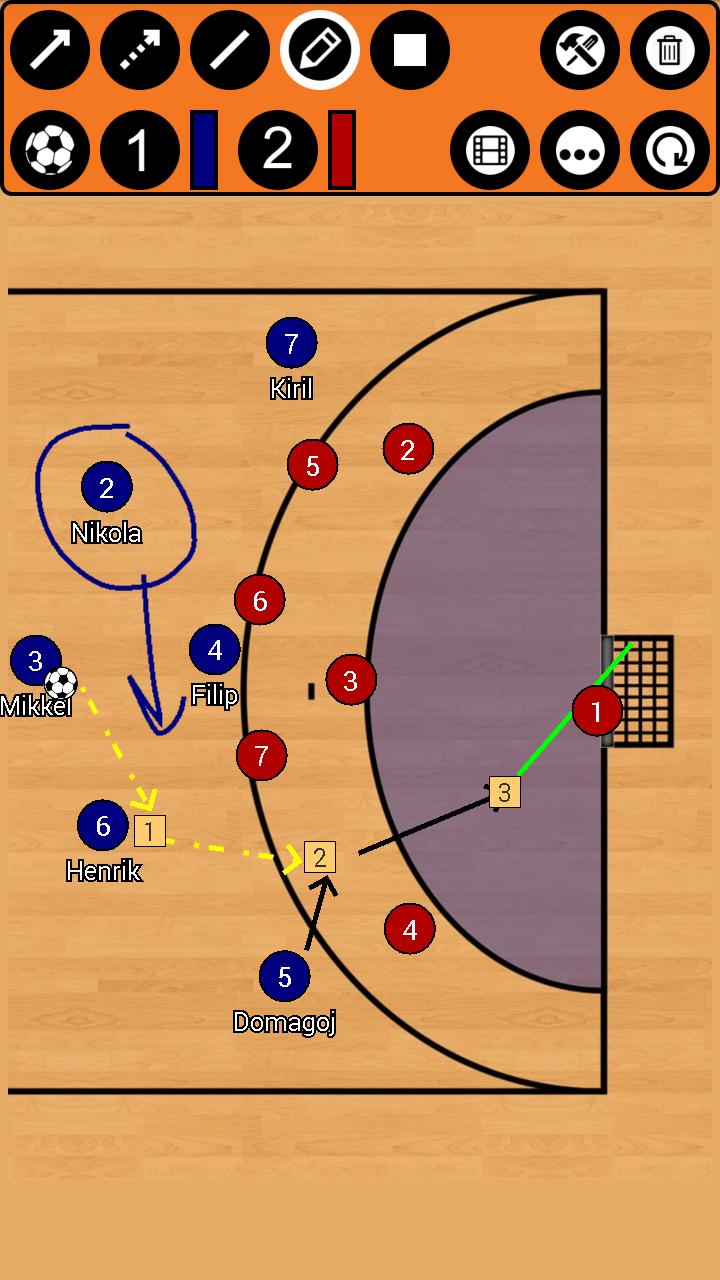
Handball Tactic Board, allows you to create your own tactics for every match situation, for FREE and NO REGISTRATIONS nor payments are needed for more advanced tools ;). Intuitive UI, simple, quick using.
You can change the field, to three different options. Full field view, Half field view and attacking or defending third!
HTB provides you seven tools! Rectangle with number inside! Sipmle Line, Arrow, Dotted arrow, Pen, Text and Area! Everything you need to create your tactic!
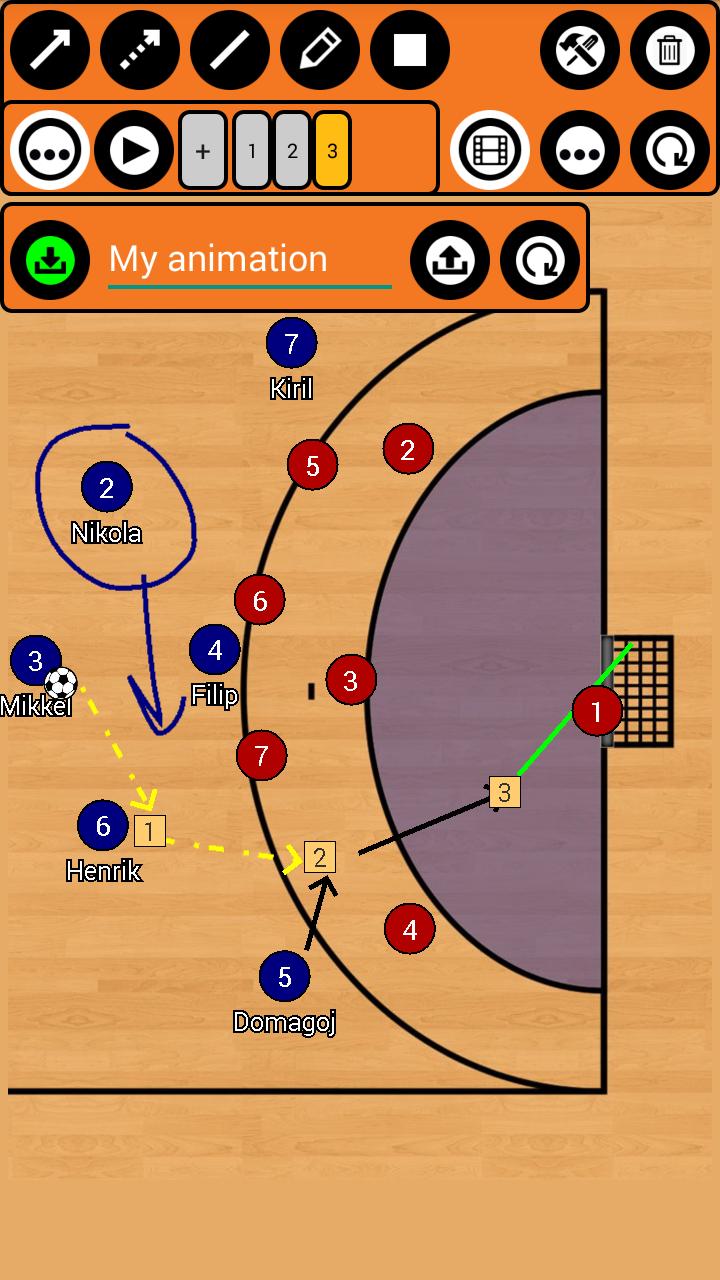
Save your tactics into one frame, or do frame by frame ANIMATION, for more advanced tactics! You can set animation speed to make it simply the BEST.
You can analyse your own photos and your own videos!
Create your teams and players!
***manual on bottom of the page***
HTB allows you several ways to share tactic or animation with others!
- for tactic - you can do photo of your tactic or you can export it into file
- for animation - you can export it into file
This file can be easily imported into app on any other device ;)
***manual on bottom of the page***
Simply remove objects, if you want to rework your tactic, with remove function! Or you can reset everything with just one click!
Create handball tactics
/*More field options*/
*Full field
*Half field
*Attacking/defending third
/*Tools*/
*Arrow
*Dotted arrow
*Line
*Rectangle
*Pen
*Text
*Area
*Delete
/*Useful features*/
*Change players size
*Save tactics
*Export/Import tactics and animations
*Frame by frame animation
*Portrait/Landscape mode
***HOW TO ADD YOUR TEAM***
Go to edit window (top right tools button), click on team1/team2 edit button on the right of team, add new team and players. Then select this team by clicking on it.
***HOW TO EXPORT TACTIC / ANIMATION***
Go to tactic / animation loading window, on the bottom click on EXPORT, and then click on the tactic / animation which you want to be exported.
Tactics are then exported to your device to folder /HandballBoard/Tactics
Animations to /HandballBoard/Animations
Now you can send them to others and they can import them ;)
***HOW TO IMPORT TACTIC / ANIMATION***
Copy tactic / animation file to your device folder
- tactic to /HandballBoard/Import/Tactics
- animation to /HandballBoard/Import/Animations
(if this folder doesnt exists - Go to tactic / animation loading window, on the bottom click on IMPORT and folders will be created)
Now you have tactic / animation in right folder, so now it is very simple:
Go to tactic / animation loading window, on the bottom click on IMPORT
In import window, there are shown tactics / animations which are copied in import folder
and now you just click on the tactic / animation which you want to be imported.
معاينة
العلامات
رياضاتمعلومة
مطور
Jan Soukup
احدث اصدار
5.0.4
آخر تحديث
2023-08-31
فئة
رياضات
متاح على
Google Play
أظهر المزيد
كيف تلعب Handball Tactic Board مع GameLoop على جهاز الكمبيوتر
1. قم بتنزيل GameLoop من الموقع الرسمي ، ثم قم بتشغيل ملف exe لتثبيت GameLoop.
2. افتح GameLoop وابحث عن "Handball Tactic Board" ، وابحث عن Handball Tactic Board في نتائج البحث وانقر على "تثبيت".
3. استمتع بلعب Handball Tactic Board على GameLoop.
Minimum requirements
OS
Windows 8.1 64-bit or Windows 10 64-bit
GPU
GTX 1050
CPU
i3-8300
Memory
8GB RAM
Storage
1GB available space
Recommended requirements
OS
Windows 8.1 64-bit or Windows 10 64-bit
GPU
GTX 1050
CPU
i3-9320
Memory
16GB RAM
Storage
1GB available space