Okk (One key keyboard) PC
Prashanth L. Kamath
قم بتنزيل Okk (One key keyboard) على جهاز الكمبيوتر باستخدام GameLoop Emulator
Okk (One key keyboard) على الكمبيوتر الشخصي
Okk (One key keyboard) ، القادم من المطور Prashanth L. Kamath ، يعمل على نظام Android في الماضي.
الآن ، يمكنك لعب Okk (One key keyboard) على جهاز الكمبيوتر باستخدام GameLoop بسلاسة.
قم بتنزيله في مكتبة GameLoop أو في نتائج البحث. لا مزيد من الانتباه إلى البطارية أو المكالمات المحبطة في الوقت الخطأ بعد الآن.
ما عليك سوى الاستمتاع بجهاز Okk (One key keyboard) على الشاشة الكبيرة مجانًا!
Okk (One key keyboard) مقدمة
okk (One Key Keyboard) is an App designed to aid people with Severe Motor Impairments / Autism - to enter text into apps on a Smartphone.
The Virtual Keyboards present on most mobile phones occupy a small portion of the screen and are cluttered with too many keys. this makes it difficult for people with certain medical conditions (such as Cerebral Palsy) to use a smartphone. essentially, these people don't have a fine degree of control over their movements. So, selecting particular keys from the virtual keyboard (in order to type words and sentences) becomes difficult. Typos are another annoying factor. When typos occur - it further agitates these users - resulting in even more typos. eventually they reach a point where they resist using such devices / technology.
people with autism have a different problem. people with certain types of Autism tend to get confused when multiple options are presented in front of them. Here, there is no physical barrier. But the inability to determine which key to select - prevents them from being able to use a smartphone effectively. Instead, if only one option is presented to them at regular intervals - they will be able to make the right selection every time.
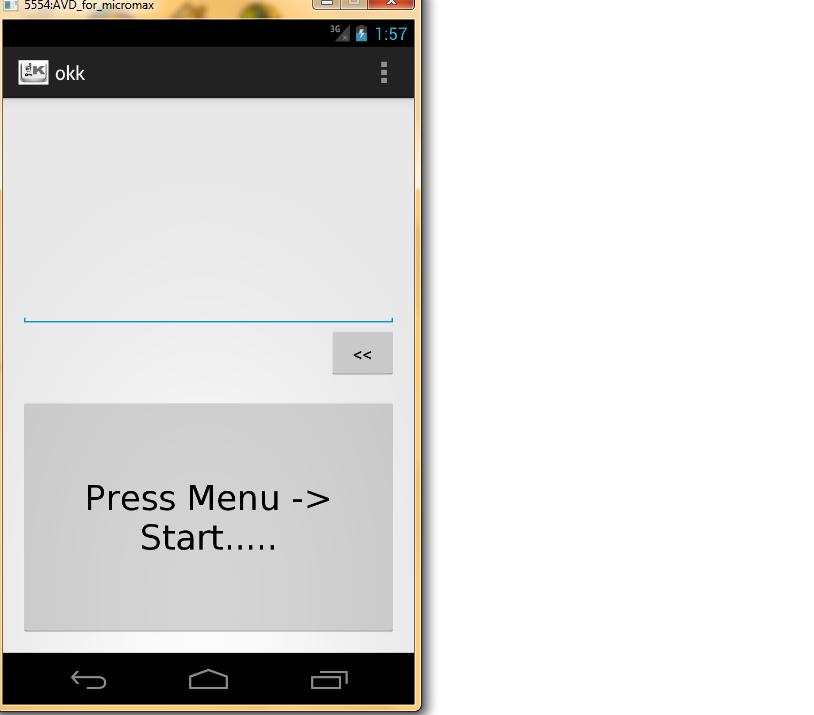
okk is an app that aims to fill both these gaps. The core concept of the app is to have a virtual keyboard with only one key. Some of the features (already implemented) include……
* facility to type almost any character on the keyboard – just by using one key / button
* Option to change which group of characters appear on the button (such as Alphabets, Numbers – and combinations of them) – this can be done on the fly
* Option to change the delay between characters appearing on the button [this can also be done on the fly]
* Basic level of Word Prediction - to increase speed of typing.......
-> This is available only for English language
-> At present - there is no Intelligent Prediction [no option to add / remove / change order of words in the dictionary]
* Option to send the typed text to other Apps (such as Dialer / browser / save as note etc.) – this may not work well in all cases
* Option to change Language – this feature was developed only to show that this app can handle other languages (rendering of text in other languages needs a significant amount of work to be done). Enhancements with respect to this feature can be taken up as part of the next version
Known issues..........
* The UI may not be beautiful (it could even be Ugly – depends on the device being used). But I think it definitely serves the purpose
* Only basic level of word prediction is available in this version
* Output redirection to other Apps – may not work in all cases
* Text rendering in other languages is not properly implemented
* Languages cannot be added / deleted by users (at present – there is no interface provided to do this)
* Latency in performance – might cause slight issues
Feature Enhancements planned for the next major release.........
* at present, okk is implemented as a traditional Android App. However, it needs to be implemented as an Input Method Service. During the development - some complex issues were encountered, which made it very difficult to arrive at a workable solution within the given time. So i decided to abandon the Input method approach for now.
in the next release however - okk will be implemented as an Input Method Service. This would give the user a whole host of benefits. Some of these benefits are.......
-> ability to call the okk service from any other app
-> lightweight and more efficient
-> Cleaner and more polished UI
* UI / back end logic - to deal with other locales / languages
* Bluetooth integration - to help users enter text into a Bluetooth enabled Laptop / Tab / Other device - by using a smartphone with the okk service
* better Word Prediction capability - including custom dictionaries
معاينة
العلامات
إنتاجيةمعلومة
مطور
Prashanth L. Kamath
احدث اصدار
1.0.2.5
آخر تحديث
2019-11-26
فئة
إنتاجية
متاح على
Google Play
أظهر المزيد
كيف تلعب Okk (One key keyboard) مع GameLoop على جهاز الكمبيوتر
1. قم بتنزيل GameLoop من الموقع الرسمي ، ثم قم بتشغيل ملف exe لتثبيت GameLoop.
2. افتح GameLoop وابحث عن "Okk (One key keyboard)" ، وابحث عن Okk (One key keyboard) في نتائج البحث وانقر على "تثبيت".
3. استمتع بلعب Okk (One key keyboard) على GameLoop.
Minimum requirements
OS
Windows 8.1 64-bit or Windows 10 64-bit
GPU
GTX 1050
CPU
i3-8300
Memory
8GB RAM
Storage
1GB available space
Recommended requirements
OS
Windows 8.1 64-bit or Windows 10 64-bit
GPU
GTX 1050
CPU
i3-9320
Memory
16GB RAM
Storage
1GB available space