Milwaukee® ONE-KEY™ Mobile PC
Milwaukee Tool
قم بتنزيل Milwaukee® ONE-KEY™ Mobile على جهاز الكمبيوتر باستخدام GameLoop Emulator
Milwaukee® ONE-KEY™ Mobile على الكمبيوتر الشخصي
Milwaukee® ONE-KEY™ Mobile ، القادم من المطور Milwaukee Tool ، يعمل على نظام Android في الماضي.
الآن ، يمكنك لعب Milwaukee® ONE-KEY™ Mobile على جهاز الكمبيوتر باستخدام GameLoop بسلاسة.
قم بتنزيله في مكتبة GameLoop أو في نتائج البحث. لا مزيد من الانتباه إلى البطارية أو المكالمات المحبطة في الوقت الخطأ بعد الآن.
ما عليك سوى الاستمتاع بجهاز Milwaukee® ONE-KEY™ Mobile على الشاشة الكبيرة مجانًا!
Milwaukee® ONE-KEY™ Mobile مقدمة
Introducing ONE-KEY™, the first digital platform for tools and equipment. Combining a free-to-use inventory program with the industry’s smartest tools, ONE-KEY™ provides a new level of control and access to information that will revolutionize the way work gets done. Get started today to streamline your productivity.
A CENTRAL PLACE TO KEEP ALL YOUR TOOLS
Keep the important information right at your fingertips. Snap receipts, log purchase info, set up service reminders, and assign tools out to your employees.
BUILT AROUND YOU
Manage your equipment down to the project level. Pull reports on recent spend, run inventory audits, even see the cradle-to-grave story of any item in your inventory.
TRACK TOOLS ANYWHERE
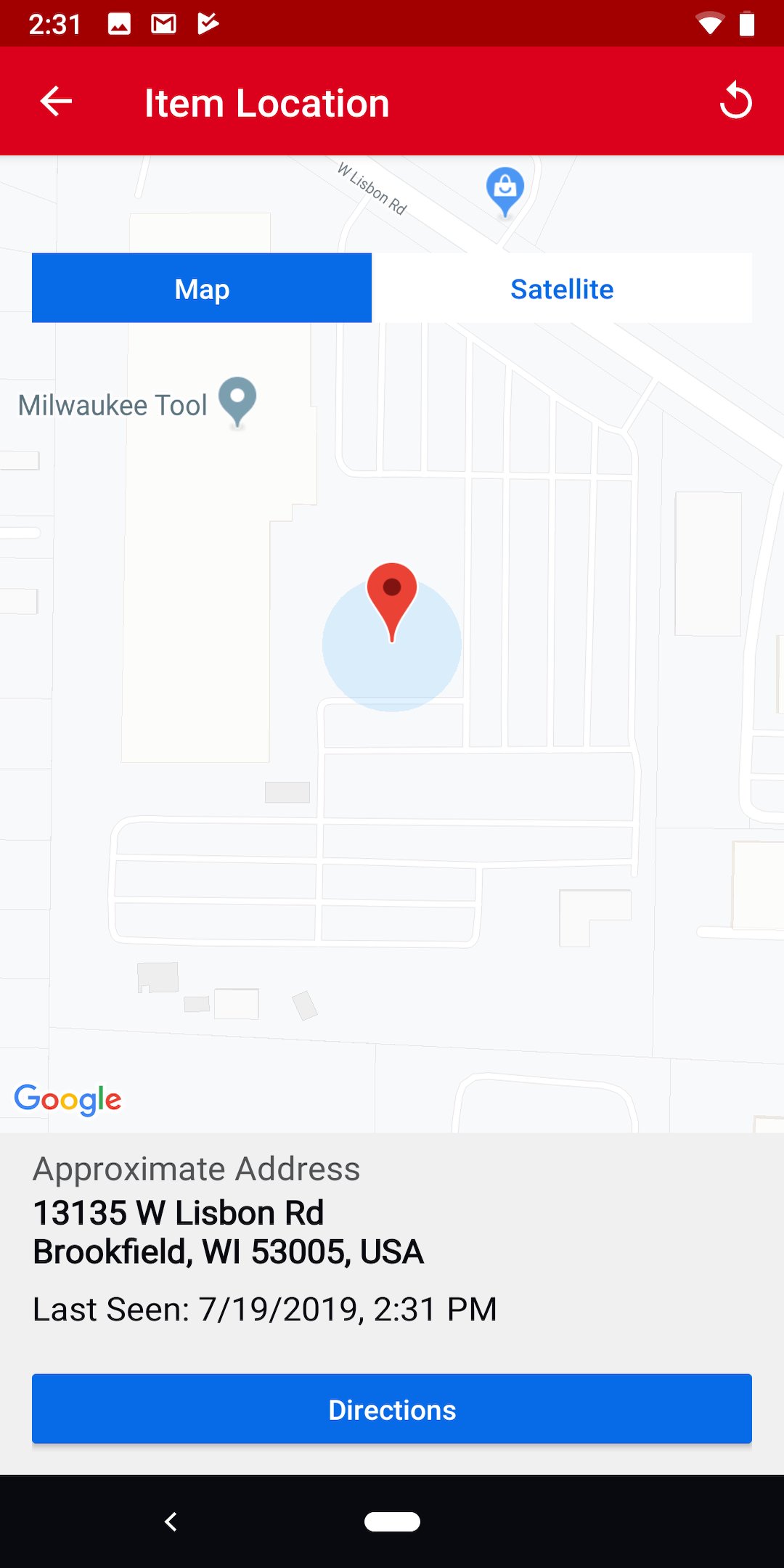
Keep a virtual eye on your things when you can’t. Any ONE-KEY™ app will automatically keep records of the last time it was within 100ft of your ONE-KEY™ enabled tools, allowing you to pinpoint missing items quickly.
PREVENT THEFT & TAMPERING
Protect your ONE-KEY™ enabled tool by locking it out whenever it’s not in use. If your tool is lost or stolen, render it useless by sending a remote shut-down command to the tool for the next time it comes within range of any open ONE-KEY™ app.
MANAGE THE TEAM
Need to set some boundaries for the guys in the field? Set up your complementary guest login to share with your team, allowing you to set permissions on who can change what.
معاينة

العلامات
إنتاجيةمعلومة
مطور
Milwaukee Tool
احدث اصدار
8.124.0
آخر تحديث
5 hours ago
فئة
إنتاجية
متاح على
Google Play
أظهر المزيد
كيف تلعب Milwaukee® ONE-KEY™ Mobile مع GameLoop على جهاز الكمبيوتر
1. قم بتنزيل GameLoop من الموقع الرسمي ، ثم قم بتشغيل ملف exe لتثبيت GameLoop.
2. افتح GameLoop وابحث عن "Milwaukee® ONE-KEY™ Mobile" ، وابحث عن Milwaukee® ONE-KEY™ Mobile في نتائج البحث وانقر على "تثبيت".
3. استمتع بلعب Milwaukee® ONE-KEY™ Mobile على GameLoop.
Minimum requirements
OS
Windows 8.1 64-bit or Windows 10 64-bit
GPU
GTX 1050
CPU
i3-8300
Memory
8GB RAM
Storage
1GB available space
Recommended requirements
OS
Windows 8.1 64-bit or Windows 10 64-bit
GPU
GTX 1050
CPU
i3-9320
Memory
16GB RAM
Storage
1GB available space