
GizmoSmart Cam PC
Eagle Eye Networks B.V.
قم بتنزيل GizmoSmart Cam على جهاز الكمبيوتر باستخدام GameLoop Emulator
GizmoSmart Cam على الكمبيوتر الشخصي
GizmoSmart Cam ، القادم من المطور Eagle Eye Networks B.V. ، يعمل على نظام Android في الماضي.
الآن ، يمكنك لعب GizmoSmart Cam على جهاز الكمبيوتر باستخدام GameLoop بسلاسة.
قم بتنزيله في مكتبة GameLoop أو في نتائج البحث. لا مزيد من الانتباه إلى البطارية أو المكالمات المحبطة في الوقت الخطأ بعد الآن.
ما عليك سوى الاستمتاع بجهاز GizmoSmart Cam على الشاشة الكبيرة مجانًا!
GizmoSmart Cam مقدمة
GizmoSmart Cam by GizmoLife
Most of the surveillance solutions available today are reactive and are used only after the event has happened.
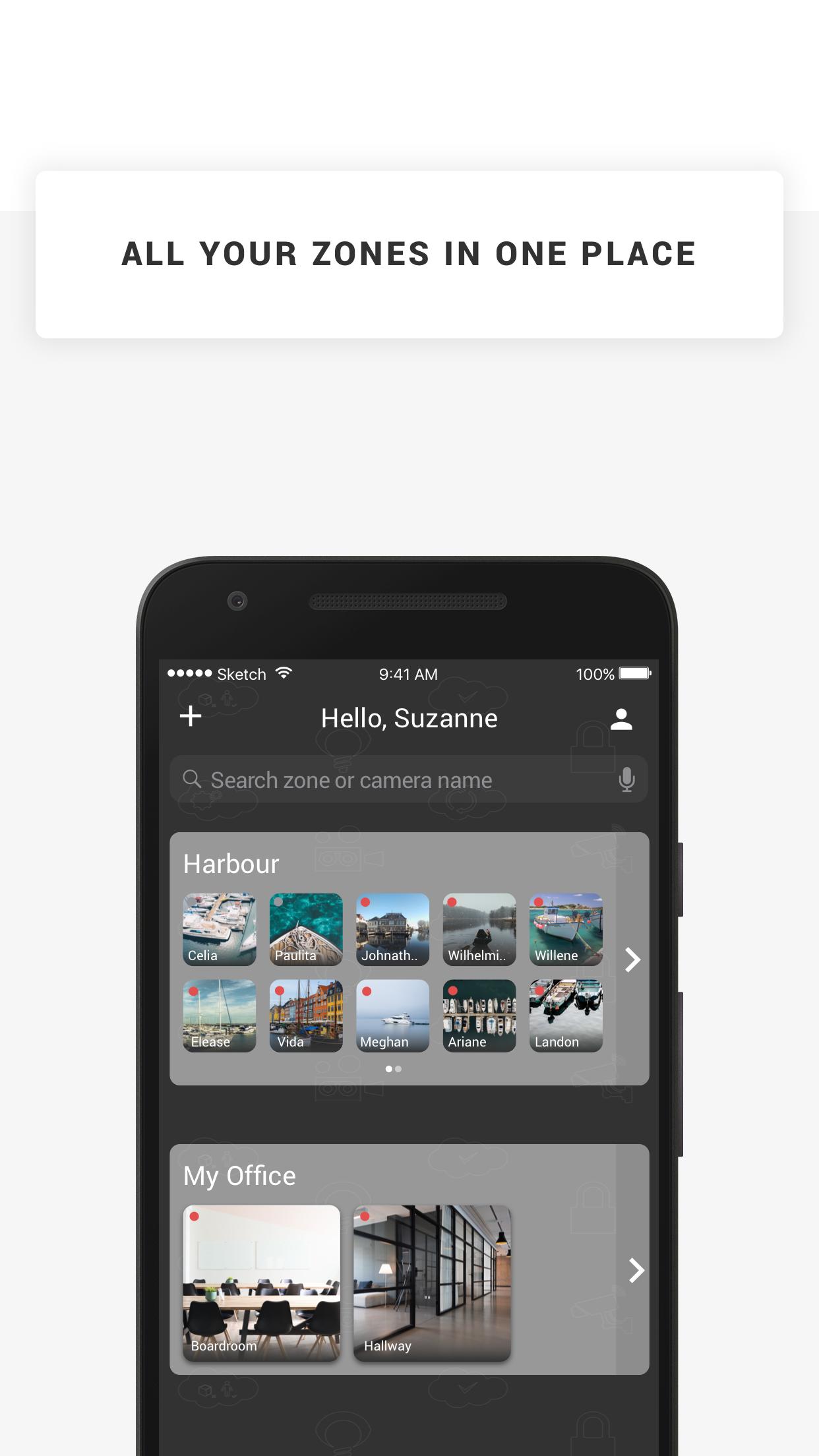
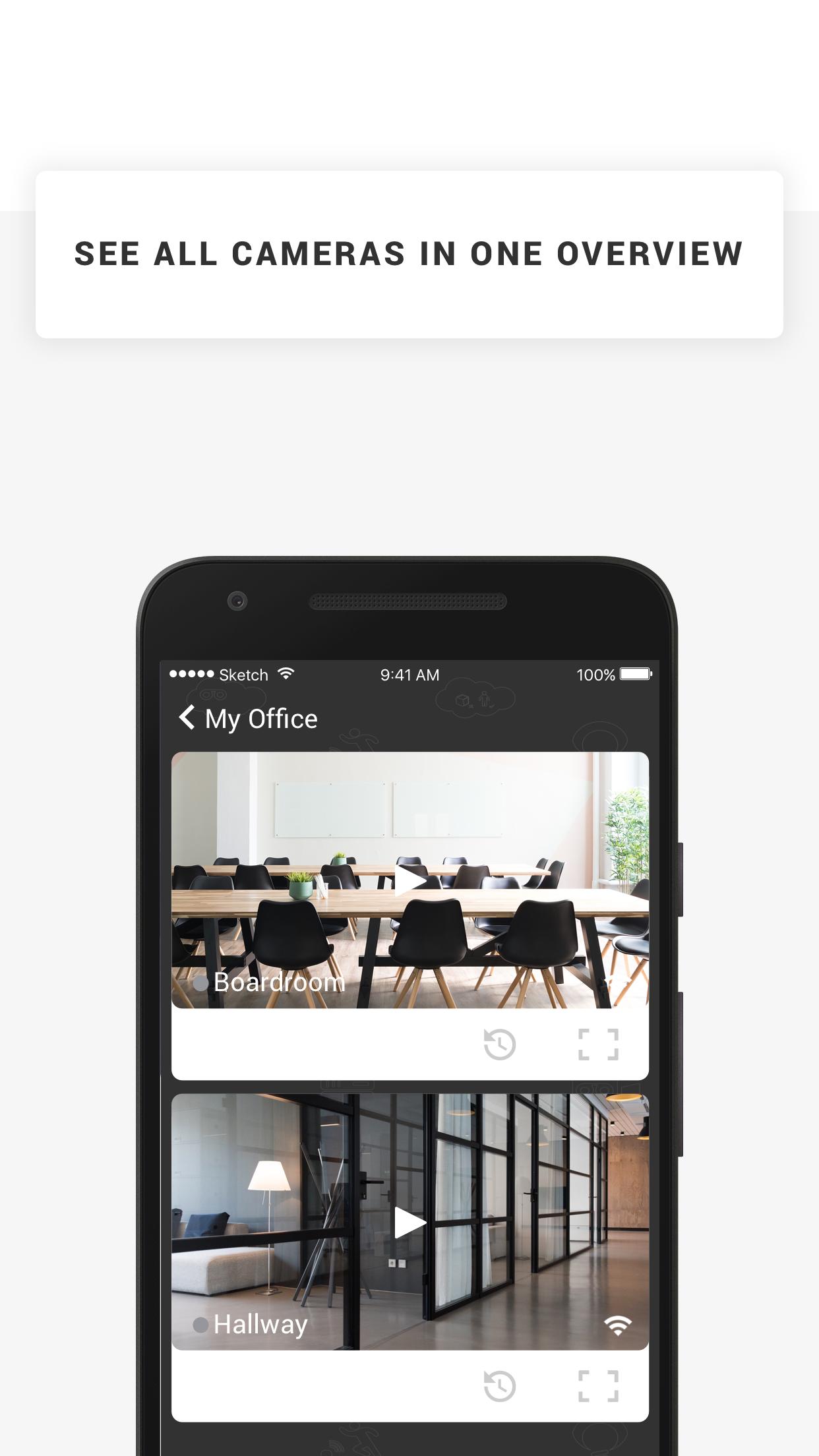
GizmoSmart Cam offers cloud-based surveillance solution: a user friendly and simple system that helps you manage your cameras & footage from the cloud, and pro-actively lets you know when something is up.
With GizmoSmart Cam you can keep an eye on all things that matter. The solution comes with Camera and various Cloud storage subscription plans. The system is very easy to use. Simply plug the camera to power and network, install the app on your device and you are done! You can manage cameras and view footage on your computer, smartphone and tablet, and use our application to receive push-notifications and emails if an object, motion, sound or heat is detected by your cameras. It's that simple.
Features
* Watch the live streams of your cameras
* Watch recorded footage
* Receive push notifications when your camera detects objects, motion, sound or heat
* Manage your cameras angle and zoom in & out
* Store snapshots on your device
معاينة
العلامات
إنتاجيةمعلومة
مطور
Eagle Eye Networks B.V.
احدث اصدار
23.1.0
آخر تحديث
2023-01-10
فئة
إنتاجية
متاح على
Google Play
أظهر المزيد
كيف تلعب GizmoSmart Cam مع GameLoop على جهاز الكمبيوتر
1. قم بتنزيل GameLoop من الموقع الرسمي ، ثم قم بتشغيل ملف exe لتثبيت GameLoop.
2. افتح GameLoop وابحث عن "GizmoSmart Cam" ، وابحث عن GizmoSmart Cam في نتائج البحث وانقر على "تثبيت".
3. استمتع بلعب GizmoSmart Cam على GameLoop.
Minimum requirements
OS
Windows 8.1 64-bit or Windows 10 64-bit
GPU
GTX 1050
CPU
i3-8300
Memory
8GB RAM
Storage
1GB available space
Recommended requirements
OS
Windows 8.1 64-bit or Windows 10 64-bit
GPU
GTX 1050
CPU
i3-9320
Memory
16GB RAM
Storage
1GB available space