
Photos and Files Renamer PC
Fabio Crovatto
قم بتنزيل Photos and Files Renamer على جهاز الكمبيوتر باستخدام GameLoop Emulator
Photos and Files Renamer على الكمبيوتر الشخصي
Photos and Files Renamer ، القادم من المطور Fabio Crovatto ، يعمل على نظام Android في الماضي.
الآن ، يمكنك لعب Photos and Files Renamer على جهاز الكمبيوتر باستخدام GameLoop بسلاسة.
قم بتنزيله في مكتبة GameLoop أو في نتائج البحث. لا مزيد من الانتباه إلى البطارية أو المكالمات المحبطة في الوقت الخطأ بعد الآن.
ما عليك سوى الاستمتاع بجهاز Photos and Files Renamer على الشاشة الكبيرة مجانًا!
Photos and Files Renamer مقدمة
Rename your photos and files easily and quickly!
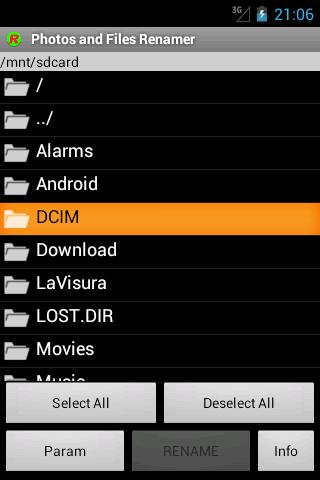
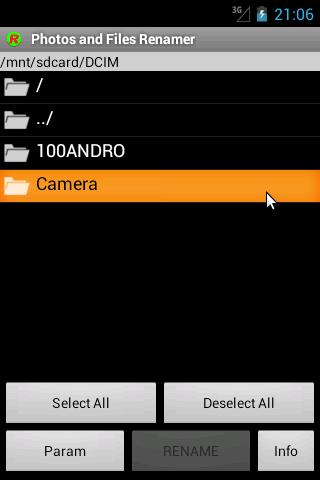
The app "Rename photos and files", also called "JcRename", is an easy APP to rename a series of photos or files, is batch rename tool for rename files in the directory.
JcRename is very useful if you want to rename your photos in order to classify and identify them by a name "expressively defined" instead of a generic sequential number or a date.
Have you visited Venice? Rename your photos as "Venice" so that you can recall them immediately!
Remember that this app can't rename the file extension, if you need this please buy the professional edition.
Try the new Photo and Files Renamer, professional edition compared to this free version were introduced the following:
- no advertising;
- the visual aspect and the menu organisation;
- pictures and videos preview was included;
- immediate update of Android Gallery was included;
- the possibility to rename also file extension was included;
- function which allows the to restore the previous files names;
- hidden files and folders management option was included;
- We added the translation in German and Russian;
- We added the automatical numbering in free position;
JcRename is also available for desktop computers at the JavaHouse site http://www.javahouse.altervista.org/crovatto/jcrename_en.html
معاينة
العلامات
التصويرمعلومة
مطور
Fabio Crovatto
احدث اصدار
4.6
آخر تحديث
2024-09-27
فئة
التصوير
متاح على
Google Play
أظهر المزيد
كيف تلعب Photos and Files Renamer مع GameLoop على جهاز الكمبيوتر
1. قم بتنزيل GameLoop من الموقع الرسمي ، ثم قم بتشغيل ملف exe لتثبيت GameLoop.
2. افتح GameLoop وابحث عن "Photos and Files Renamer" ، وابحث عن Photos and Files Renamer في نتائج البحث وانقر على "تثبيت".
3. استمتع بلعب Photos and Files Renamer على GameLoop.
Minimum requirements
OS
Windows 8.1 64-bit or Windows 10 64-bit
GPU
GTX 1050
CPU
i3-8300
Memory
8GB RAM
Storage
1GB available space
Recommended requirements
OS
Windows 8.1 64-bit or Windows 10 64-bit
GPU
GTX 1050
CPU
i3-9320
Memory
16GB RAM
Storage
1GB available space