Text Scanner OCR: Image to Tex PC
Infinite Translate
قم بتنزيل Text Scanner OCR: Image to Tex على جهاز الكمبيوتر باستخدام GameLoop Emulator
Text Scanner OCR: Image to Tex على الكمبيوتر الشخصي
Text Scanner OCR: Image to Tex ، القادم من المطور Infinite Translate ، يعمل على نظام Android في الماضي.
الآن ، يمكنك لعب Text Scanner OCR: Image to Tex على جهاز الكمبيوتر باستخدام GameLoop بسلاسة.
قم بتنزيله في مكتبة GameLoop أو في نتائج البحث. لا مزيد من الانتباه إلى البطارية أو المكالمات المحبطة في الوقت الخطأ بعد الآن.
ما عليك سوى الاستمتاع بجهاز Text Scanner OCR: Image to Tex على الشاشة الكبيرة مجانًا!
Text Scanner OCR: Image to Tex مقدمة
Image to text converter: Text Scanner is the best Text Scanner [OCR]: new image translator app and image to text converter app. This is a fast and text scanner and translator application that will scan text that can later be used either by sending via email, sharing on social media or you can also copy the text in clipboard for later use in any of other apps in your device.
Convert Image To Text: Image to text converter offline is a free, fast, easy and simple to use application with the latest technology called Text Scanner [OCR] to extract text from images, text scanner from image, text scanner from camera and text scanner from image to word in a very innovative way. OCR scanner is one of the best tools that convert image to text scanner for free very easily and within no time. When you want to record the memo written on the board of your classroom, it's very difficult to write it by the keyboard of your device and also it is very time taking. Now save your time, you can do it very easily by this best Text Scanner [OCR] for android devices!
How to use an Image to text converter all languages offline: Image to text scanner
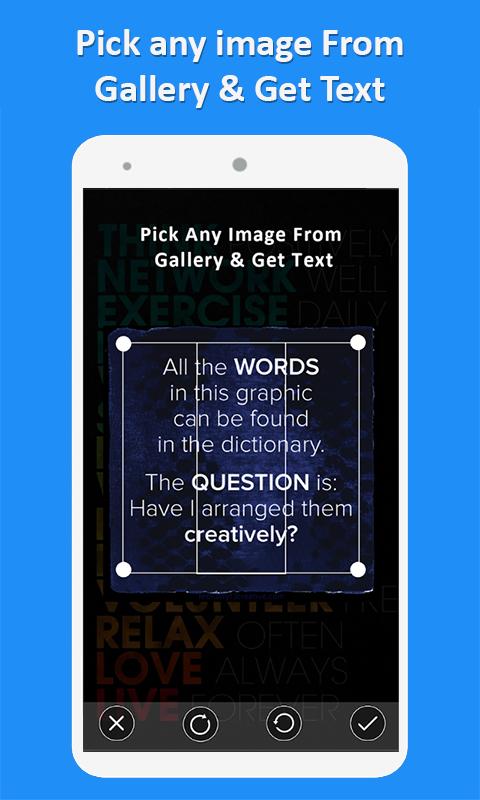
You have to just choose the images from your Gallery or you might take new pictures with your device camera and it can text scanner to word: high resolution image scanner then you can you save, search, edit, etc
Text scanner ocr 2020: Text Converter Key Features:
- World highest & fastest speed reading.
- Image to text translator Enables accuracy reading.
- Image to text converter all languages
- Text scanner free app: Quick text scanner.
- Image scanner camera app: image scanner app for free.
- Support multiple images type like PNG, JPG/JPEG, GIF, TIF/TIFF, BMP, etc
- Support photos of your album from your gallery.
- Select the area with the text you want to extract from the image by this image to text converter.
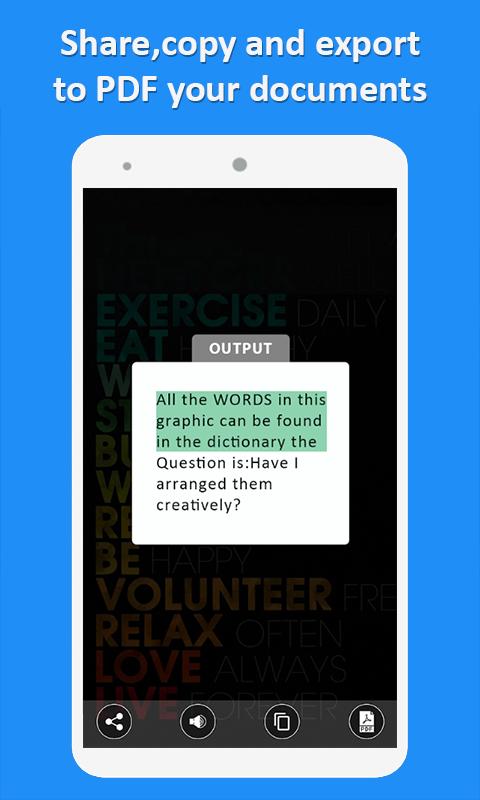
-You can Edit text after recognizing the text.
With this Best Text Scanner [OCR]: Text scanner ocr pro 2020 You can scan the following:
• Texts from TV, smartphone screens easily.
• Receipts and invoices can also be converted.
• Labels can be converted using an image scanner app for android.
• Image to text converter free
• Documents of any size and shape.
• Business cards of various types.
• Magazines, Articles, and books which you like the most.
• Image to text converter offline or text scanner without internet.
Image to text all language offline OCR scanner Qualities:
This also acts as png to text converter: Text scanner to word
Text scanner translator: image scanner app also acts as a jpeg to text converter for free
Text scanner text recognition text ocr also can be used as jpg to text converter
Text scanner to translate might be used as a picture to text converter
Text scanner to pdf also be used as an image to word converter
The best pdf to text converter: text scanner pdf
معاينة
العلامات
إضفاء الطابع الشخصيمعلومة
مطور
Infinite Translate
احدث اصدار
1.0.6
آخر تحديث
2020-09-19
فئة
إضفاء الطابع الشخصي
متاح على
Google Play
أظهر المزيد
كيف تلعب Text Scanner OCR: Image to Tex مع GameLoop على جهاز الكمبيوتر
1. قم بتنزيل GameLoop من الموقع الرسمي ، ثم قم بتشغيل ملف exe لتثبيت GameLoop.
2. افتح GameLoop وابحث عن "Text Scanner OCR: Image to Tex" ، وابحث عن Text Scanner OCR: Image to Tex في نتائج البحث وانقر على "تثبيت".
3. استمتع بلعب Text Scanner OCR: Image to Tex على GameLoop.
Minimum requirements
OS
Windows 8.1 64-bit or Windows 10 64-bit
GPU
GTX 1050
CPU
i3-8300
Memory
8GB RAM
Storage
1GB available space
Recommended requirements
OS
Windows 8.1 64-bit or Windows 10 64-bit
GPU
GTX 1050
CPU
i3-9320
Memory
16GB RAM
Storage
1GB available space