
LaunchTime (Homescreen) PC
Quaap, my free-time FOSS apps
قم بتنزيل LaunchTime (Homescreen) على جهاز الكمبيوتر باستخدام GameLoop Emulator
LaunchTime (Homescreen) على الكمبيوتر الشخصي
LaunchTime (Homescreen) ، القادم من المطور Quaap, my free-time FOSS apps ، يعمل على نظام Android في الماضي.
الآن ، يمكنك لعب LaunchTime (Homescreen) على جهاز الكمبيوتر باستخدام GameLoop بسلاسة.
قم بتنزيله في مكتبة GameLoop أو في نتائج البحث. لا مزيد من الانتباه إلى البطارية أو المكالمات المحبطة في الوقت الخطأ بعد الآن.
ما عليك سوى الاستمتاع بجهاز LaunchTime (Homescreen) على الشاشة الكبيرة مجانًا!
LaunchTime (Homescreen) مقدمة
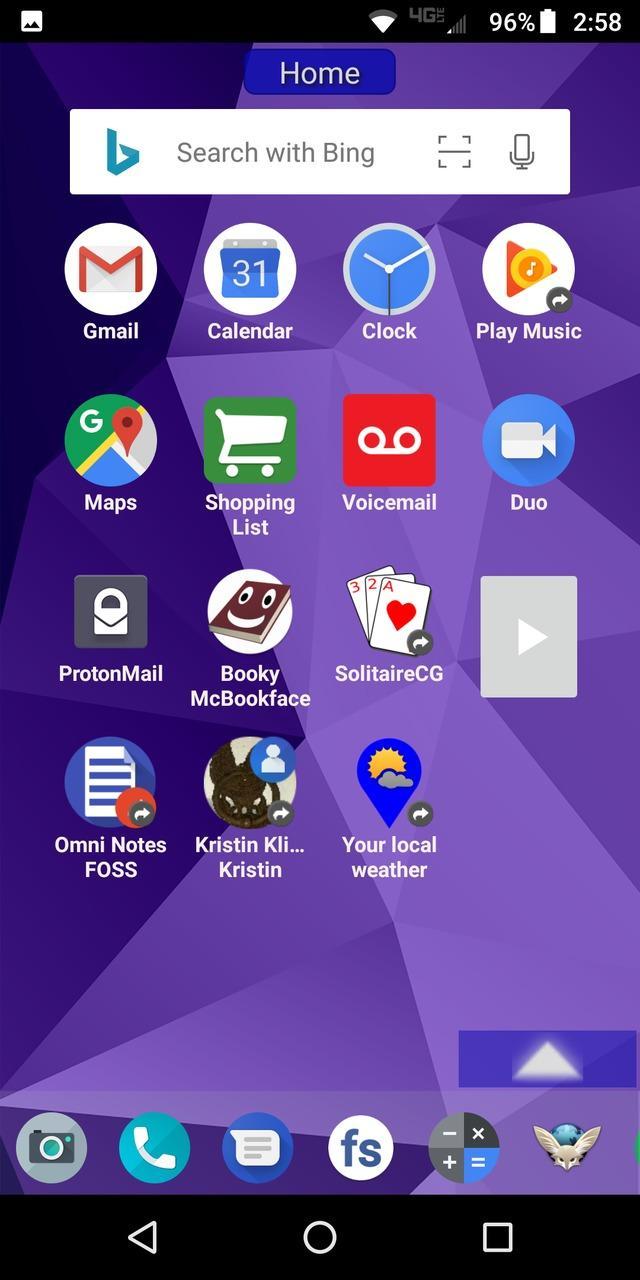
Highly configurable alternative homescreen/launcher which features a side menu to automatically and/or manually organize your apps into common-sense and customizable categories.
Latest features: Resizable widgets, hideable side menu, action menus, appinfo, better appearance, animated transitions, and an experimental "dumbphone" mode.
More features:
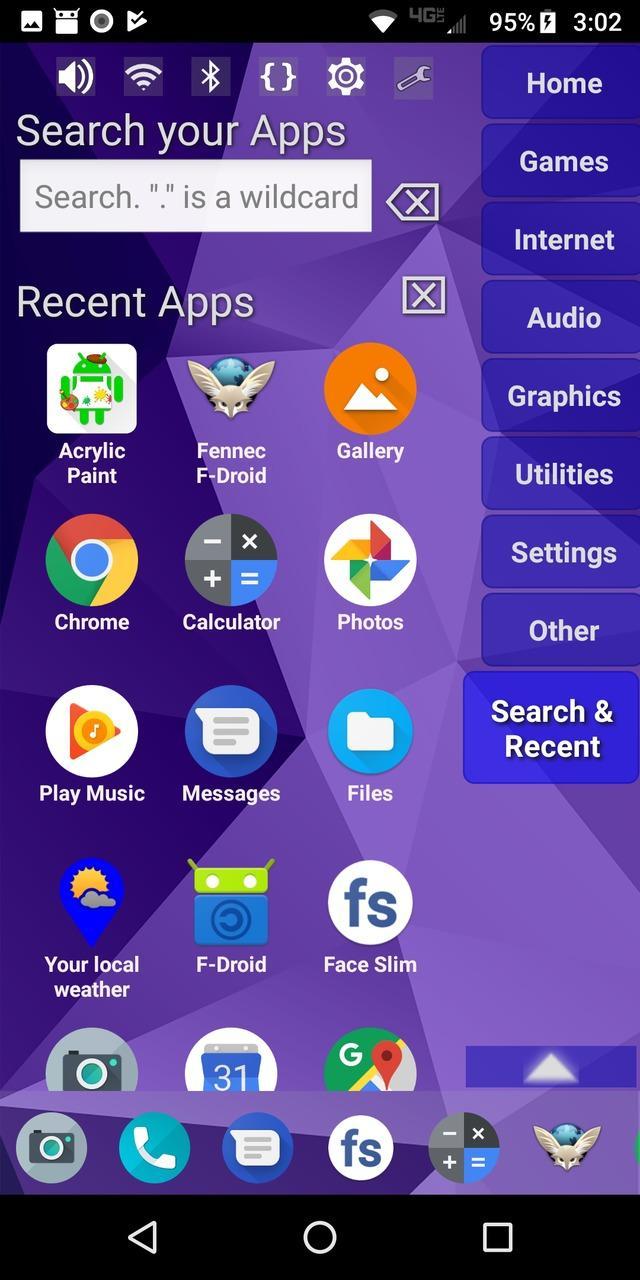
* Configurable app categories in a scrollable/hideable side menu.
* Scrolling QuickBar on the bottom for easy access to your favorite apps.
* Text search to find apps.
* List of recent apps.
* Quick access to settings.
* Multiple widget support.
* Rearrange/sort icons and menu items.
* Toddler/child mode
* Shortcut/link and Oreo Pinned shortcut support.
* Android 7.1+ shortcut actions / menus.
* Unread badges.
* Adw/nova/apex icon-packs.
* Supports both portrait and landscape mode.
* Can hide apps you don't want but can't uninstall.
* Back up and restore your settings.
* Configurable colors.
* Customize icons and labels.
* Built-in themes.
معاينة
العلامات
إضفاء الطابع الشخصيمعلومة
مطور
Quaap, my free-time FOSS apps
احدث اصدار
0.8.5
آخر تحديث
2019-08-26
فئة
إضفاء الطابع الشخصي
متاح على
Google Play
أظهر المزيد
كيف تلعب LaunchTime (Homescreen) مع GameLoop على جهاز الكمبيوتر
1. قم بتنزيل GameLoop من الموقع الرسمي ، ثم قم بتشغيل ملف exe لتثبيت GameLoop.
2. افتح GameLoop وابحث عن "LaunchTime (Homescreen)" ، وابحث عن LaunchTime (Homescreen) في نتائج البحث وانقر على "تثبيت".
3. استمتع بلعب LaunchTime (Homescreen) على GameLoop.
Minimum requirements
OS
Windows 8.1 64-bit or Windows 10 64-bit
GPU
GTX 1050
CPU
i3-8300
Memory
8GB RAM
Storage
1GB available space
Recommended requirements
OS
Windows 8.1 64-bit or Windows 10 64-bit
GPU
GTX 1050
CPU
i3-9320
Memory
16GB RAM
Storage
1GB available space