
Device Info Tool: System Scan PC
ThemesJoy
قم بتنزيل Device Info Tool: System Scan على جهاز الكمبيوتر باستخدام GameLoop Emulator
Device Info Tool: System Scan على الكمبيوتر الشخصي
Device Info Tool: System Scan ، القادم من المطور ThemesJoy ، يعمل على نظام Android في الماضي.
الآن ، يمكنك لعب Device Info Tool: System Scan على جهاز الكمبيوتر باستخدام GameLoop بسلاسة.
قم بتنزيله في مكتبة GameLoop أو في نتائج البحث. لا مزيد من الانتباه إلى البطارية أو المكالمات المحبطة في الوقت الخطأ بعد الآن.
ما عليك سوى الاستمتاع بجهاز Device Info Tool: System Scan على الشاشة الكبيرة مجانًا!
Device Info Tool: System Scan مقدمة
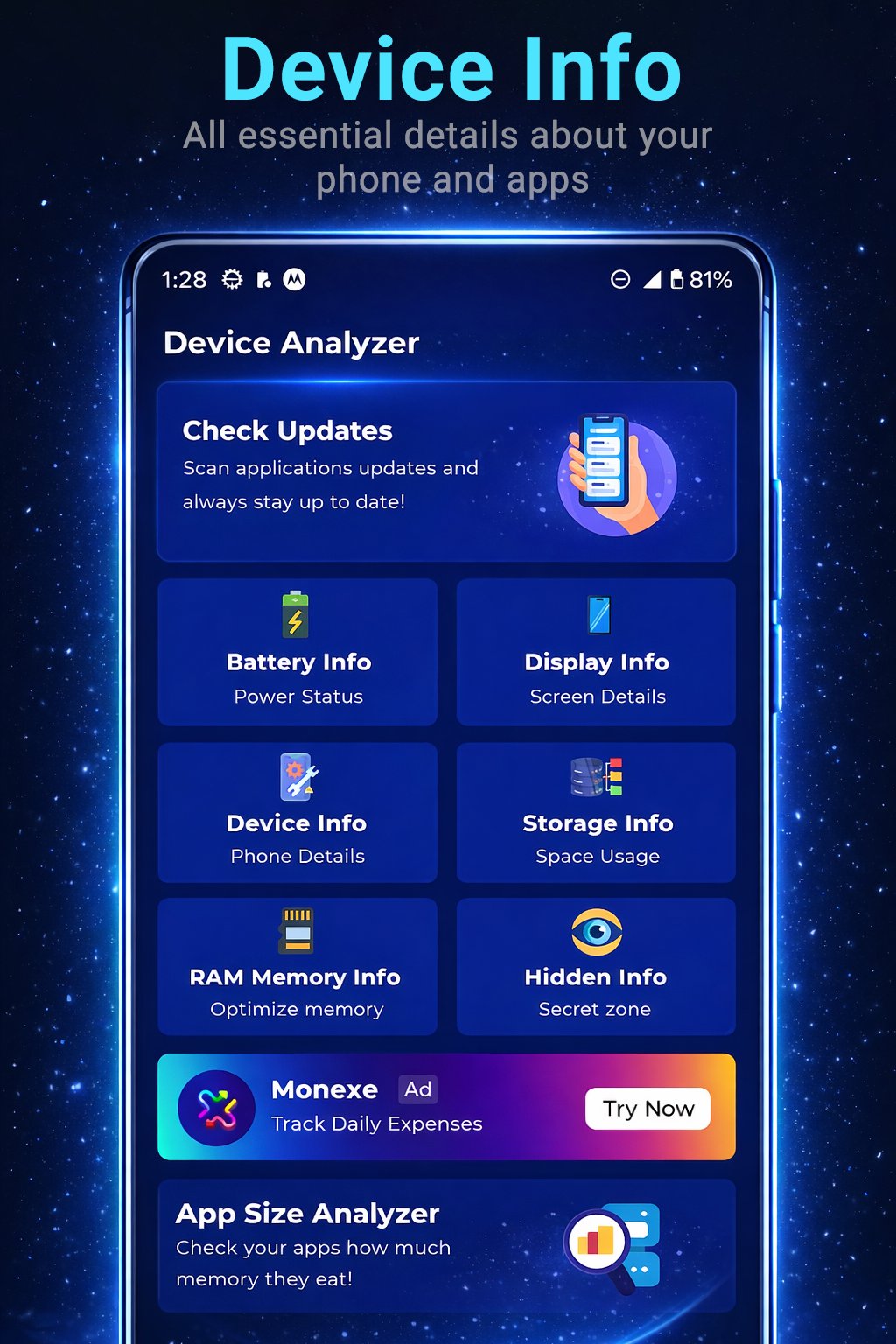
Ever wondered exactly what’s happening under the hood of your phone? Device Info Tool: System Scan is your comprehensive digital assistant, providing a detailed real-time X-ray of your hardware and software.
Whether you're a tech enthusiast or just want to monitor your battery health, our app puts all the technical data at your fingertips through a clean and intuitive interface.
🚀 Key Features:
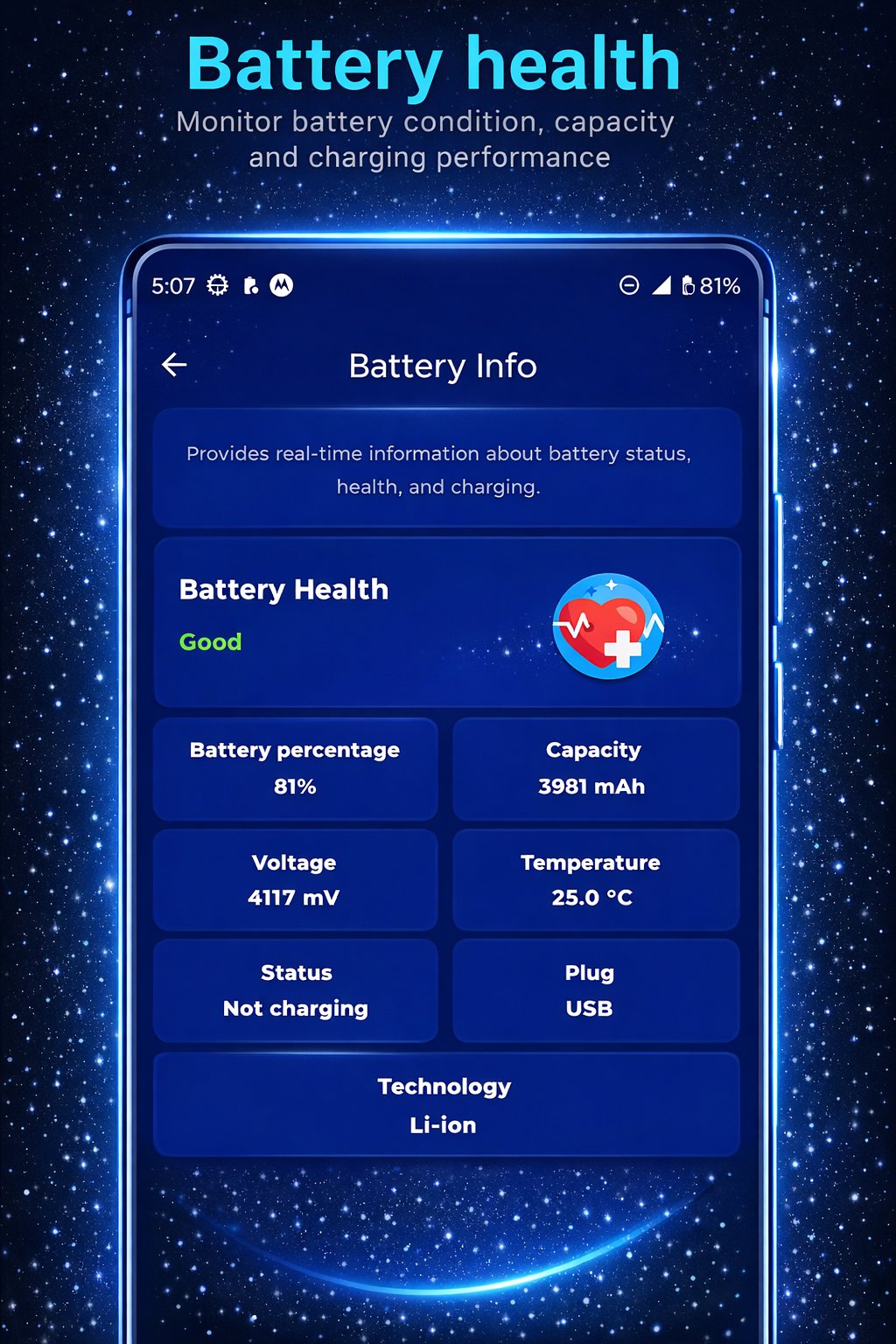
🔋 Battery Monitor: Check charge levels, battery health, temperature, voltage, and capacity (mAh).
🖥️ Display Info: Find out exact resolution, pixel density (DPI), refresh rate (Hz), and screen technology.
⚙️ System Info: Get deep insights into your model, manufacturer, Android version, security patch level, and CPU specifications.
💾 Storage & RAM Management: View real-time storage availability and track how your RAM is being utilized by the system.
🔍 Apps Analyzer & Updates: Scan installed apps, analyze their permissions, and quickly check for available updates to keep your phone secure.
📟 Hidden Commands: Access secret menus and Android diagnostic codes that manufacturers usually keep hidden.
💡 Why Choose Device Info Tool?
User-Friendly: Seamless navigation between all technical categories.
Lightweight: Small footprint that won't drain your resources or slow down your device.
Precise Data: Information pulled directly from the device kernel for maximum accuracy.
🛠️ Technical Note
Some "Hidden Commands" (secret codes) depend on the device manufacturer (Samsung, Xiaomi, Pixel, etc.) and may not be accessible on all models.
معاينة
العلامات
إضفاء الطابع الشخصيمعلومة
مطور
ThemesJoy
احدث اصدار
4.0
آخر تحديث
2026-02-14
فئة
إضفاء الطابع الشخصي
متاح على
Google Play
أظهر المزيد
كيف تلعب Device Info Tool: System Scan مع GameLoop على جهاز الكمبيوتر
1. قم بتنزيل GameLoop من الموقع الرسمي ، ثم قم بتشغيل ملف exe لتثبيت GameLoop.
2. افتح GameLoop وابحث عن "Device Info Tool: System Scan" ، وابحث عن Device Info Tool: System Scan في نتائج البحث وانقر على "تثبيت".
3. استمتع بلعب Device Info Tool: System Scan على GameLoop.
Minimum requirements
OS
Windows 8.1 64-bit or Windows 10 64-bit
GPU
GTX 1050
CPU
i3-8300
Memory
8GB RAM
Storage
1GB available space
Recommended requirements
OS
Windows 8.1 64-bit or Windows 10 64-bit
GPU
GTX 1050
CPU
i3-9320
Memory
16GB RAM
Storage
1GB available space