
Sound Recorder PCM WAV PC
hardcoded joy
قم بتنزيل Sound Recorder PCM WAV على جهاز الكمبيوتر باستخدام GameLoop Emulator
Sound Recorder PCM WAV على الكمبيوتر الشخصي
Sound Recorder PCM WAV ، القادم من المطور hardcoded joy ، يعمل على نظام Android في الماضي.
الآن ، يمكنك لعب Sound Recorder PCM WAV على جهاز الكمبيوتر باستخدام GameLoop بسلاسة.
قم بتنزيله في مكتبة GameLoop أو في نتائج البحث. لا مزيد من الانتباه إلى البطارية أو المكالمات المحبطة في الوقت الخطأ بعد الآن.
ما عليك سوى الاستمتاع بجهاز Sound Recorder PCM WAV على الشاشة الكبيرة مجانًا!
Sound Recorder PCM WAV مقدمة
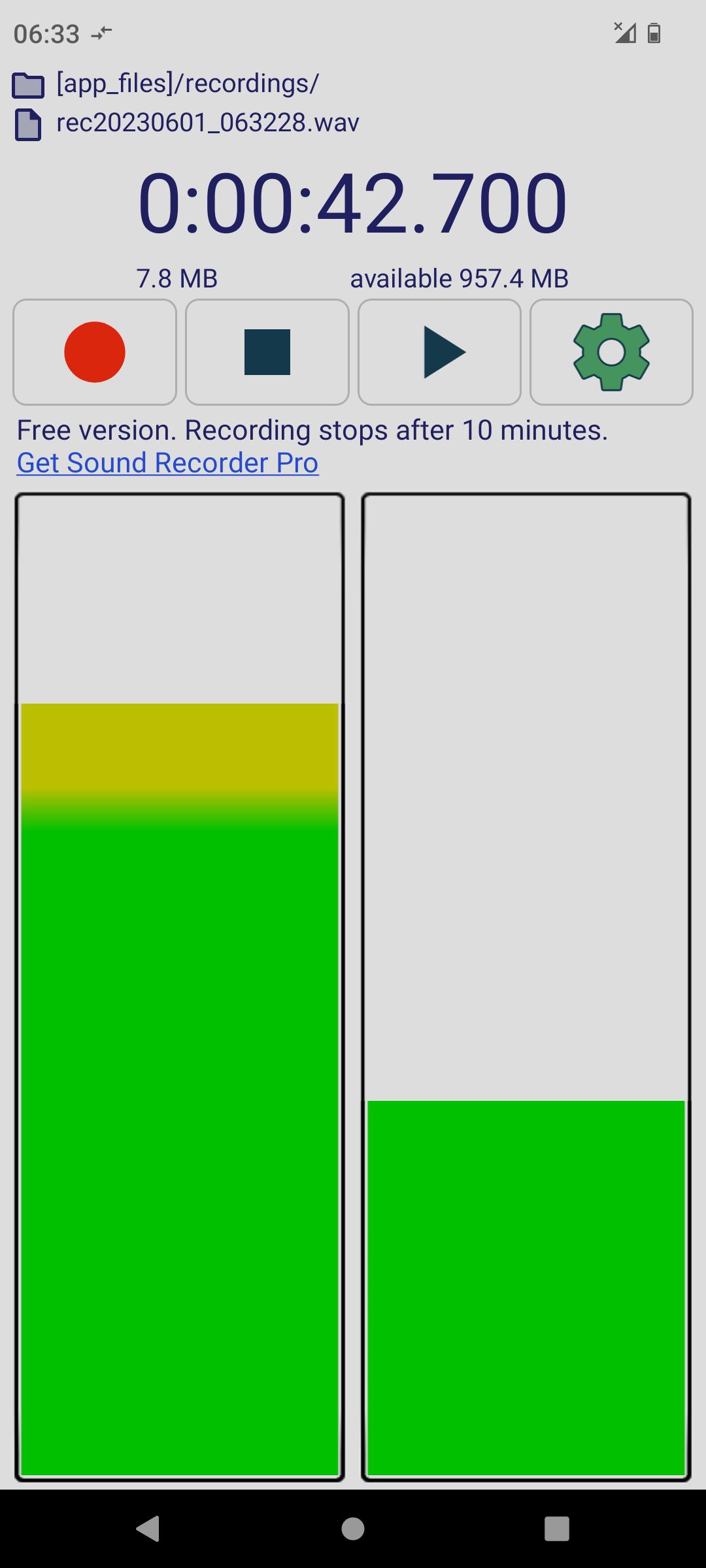
Sound and voice recorder for Android, uses RAW microphone data to capture every sound and records in lossless format (PCM WAV). Records stereo audio - listen with headphones and feel surrounded by the sound.
Features:
- raw MIC data (captures all sound)
- also recording with screen OFF
- stereo MIC (if device has 2 MICs) - listen with headphones and feel surrounded by the sound
- select the Audio Source (UNPROCESSED / CAMCORDER / MIC / DEFAULT)
- lossless audio format (PCM WAV)
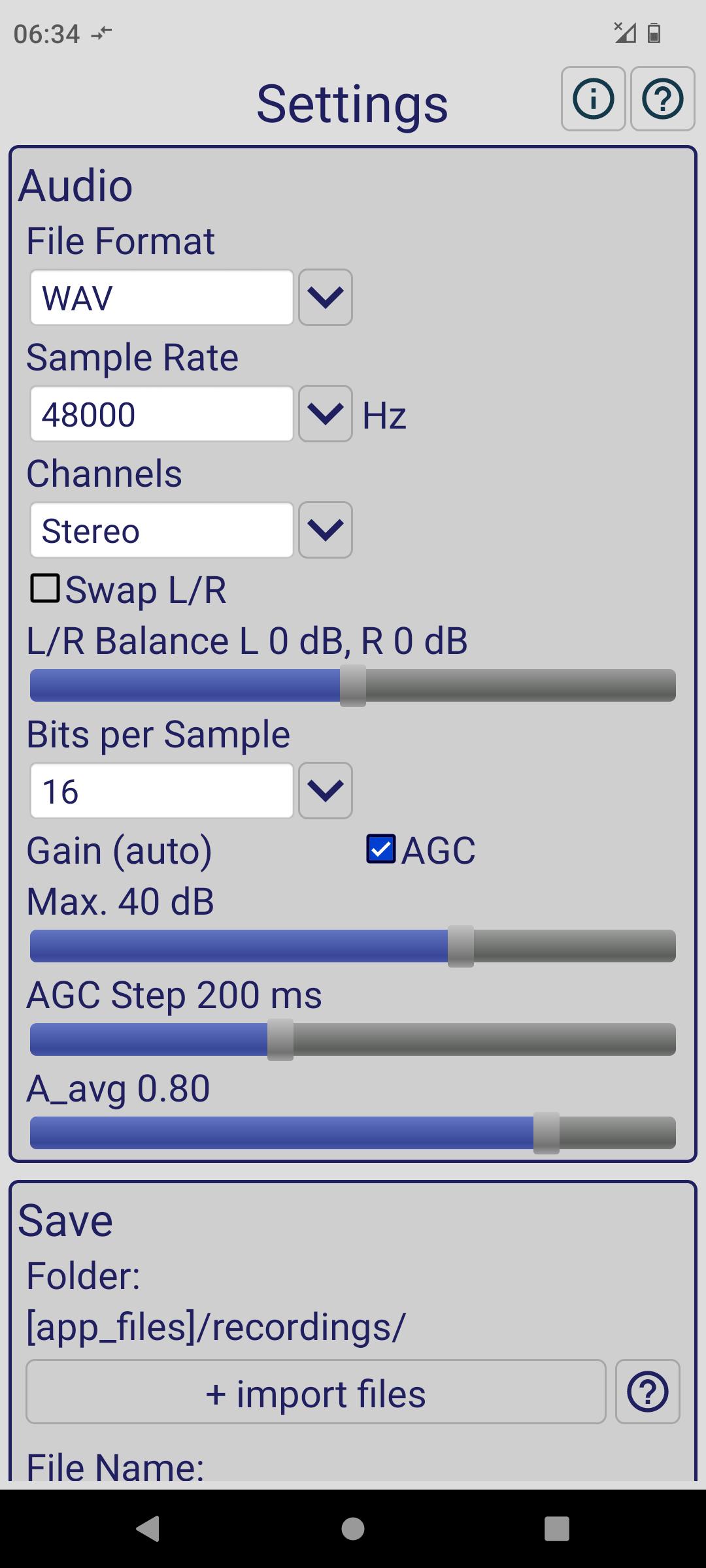
- sample rate 8kHz to 192kHz (older devices may not support all the sample rates)
- bits per sample selection 16-bit (high quality) / 8-bit (record files to use in some embedded systems)
- adjustable gain 0 to 60 dB or automatic (look-ahead AGC)
- AGC buffer step selection 10ms to 500ms
- AGC measured amplitude averaging factor A_avg 0 = max. amplitude, 1 = buffer average
- user-configurable file name including date and time
- stereo / mono channel selection
- swap left/right option
- left/right balance +/- 10 dB
- option to keep screen ON
- option to disable ringing and vibration while recording - so the recording does not get ruined by the phone ring or vibration
- free, NO ADS, only limitation is recording stops after 10 min. which is more than enough for recording one song.
Free version intended for personal, non-commercial use only.
Recordings are now stored in the app's "recordings" folder. Old recordings are still in the old folders. They can be imported to the app's "recordings" folder using the "+ import files" button in app settings.
End-User License Agreement:
https://www.hardcodedjoy.com/app-eula?id=com.hardcodedjoy.soundrecorder
معاينة
العلامات
Music-&معلومة
مطور
hardcoded joy
احدث اصدار
1.4.4
آخر تحديث
2023-06-27
فئة
Music-audio
متاح على
Google Play
أظهر المزيد
كيف تلعب Sound Recorder PCM WAV مع GameLoop على جهاز الكمبيوتر
1. قم بتنزيل GameLoop من الموقع الرسمي ، ثم قم بتشغيل ملف exe لتثبيت GameLoop.
2. افتح GameLoop وابحث عن "Sound Recorder PCM WAV" ، وابحث عن Sound Recorder PCM WAV في نتائج البحث وانقر على "تثبيت".
3. استمتع بلعب Sound Recorder PCM WAV على GameLoop.
Minimum requirements
OS
Windows 8.1 64-bit or Windows 10 64-bit
GPU
GTX 1050
CPU
i3-8300
Memory
8GB RAM
Storage
1GB available space
Recommended requirements
OS
Windows 8.1 64-bit or Windows 10 64-bit
GPU
GTX 1050
CPU
i3-9320
Memory
16GB RAM
Storage
1GB available space