
My Equalizer - Bass Boost & 3D PC
Kushiheim
قم بتنزيل My Equalizer - Bass Boost & 3D على جهاز الكمبيوتر باستخدام GameLoop Emulator
My Equalizer - Bass Boost & 3D على الكمبيوتر الشخصي
My Equalizer - Bass Boost & 3D ، القادم من المطور Kushiheim ، يعمل على نظام Android في الماضي.
الآن ، يمكنك لعب My Equalizer - Bass Boost & 3D على جهاز الكمبيوتر باستخدام GameLoop بسلاسة.
قم بتنزيله في مكتبة GameLoop أو في نتائج البحث. لا مزيد من الانتباه إلى البطارية أو المكالمات المحبطة في الوقت الخطأ بعد الآن.
ما عليك سوى الاستمتاع بجهاز My Equalizer - Bass Boost & 3D على الشاشة الكبيرة مجانًا!
My Equalizer - Bass Boost & 3D مقدمة
<< Android 10 or later functions >>
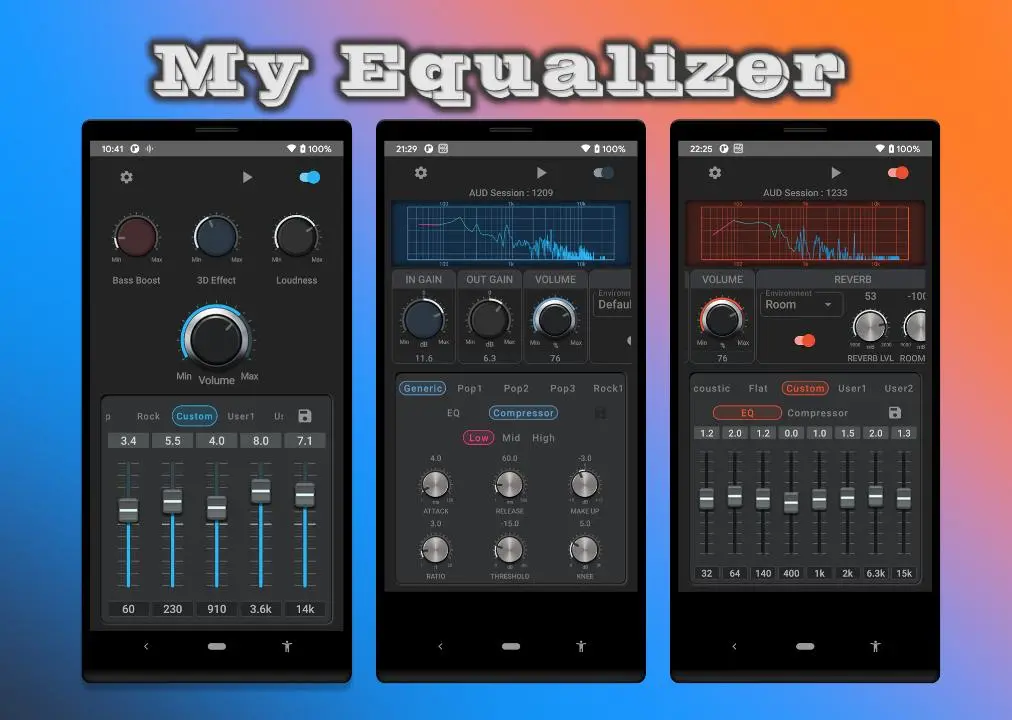
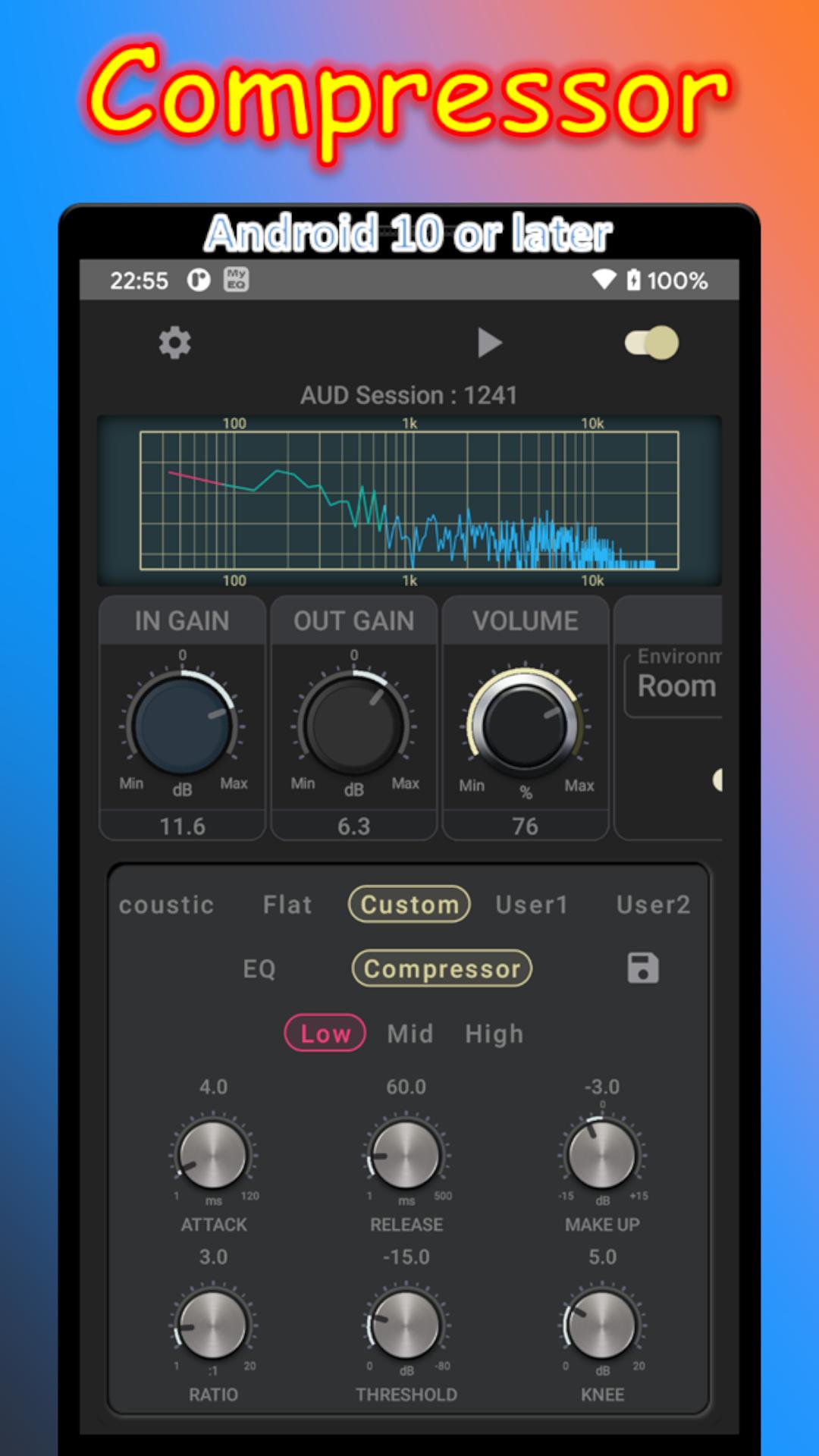
3-band compressor and 8-band equalizer are available on Android 10 or later.
function:
- 8 band equalizer
0.1dB resolution
- 3 band compressor
It is divided into Low (32-64Hz), Mid (140-400Hz), and High (1k-15kHz).
--> At first, try adjusting 'Ratio', 'Threshold' and 'Make Up'.
- 17 presets
pops
--> At first try fine-tuning the vocal volume with mid and high 'Ratio' or 'Make Up'.
Rock 1 (Electric)
Rock2 (Acoustic)
--> Guitar sound quality: At first try tweaking the 'Ratio' between mid and high.
- 10 user presets
- Warm mode (a warm mode)
--> There is compatibility depending on the song. Please use as you like.
- Reverb : 30 presets
--> Tap the parameter change knob to return to the original setting.
- Visualizer (FFT)
--> The color of the graph corresponds to the color of the Low, Mid, and High tabs of the compressor.
- Input Gain
- Output Gain
- Volume
- Multi window mode
- works in the background
(To exit completely, click the "Exit" button on the notification, or click the "Exit" menu item.)
Since Android 10 and later uses Audio Session,
Only works for music players that are sending Audio Sessions.
<< Android9 or earlier functions >>
Simply launch your music player or other device from the My Equalizer play button and change the Bass Booster, Virtualizer, and Equalizer settings to achieve the desired sound quality.
Functions :
- Bass Boost
- Virtualizer(3D Effect)
- Volume booster(Loudness)
- 5-band equalizer (number of bands depends on the model)
Band level can be operated with 0.1dB resolution
- Built-in presets
- 1 custom preset
- 5 user presets
- 16 color themes
- Background operation
(For complete exit, please execute the Exit button in the notification)
- Multi-window mode support (Android 7 or later)
Please avoid extreme settings and enjoy at a moderate volume.
معاينة
العلامات
Music-&معلومة
مطور
Kushiheim
احدث اصدار
2.10.12
آخر تحديث
2024-04-03
فئة
Music-audio
متاح على
Google Play
أظهر المزيد
كيف تلعب My Equalizer - Bass Boost & 3D مع GameLoop على جهاز الكمبيوتر
1. قم بتنزيل GameLoop من الموقع الرسمي ، ثم قم بتشغيل ملف exe لتثبيت GameLoop.
2. افتح GameLoop وابحث عن "My Equalizer - Bass Boost & 3D" ، وابحث عن My Equalizer - Bass Boost & 3D في نتائج البحث وانقر على "تثبيت".
3. استمتع بلعب My Equalizer - Bass Boost & 3D على GameLoop.
Minimum requirements
OS
Windows 8.1 64-bit or Windows 10 64-bit
GPU
GTX 1050
CPU
i3-8300
Memory
8GB RAM
Storage
1GB available space
Recommended requirements
OS
Windows 8.1 64-bit or Windows 10 64-bit
GPU
GTX 1050
CPU
i3-9320
Memory
16GB RAM
Storage
1GB available space