
Glonass Hosting PC
Траектория
قم بتنزيل Glonass Hosting على جهاز الكمبيوتر باستخدام GameLoop Emulator
Glonass Hosting على الكمبيوتر الشخصي
Glonass Hosting ، القادم من المطور Траектория ، يعمل على نظام Android في الماضي.
الآن ، يمكنك لعب Glonass Hosting على جهاز الكمبيوتر باستخدام GameLoop بسلاسة.
قم بتنزيله في مكتبة GameLoop أو في نتائج البحث. لا مزيد من الانتباه إلى البطارية أو المكالمات المحبطة في الوقت الخطأ بعد الآن.
ما عليك سوى الاستمتاع بجهاز Glonass Hosting على الشاشة الكبيرة مجانًا!
Glonass Hosting مقدمة
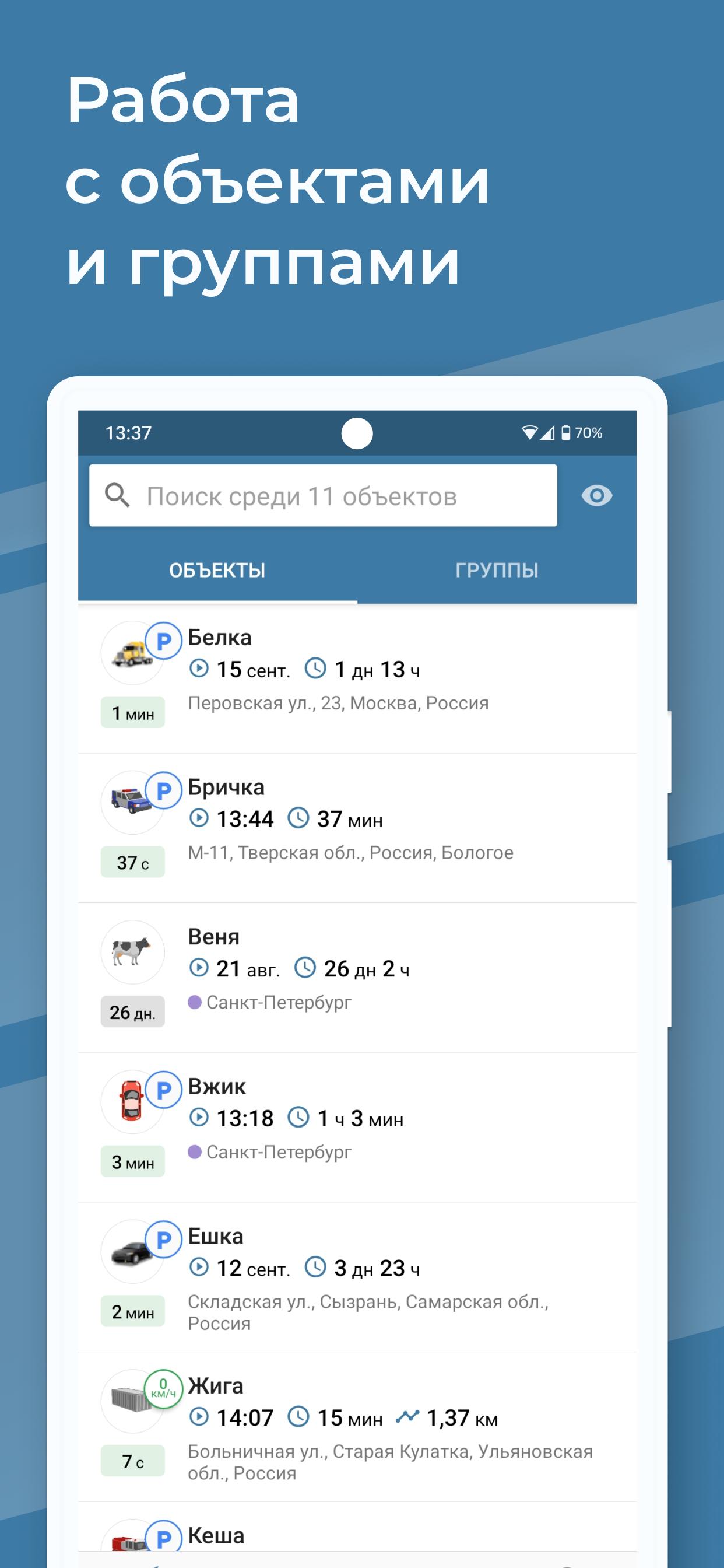
Glonass Hosting is a universal application for transport monitoring that uses all modern technologies of satellite navigation and wireless data transmission (GLONASS, GPS). Designed to carry out comprehensive control of a vehicle and is focused on solving any problem you need.
⚡ SYSTEM CAPABILITIES
— Monitoring the location and movement of objects on the map
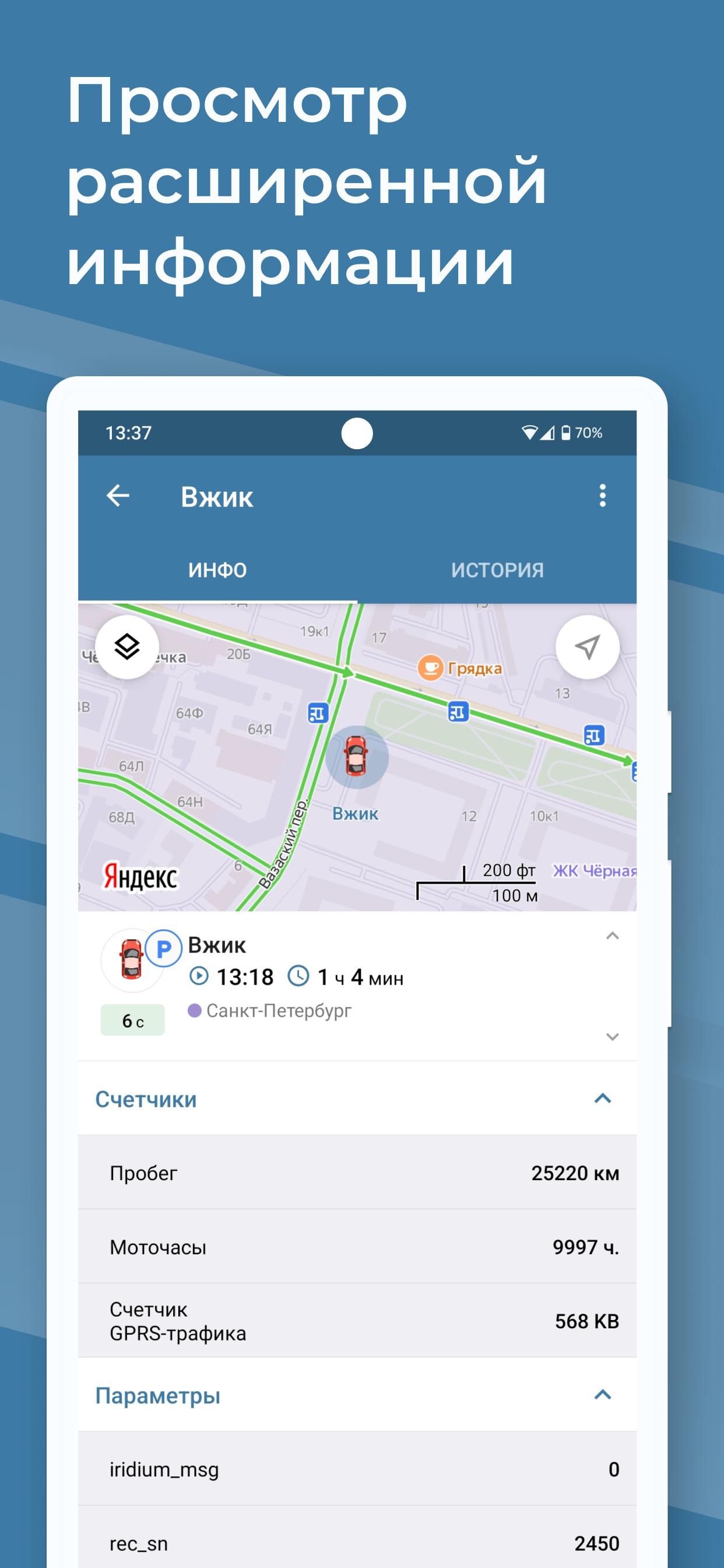
— Tracking any changes in speed, engine hours, mileage, temperature, fuel level, etc.
— Remote control of objects and drivers (blocking the engine, executing certain commands, stopping in case of speeding, etc.)
— Viewing the history of an object’s movement along a specified route for a certain time interval
— Compilation of reports in the form of graphs and tables and uploading in a convenient format (PDF, XLSX)
— Setting up geofences and monitoring their visits
— Setting up notifications about events occurring with an object in the application, via email, SMS or Telegram
— Transport monitoring is available not only in the mobile version, but also through a browser on a computer.
🚗 SUITABLE FOR ANY TYPE OF TRANSPORT:
— Cargo (tractors, dump trucks, refrigerators and vans)
— Light commercial vehicles (vans, refrigerators)
— Special equipment (construction, road, municipal, agricultural, warehouse, railway)
— Passenger transport (taxi, rental cars, corporate fleets, personal drivers)
— Cars for rent or rental
— Passenger transport (under Resolution No. 2216)
— Walking couriers or employees in a company vehicle.
❓ HOW TO USE
To use our application, you need to install GPS/GLONASS equipment, namely a GPS tracker, which will transmit data about the vehicle to the monitoring system. You can install equipment and gain access in our company by leaving a request on the website https://glonassgps.biz or calling 8 800 775-78-72, the call is free in Russia.
📍 WE INSTALL EQUIPMENT ALL OVER RUSSIA:
St. Petersburg, Moscow, Novosibirsk, Ekaterinburg, Kazan, Nizhny Novgorod, Krasnoyarsk, Chelyabinsk, Samara, Ufa, Rostov-on-Don, Krasnodar, Voronezh, Perm, Volgograd, Saratov, Tyumen, Tolyatti, Izhevsk, Khabarovsk, Irkutsk, Orenburg , Pyatigorsk, Vladivostok, Naberezhnye Chelny, Penza, Tula, Sochi, Kursk, Tver, Surgut, Bryansk, Vladimir, Murmansk, Novorossiysk, Taganrog, Severodvinsk, Nefteyugansk, Veliky Novgorod, Cherepovets, Anapa and others.
📞 CONTACTS:
Website: https://glonassgps.biz/
Phone: 8 800 775-78-72
Mail: sales@tspb.su
OUR SOCIAL NETWORKS
YouTube: https://www.youtube.com/@apicar
VK: https://vk.com/trajectory
Zen: https://dzen.ru/trajectory_glonass
معاينة
العلامات
Maps-&معلومة
مطور
Траектория
احدث اصدار
2.18.1.4795
آخر تحديث
2024-02-08
فئة
Maps-navigation
متاح على
Google Play
أظهر المزيد
كيف تلعب Glonass Hosting مع GameLoop على جهاز الكمبيوتر
1. قم بتنزيل GameLoop من الموقع الرسمي ، ثم قم بتشغيل ملف exe لتثبيت GameLoop.
2. افتح GameLoop وابحث عن "Glonass Hosting" ، وابحث عن Glonass Hosting في نتائج البحث وانقر على "تثبيت".
3. استمتع بلعب Glonass Hosting على GameLoop.
Minimum requirements
OS
Windows 8.1 64-bit or Windows 10 64-bit
GPU
GTX 1050
CPU
i3-8300
Memory
8GB RAM
Storage
1GB available space
Recommended requirements
OS
Windows 8.1 64-bit or Windows 10 64-bit
GPU
GTX 1050
CPU
i3-9320
Memory
16GB RAM
Storage
1GB available space